
Alteryx One licensing now involves editions, user roles, and automation runs. Many teams with years of Designer workflows are deciding how their logic will run on cloud data platforms.
Alteryx competitors include Prophecy for cloud-native, AI data prep and analysis, KNIME for free desktop visual workflows, and Dataiku for teams with diverse technical and non-technical user needs. These 11 alternatives are compared by cost, workflow ownership, migration fit, and limitations, using vendor pricing and feature pages.
11 best Alteryx alternatives: TL;DR
- Prophecy: Best for business analysts who use AI in ChatGPT, Claude, Copilot, or the Prophecy app to build visual workflows that run as open SQL on Databricks, Snowflake, or BigQuery
- KNIME: Best for individual analysts and small teams that want a free, open source desktop workflow builder, with paid plans for scheduling
- Dataiku: Best for organizations where analysts and technical teams work in the same project, using visual data prep alongside Python, R, and SQL
- Databricks: Best for teams whose data and governance already live in Databricks and who want data prep on the same platform
- dbt: Best for analytics engineers who write SQL and want tested, version-controlled transformations in the warehouse
- Tableau Prep: Best for Tableau customers preparing data for Tableau dashboards
- Power Query and Power BI: Best for Microsoft teams preparing data for Excel and Power BI reports
- EasyMorph: Best for Windows analysts automating desktop data work
- Matillion: Best for cloud data engineering teams developing recurring pipelines
- Qlik Talend Cloud: Best for enterprises managing data integration, quality, and governance together
- Hex: Best for SQL and Python analysts who publish analyses as interactive data apps
Why look for Alteryx alternatives?
Alteryx remains a strong choice for visual workflows, macros, and data automation. But an Alteryx One renewal can raise new questions about cost, workflow ownership, and how well the platform fits your cloud setup.
Here are four reasons teams start exploring Alteryx alternatives:
- New pricing model: Alteryx One Starter lists at $250 per user per month, billed annually, for 1 to 10 cloud-only Basic users. Alteryx says Designer-only customers generally move to Professional, which requires a custom quote, so budget from that quote.
- Automation run limits: Professional includes 50 automation runs, and Enterprise includes 15,000. If your team runs hundreds of scheduled jobs each week, additional capacity can increase the bill.
- Workflow portability: Alteryx workflows use proprietary .yxmd files. Moving that logic to another platform means converting or rebuilding it. Workflows kept on one analyst’s desktop can also be hard for others to review and share.
- Cloud Data platform fit: Teams using Databricks, Snowflake, or BigQuery may want transformation logic, version control, and governance managed within their existing cloud environment.
Which Alteryx alternative should you choose?
Match the replacement to your workflow owner, current infrastructure, and migration requirements.
- Choose Prophecy if business analysts want AI to build visual workflows, your platform team wants versioned SQL in Git on Databricks, Snowflake, or BigQuery, and you want to import existing Alteryx workflows. Check connector coverage and imported macros before committing.
- Choose KNIME if local workflows and a free desktop builder matter most. Budget for a paid plan when you need scheduling and shared jobs.
- Choose Dataiku if technical teams and business analysts need to contribute to the same project, and/or you need on-premises deployment.
- Choose Databricks if your organization already uses Unity Catalog, has golden master data, and wants the preparation work in its lakehouse.
- Choose dbt if your team writes SQL and values tests, code review, and version-controlled warehouse models.
- Choose Tableau Prep if your team already has Tableau Creator licenses and prepares data mainly for Tableau dashboards.
- Choose Power Query if Excel and Power BI handle most of your preparation and reporting needs.
- Choose EasyMorph if your analysts work on Windows desktops and want a free edition with published pricing.
- Choose Matillion if data engineers own your pipelines, and you need both ingestion and transformation.
- Choose Qlik Talend Cloud if you manage data integration, quality, and governance as one enterprise program.
- Choose Hex if your analysts write SQL or Python and share results as interactive apps.
- Stick with Alteryx if macros, custom tools, spatial workflows, or established desktop analytic applications work reliably and Alteryx One pricing works for your team.
11 best Alteryx competitors: At a glance
Note: Figures are published starting prices, in U.S. dollars unless marked (KNIME publishes euros). Annual commitments, cloud compute, additional credits, and enterprise services may change the total.
1. Prophecy: Best for AI data prep and analysis with open SQL
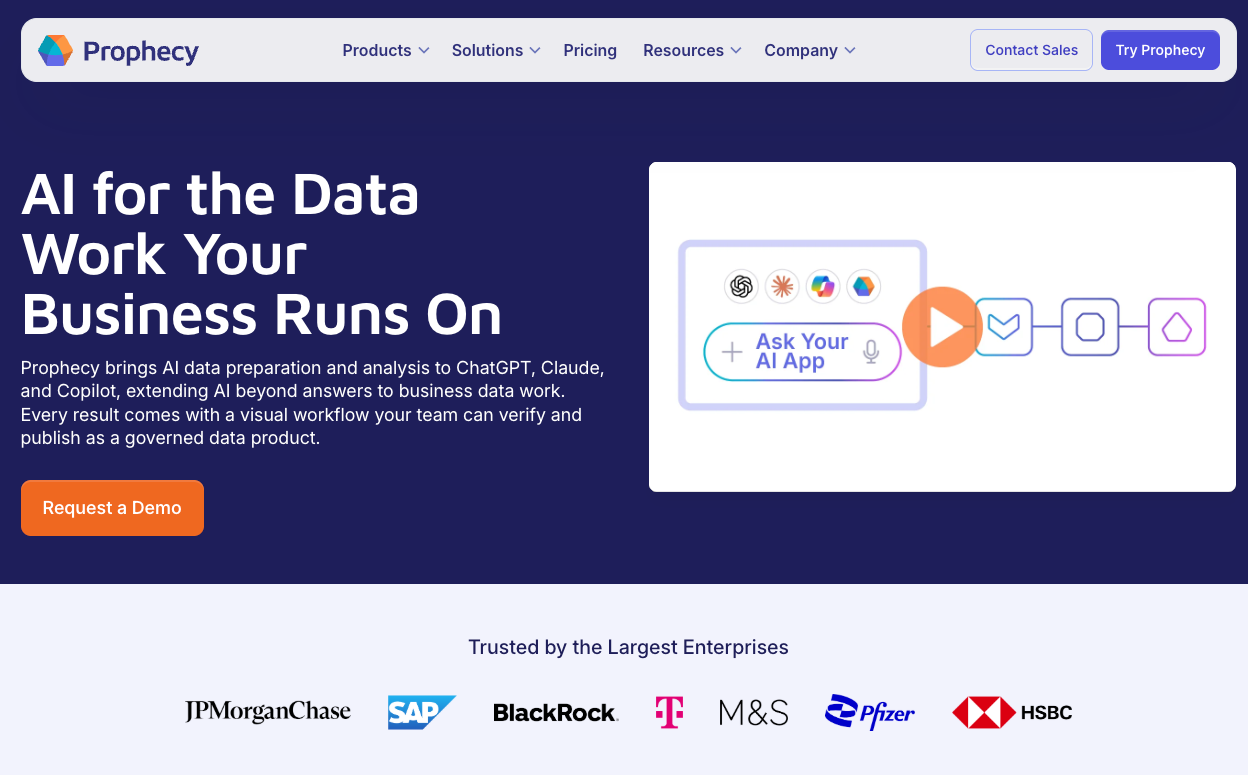
Prophecy lets business data analysts generate visual workflows from plain English in the Prophecy app or inside ChatGPT, Claude, and Microsoft Copilot through Prophecy DataGPT. Analysts inspect and refine each step before deployment.
Starter runs workflows on embedded DuckDB, so no warehouse is needed. Professional and higher plans run on Databricks, Snowflake, or BigQuery and generate open SQL (dbt Core). Starter and Professional use Prophecy-managed Git, and Enterprise Express and above connect to your organization’s Git repository. Native AI-led Alteryx imports convert uploaded workflow files, check migration coverage, and flag unsupported functionality for review.
Key features
- AI native: Builds visual workflows from plain-language business requests in the Prophecy app or in ChatGPT, Claude, and Copilot
- Visual and code views: Let business data analysts check individual steps while data teams can inspect the SQL
- Alteryx imports: Convert existing workflow files with AI for review and deployment on a cloud data platform
Prophecy pros
- Free Starter plan with 20 monthly credits lets individuals try AI
- Enterprise Express adds single sign-on (SSO), SCIM user provisioning with audit logs, and a connection to your organization’s Git repository
Prophecy cons
- No on-premises deployment
- Paid plans run as public or dedicated SaaS
- Workday and shared network drives are known connector limitations, and Python can extend coverage
Best for
- Data platform leaders moving an established Alteryx estate to the cloud
- Business data analysts and analytics teams that need governed self-service on a cloud data platform
Pricing
Starter is free with 20 credits monthly. Professional costs $150 per user per month with 50 credits. Enterprise Express costs $4,000 per month for up to 20 users, billed annually. Enterprise is custom.
Professional includes 5 Alteryx imports per month, and Enterprise Express includes 100. Scheduling uses credits on lower tiers and is unlimited on Enterprise Express and Enterprise. On Professional and higher plans, your Databricks, Snowflake, or BigQuery account bills warehouse compute.
2. KNIME: Best free desktop alternative to Alteryx
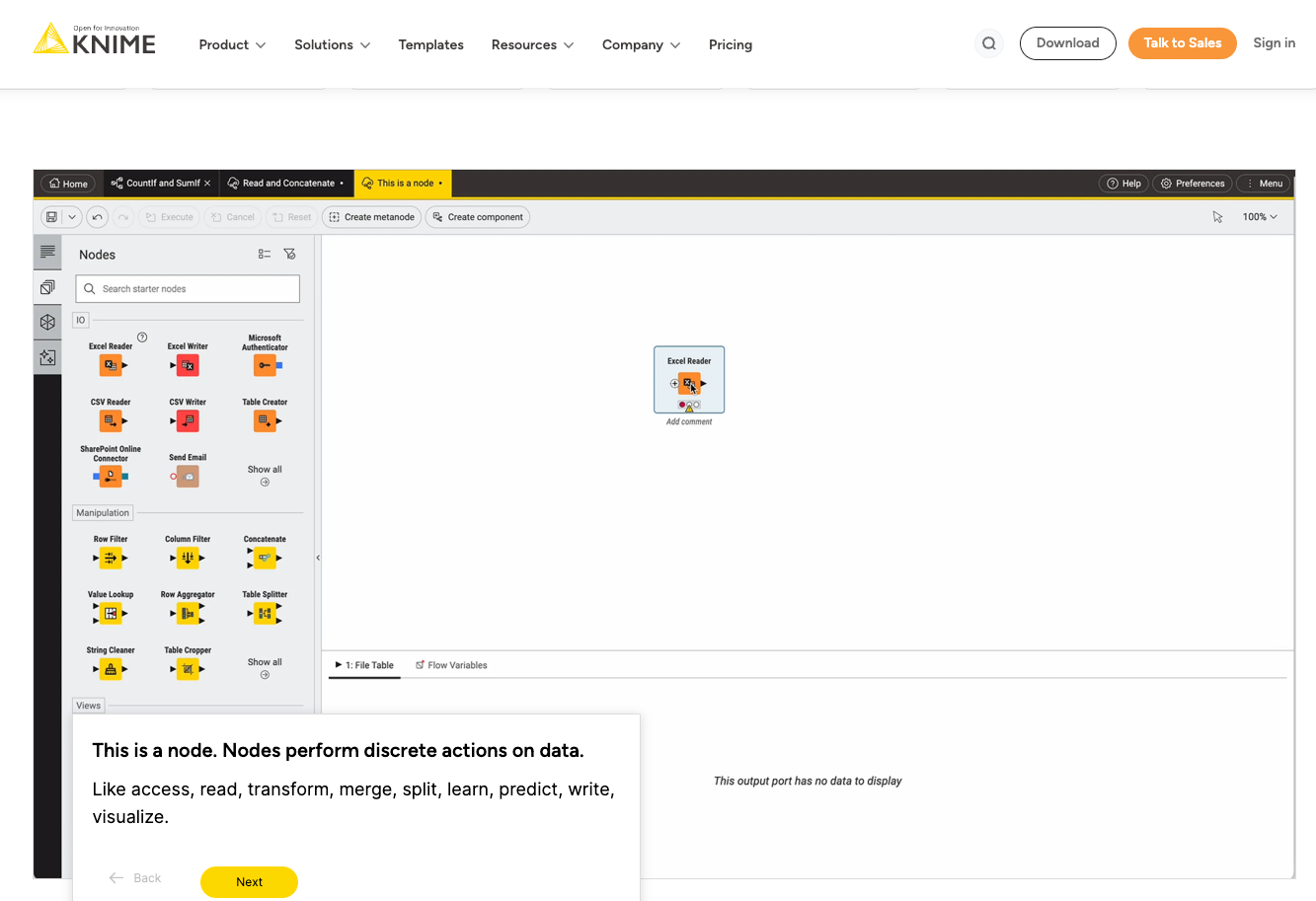
KNIME Analytics Platform is a free, open source desktop application for building visual data workflows. Analysts connect nodes to import, join, filter, and report on data, and they can extend workflows with Python, R, or JavaScript.
Its large community and free local execution make it practical for individual analysts and smaller teams. Scheduling and team sharing require a paid KNIME plan. The KNIME vs. Alteryx comparison examines open source flexibility and commercial features.
Key features
- Node-based canvas: Turns recurring preparation steps into workflows that can be rerun
- Scripting and extensions: Python, R, and JavaScript support specialized operations beyond built-in nodes
- KNIME Hub: The free community hub shares workflows and offers hosted scheduling on paid plans
KNIME pros
- Free desktop execution with an open source core
- Broad community library and reusable workflow examples
KNIME cons
- Paid Hub plans and execution credits add costs for hosted automation
- New analysts need time to learn the node library and workflow conventions
Best for
- Individual analysts who need a capable free Alteryx desktop alternative
- Small teams willing to manage local execution or purchase hosted automation
Pricing
KNIME Analytics Platform is free. KNIME Pro starts at €19 per month with 120 execution credits. Team starts at €99 per month for three users, and extra execution credits cost €0.025 each. KNIME publishes prices in euros.
3. Dataiku: Best for mixed visual and technical teams
Dataiku is an enterprise AI platform that brings visual recipes and code-based work into a common project. Analysts can clean and combine datasets visually, while technical colleagues can add Python, R, or SQL where required.
The project Flow shows how data moves through preparation steps. The Alteryx vs. Dataiku comparison explores their differences, while the Dataiku competitors guide covers more options.
Key features
- Visual recipes: Prepare and combine datasets without hand-writing every transformation
- Code recipes: Allow technical teams to extend a shared project with SQL, Python, or R
- Flow dependencies: Show which downstream datasets depend on each preparation step
- Machine learning and agents: Build, deploy, and monitor models and AI agents in the same platform
Dataiku pros
- Deploys on-premises, in your own cloud, or as a Dataiku-hosted instance
- A free self-hosted edition supports initial evaluation
Dataiku cons
- Paid plans need a sales quote, complicating early budget comparisons
- Projects export as Dataiku bundles, so visual recipes need rework to run on another platform
- Its broad scope adds a learning curve for analytic teams who only need data preparation
Best for
- Organizations with mixed analyst and developer contributors
- Enterprises coordinating shared data, machine learning, and governance projects
Pricing
Dataiku offers a free edition for self-hosted use and a 14-day managed cloud trial. Paid cloud and enterprise plans require a quote.
4. Databricks: Best for teams already on Databricks
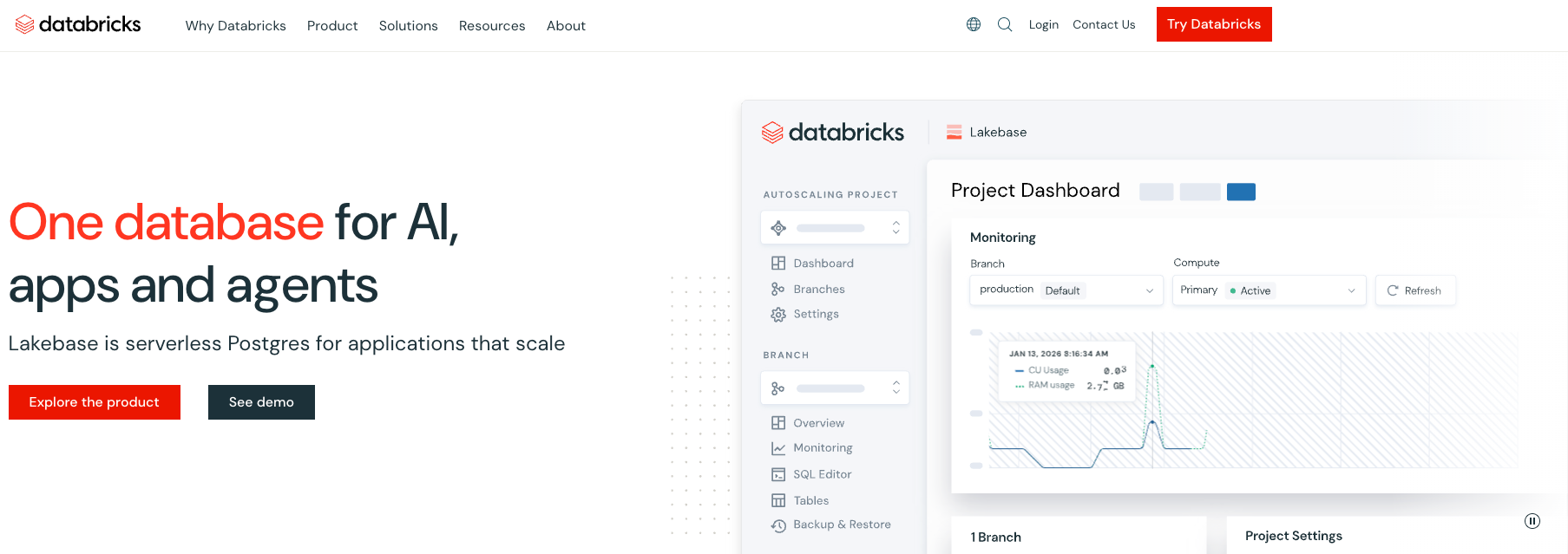
Databricks combines warehouse execution, governance, and visual data preparation in its lakehouse. Lakeflow Designer lets users assemble operators on a canvas or describe work in natural language.
The wider platform supports SQL, Python, jobs, and Unity Catalog permissions. The Alteryx vs. Databricks comparison examines the cost and technical requirements.
Key features
- Lakeflow Designer: Builds visual preparation workflows with input and output previews
- Unity Catalog: Applies existing access controls and governance to data work
- Git versioning: Stores each visual workflow and its generated Python together in Git
- Native jobs: Run repeatable pipelines inside the Databricks environment
Databricks pros
- Lakeflow Designer adds no per-user licenses, because Databricks bills only the compute you use
- Engineers can use platform tools for code review and production jobs
Databricks cons
- Native workflows depend on Databricks infrastructure
- Business analyst adoption may require ongoing platform team support
- Databricks lists bulk migration from legacy data prep tools as upcoming, so moving Alteryx workflows today means rebuilding them
Best for
- Organizations already committed to Databricks
- Platform teams that can manage warehouse compute and production jobs
Pricing
Databricks uses consumption-based pricing. The total depends on compute, cloud infrastructure, workload type, and any negotiated agreement.
5. dbt: Best for SQL-first analytics engineering
dbt manages warehouse transformations as SQL models that teams can test and version. Engineers develop models in code, review changes in Git, and trace dependencies before deploying. dbt Core is open source, and the managed dbt platform adds a browser IDE, scheduling, and dbt Wizard, an AI agent for analytics engineering.
As of November 12, 2026, dbt no longer sells or enables its visual Canvas builder for new accounts. Existing customers can keep using it. Teams that want business analysts to build visually can pair dbt with Prophecy, which generates open SQL (dbt Core) projects that engineers review in Git.
Key features
- SQL models and tests: Make transformation logic reviewable and verifiable
- Lineage graph: Helps teams trace the models feeding reports and other outputs
- Job scheduling: Runs model builds and monitors results in the managed platform
dbt pros
- Familiar Git workflow for analytics engineers
- dbt Core is free and open source, and the free Developer plan includes a project and scheduled jobs
dbt cons
- Model authoring depends on SQL knowledge, even with AI assistance, and dbt no longer sells its visual Canvas builder to new accounts
- dbt starts after data reaches the warehouse, so ingestion needs a separate tool
Best for
- Analytics engineering teams standardizing SQL transformations
- Data platform owners who want reusable, tested warehouse models
Pricing
dbt Core is free and open source. The Developer plan is free for one seat and 3,000 successful models per month. Starter costs $100 per user per month. Enterprise editions require quotes, and dbt Wizard uses pay-as-you-go AI pricing after a trial credit.
6. Tableau Prep: Best for existing Tableau customers
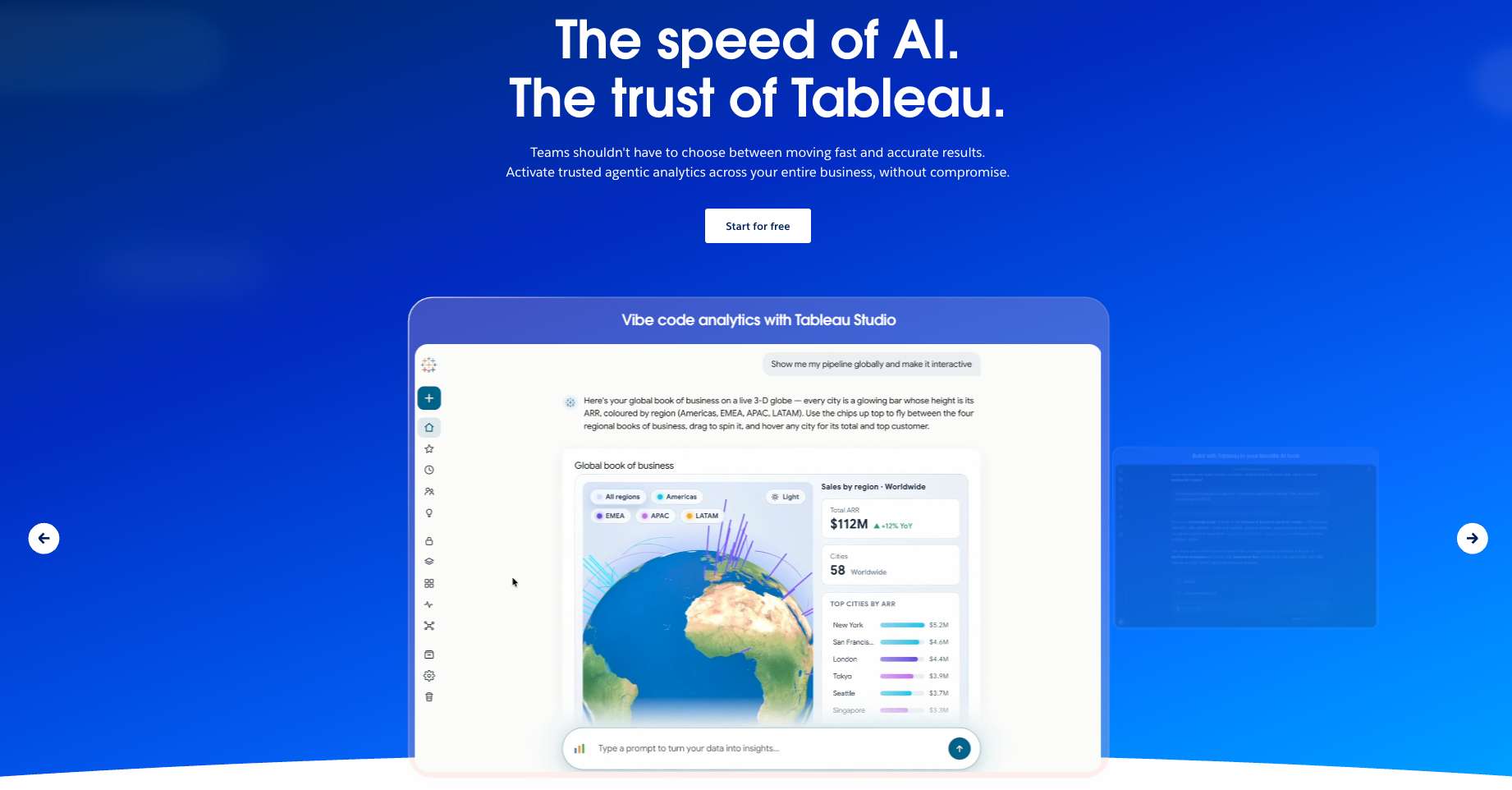
Tableau Prep Builder gives Tableau users a visual workspace for cleaning and combining data. Analysts create flows that feed the datasets used in dashboards and reports.
Its cleaning steps and profile views help make reporting inputs easier to inspect. Prep Conductor adds scheduled execution and monitoring on Tableau Enterprise and Tableau+ editions, which include Data Management.
Key features
- Flow builder: Combines data sources and records reusable cleaning steps
- Profile cards: Expose distributions and data issues during preparation
- Prep Conductor: Schedules and monitors published flows on Enterprise and Tableau+ editions
Tableau pros
- Familiar workflow for organizations already using Tableau
- Prepared outputs feed existing reporting projects
Tableau cons
- Teams need Creator licenses for Prep Builder authoring
- Scheduled prep flows require Tableau Enterprise or higher, so Standard Creators must run flows manually
Best for
- Tableau customers preparing data for dashboards and reports
- Analysts who already hold Tableau Creator licenses
Pricing
Tableau Standard Creator starts at $75 per user per month, billed annually, and includes Prep Builder but not Prep flow scheduling. Enterprise Creator costs $115 per user per month and includes Data Management with Prep Conductor. Every deployment needs at least one Creator license.
7. Power Query and Power BI: Best for Microsoft reporting teams
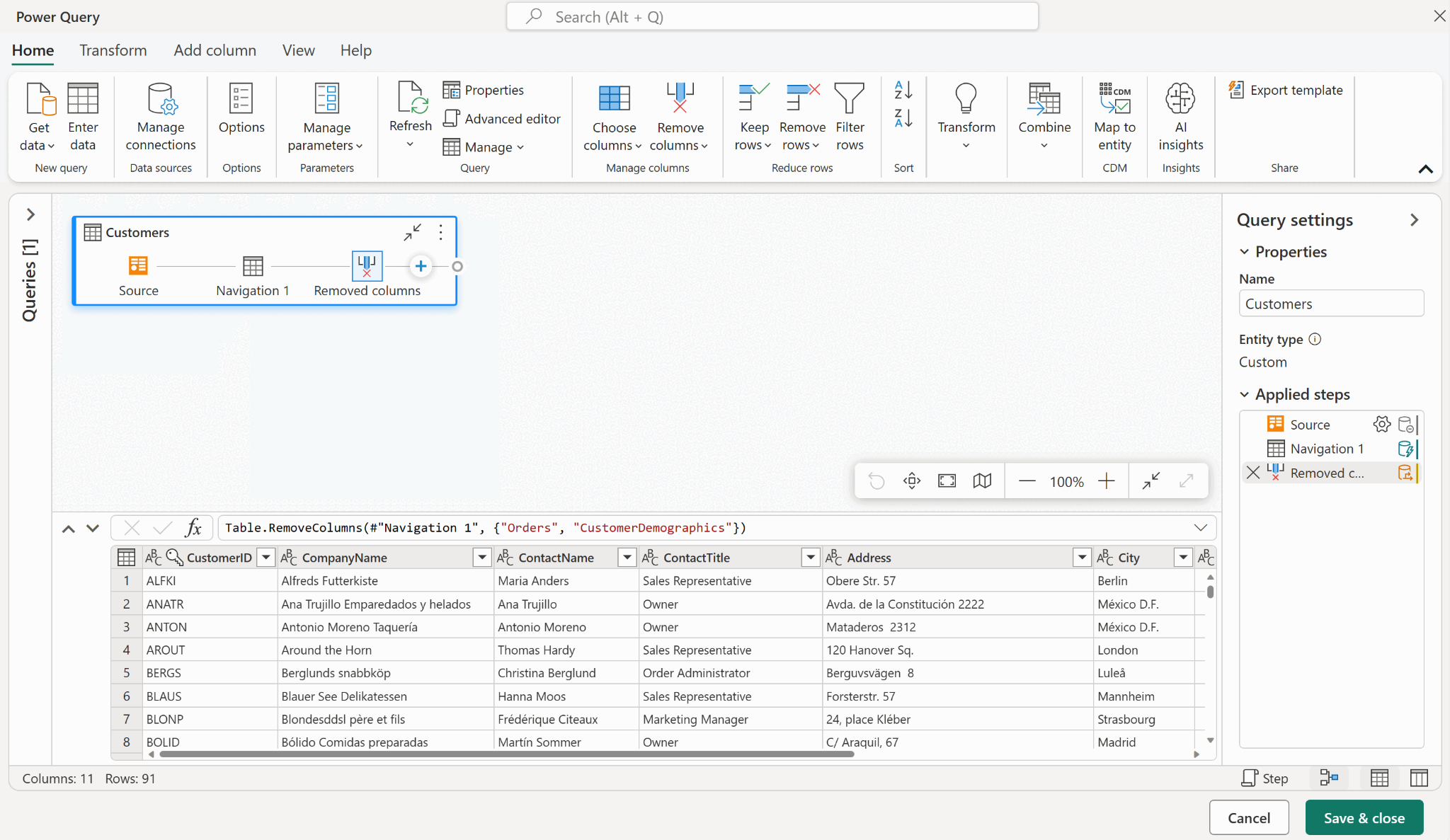
Power Query helps Microsoft users clean and reshape data in repeatable steps. It works in Excel and Power BI, while the formula language M supports transformations beyond the graphical editor.
Power BI adds reporting and sharing. This combination fits recurring spreadsheet imports, merges, standardization, and report refreshes.
Key features
- Applied steps: Record transformations so analysts can repeat them at refresh
- M expressions: Extend common operations with custom formulas
- Power BI publishing: Distributes prepared results through existing Microsoft reporting tools
Power Query/BI pros
- Familiar entry point for Excel and Microsoft 365 users
- Free Power BI Desktop supports local reporting development
Power Query/BI cons
- Complex iterative Alteryx macros, custom tools, and analytic apps may need additional products or code
- Shared models and managed refresh can introduce licenses and capacity charges
- Power BI Desktop runs only on Windows
Best for
- Teams preparing data primarily for Power BI dashboards
- Analysts with recurring Excel and CSV data preparation work
Pricing
Power Query is included in eligible Excel and Power BI products. Power BI Pro costs $14 per user per month, paid yearly. Power BI Desktop and a basic Fabric account have free entry options.
8. EasyMorph: Best for Windows desktop automation
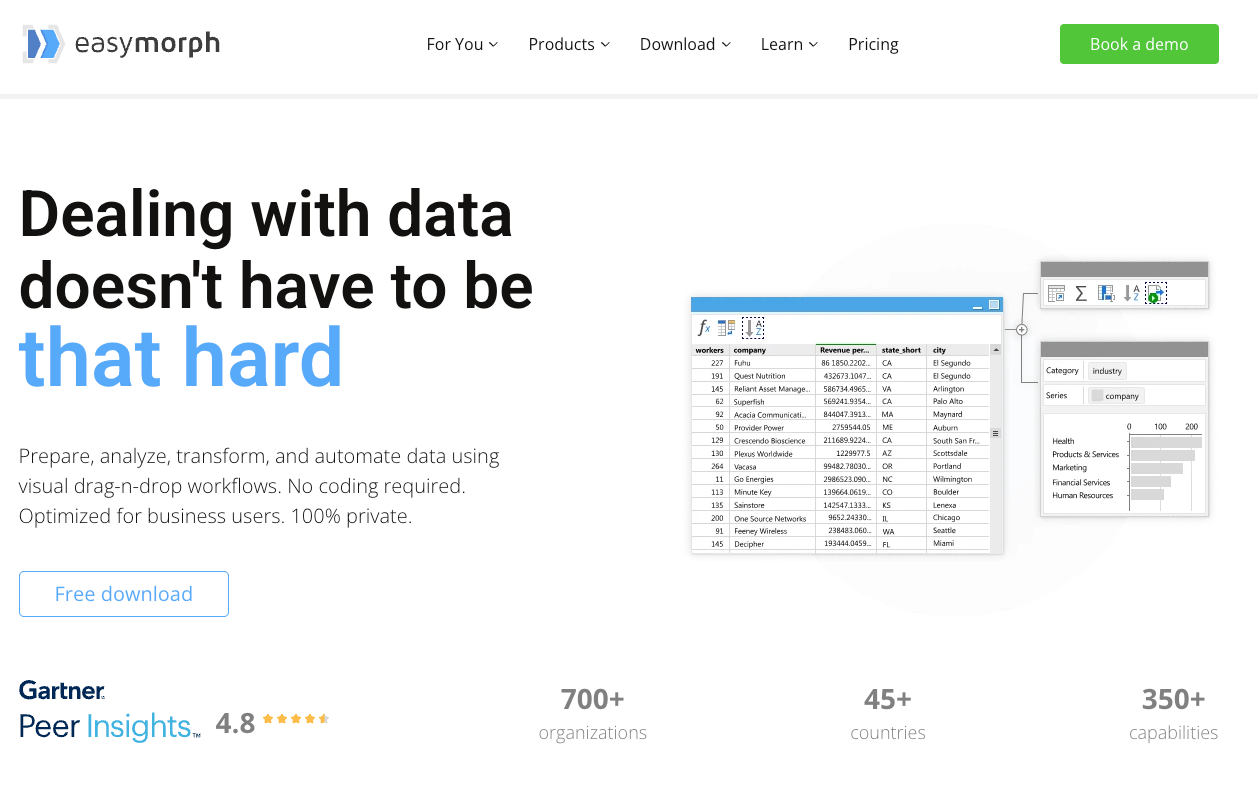
EasyMorph builds visual desktop workflows from actions applied to tables. Analysts can join, filter, aggregate, and export data without maintaining SQL scripts for routine tasks.
Its desktop edition supports offline operation, and EasyMorph Hub provides a route to central automation. Windows teams can start with a limited free edition before paying for more complex workflows.
Key features
- Drag-and-drop actions: Assemble repeatable transformations without scripting
- Step previews: Inspect the output at different points in a workflow
- Hub execution: Centralizes jobs and access for teams using the server product
EasyMorph pros
- Free edition has no data-volume or workflow run limits
- Published desktop pricing is easier to compare with Alteryx licenses
EasyMorph cons
- The desktop product is Windows-only
- Free projects are limited to 20 actions and 20 loop iterations and exclude some action types
- EasyMorph Hub is installed on your own server and licensed separately
Best for
- Windows analysts automating recurring local data work
- Teams that need offline processing or a low-cost desktop option
Pricing
EasyMorph Desktop has a free edition. Professional costs $75 per user per month, billed annually at $900, or $300 for three months. EasyMorph Hub is self-hosted and licensed per server, starting at $3,600 per year for Basic Hub.
9. Matillion: Best for cloud data engineering pipelines
Matillion builds and runs cloud data pipelines with visual and code-based tools. Its Maia Foundation platform, formerly Data Productivity Cloud, handles connectors, transformation, and orchestration, and Maia AI agents help build and maintain pipelines.
Matillion fits teams building warehouse pipelines as an engineering function. Execution credits and cloud platform compute are important parts of the operating cost.
Key features
- Visual and SQL/Python building: Supports transformation work from a shared pipeline editor
- Connectors and orchestration: Move source data and coordinate repeatable jobs
- Maia assistance: Build, run, and maintain pipelines with AI assistance
Matillion pros
- Validation and sampling during development don’t consume credits
- Available through AWS, Azure, and Snowflake marketplaces
Matillion cons
- Credit consumption and underlying warehouse compute require separate budgeting
- Custom SSO, hybrid deployment, lineage, and streaming CDC require the top Scale edition
Best for
- Data engineering teams managing production warehouse pipelines
- Organizations combining data movement with transformation work
Pricing
Matillion offers a trial. Paid editions use consumption credits, with commercial rates available through sales. Compute in the connected data platform may add charges.
10. Qlik Talend Cloud: Best for integration and data quality
Qlik Talend Cloud combines integration, transformation, quality, and governance. It helps enterprise teams coordinate movement from source systems, validate fields, and make datasets ready for downstream work.
The product offers distinct editions for simple data movement, change data capture, transformation, and advanced governance.
Key features
- Managed data pipelines: Move source data to cloud destinations on a recurring basis
- Data quality controls: Support validation and stewardship of enterprise datasets
- Lineage and governance: Help teams investigate dependencies and data changes
Qlik Talend Cloud pros
- Capacity-based pricing includes data integration users in all editions
- Supports cloud and client-managed deployment needs
Qlik Talend Cloud cons
- Analyst-led preparation may take more setup than a standalone visual desktop tool
- Transformation and advanced governance require higher editions and custom quotes
Best for
- Enterprises standardizing data integration and validation practices
- Platform teams managing many sources, destinations, and governance requirements
Pricing
Qlik Talend Cloud offers Starter, Standard, Premium, and Enterprise editions by quote. The pricing model depends on data volume moved, job executions, and job duration.
11. Hex: Best for SQL and Python analysis apps
Hex combines SQL, Python, and interactive analysis in a collaborative notebook. Analysts can publish results as apps so business stakeholders can explore an analysis through a browser.
Hex is a useful choice when recurring questions lead to shared reports and interactive tools. Its main workflow centers on analytical work and presentation.
Key features
- SQL and Python cells: Combine queries, calculations, and charts in one analysis
- Published apps: Let stakeholders interact with results without editing code
- Scheduled runs and alerts: Refresh analyses on the Team and Enterprise plans
Hex pros
- Free Community edition supports individual evaluation
- Paid plans include the Hex agent for AI-assisted analysis, with more credits on higher tiers
Hex cons
- Production data pipelines may need a separate upstream tool
- Scheduled jobs and unlimited published apps require a paid Team plan
Best for
- SQL and Python analysts who publish interactive data apps
- Analytics teams turning recurring reports into lightweight internal apps
Pricing
Hex Community is free. Professional costs $36 per editor per month, and Team costs $75 per editor per month. Enterprise uses custom pricing, and Team and Enterprise can add pay-as-you-go compute for larger workloads.
How to evaluate Alteryx alternatives
A cheaper license means little if your analysts lose the tools they depend on or your engineers spend months rebuilding workflows. Before choosing an Alteryx replacement, test these six areas using your team's existing projects.
1. Can analysts still work independently?
Give a business analyst a familiar task, such as changing a revenue calculation or combining two datasets. Can they update the visual workflow, inspect the results, and publish the changes without engineering help?
Also check whether your platform team can review the logic before it reaches production.
2. Where does your data get processed?
Find out whether workflows run on a desktop, the vendor's infrastructure, or your existing Databricks, Snowflake, or BigQuery environment.
Check whether the tool respects your existing access permissions, supports monitoring, and avoids unnecessary data movement.
3. What happens to your workflows if you leave?
Alteryx saves workflows as .yxmd files, an Alteryx-specific format, while some alternatives produce standard SQL or Python.
Ask vendors to show you the generated code and where it lives. Code stored in your own Git repository gives engineers a way to review changes, reuse logic, and continue running workflows after a vendor change.
4. What will you pay after the first year?
Add user licenses, scheduled runs, execution credits, cloud compute, and any required add-ons to the subscription price.
For example, a tool with cheaper seats could cost more once you run hundreds of jobs daily. Compare annual costs using your actual workload, including expected growth.
5. Can the alternative handle your hardest workflows?
Your existing Alteryx workflows may contain iterative macros, custom tools, geospatial operations, or unusual connectors that a standard demo skips.
Bring one of those workflows to the demo. Ask the vendor to reproduce its logic and identify anything that needs manual work.
6. How much work will migration require?
After converting a workflow, verify that its calculations, exception rules, and outputs still produce the correct results.
Start with a representative .yxmd file and compare its original output with the converted version. Have the analyst who owns the workflow validate the results before deployment.
Prophecy's Alteryx migration approach automates that conversion and lets analysts inspect the resulting visual workflow. The Alteryx migration guide explains how to assess your options and plan the move.
Which of these Alteryx competitors fits your team?
The right Alteryx competitor depends on how your team works. KNIME and EasyMorph suit visual desktop workflows, dbt fits SQL-focused teams, and Databricks serves organizations invested in its cloud platform.
For teams moving beyond Alteryx, Prophecy lets business analysts build and validate visual workflows with AI while platform teams review the underlying SQL in Git. Its AI-led Alteryx import transpiler also reduces migration work.
If you’re a data platform leader planning an Alteryx migration, request a demo to discuss your existing workflows, migration priorities, and how to keep analysts productive throughout the transition.
Frequently asked questions
Is there a free tool similar to Alteryx?
Yes. KNIME Analytics Platform is a free, open source desktop tool with drag-and-drop workflows and is an alternative to Alteryx. EasyMorph also offers a free Windows-only edition, and Prophecy Starter provides free AI data prep and analysis with 20 monthly credits.
How much does Alteryx cost per year?
Alteryx One Starter lists at $250 per user per month, billed annually, or about $3,000 per user per year. Professional and Enterprise require custom quotes, with costs depending on edition, user roles, and automation runs, plus optional add-ons such as services.
Is Alteryx One free?
No, Alteryx One is a paid platform with plans starting at $250 per user per month, billed annually. However, Alteryx offers a 30-day free trial to test its features before purchasing.
Is there a Microsoft equivalent to Alteryx?
Yes, Microsoft Power Query covers data preparation and transformation for teams working in Excel and Power BI. Power BI adds reporting, and Power Automate supports automation. Complex Alteryx macros, custom tools, and analytic apps may need additional development.
Is Alteryx similar to Tableau?
Partly. Tableau Prep offers visual data preparation like Alteryx. The main difference is purpose: Alteryx focuses on data preparation and workflow automation, while Tableau specializes in data visualization and dashboards.
Will AI replace Alteryx?
No, AI has not replaced Alteryx, but it is changing how teams build and manage data workflows.
Tools such as Prophecy can generate visual workflows from plain-language requests and can do the entire data work process inside your AI tool of choice, and Alteryx offers its own AI capabilities. Human review remains essential for validating results and production workflows.