
Your analysts may know Alteryx inside out. Your platform team may have spent years building on Databricks. An Alteryx vs. Databricks decision has to account for both teams.
You can run the products together, move selected workflows into Databricks, or rethink how analysts build them. Each route has a different cost and a different handoff to engineering. Pick a workflow your team already runs today, and use it as the benchmark for that decision.
Alteryx vs. Databricks: What's the difference?
Alteryx gives analysts a visual workspace to prepare data and automate analysis.
Databricks gives the team a place to process and govern it, with visual tools of its own.
- Choose Alteryx if analysts own established visual workflows and need to keep changing them without an engineering handoff.
- Choose Databricks if most of your source data already lives there and your team wants production jobs to run on the same platform.
The cost depends on who builds each workflow and where it runs. The companies partner to support Alteryx workflows on Databricks, with support for in-database processing.
Meet Alteryx: Features and highlights
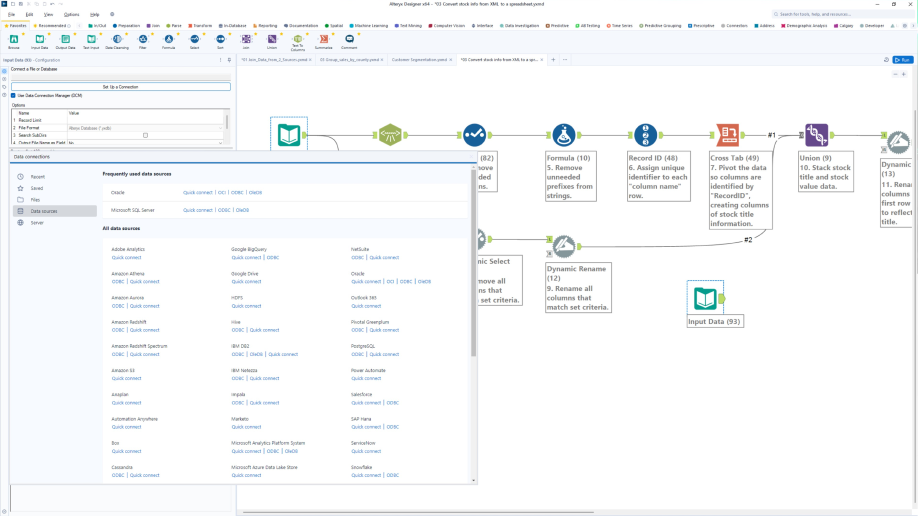
Alteryx is a visual analytics and automation platform. Analysts connect sources, join tables, clean records, and build repeatable workflows on a canvas. Alteryx One packages these capabilities across cloud and desktop editions, with more advanced connectivity and scheduling in its higher tiers.
Designer Desktop remains relevant to teams with years of macros and local workflows. Alteryx also supports cloud tools and in-database processing on Databricks. The execution path depends on how a workflow is built, which matters when reviewing performance and data movement.
Meet Databricks: Features and highlights
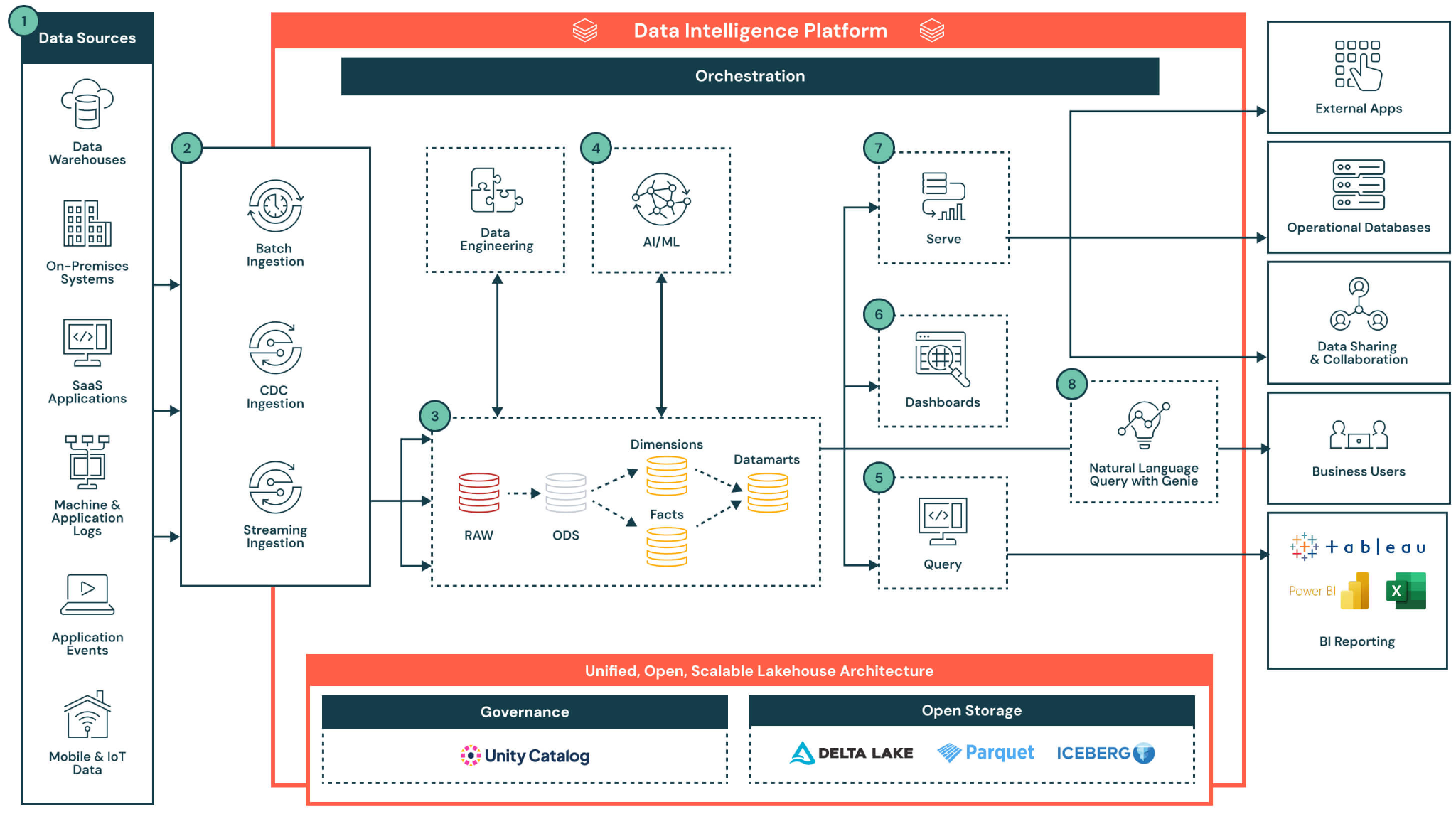
Databricks is a cloud data platform for storing, processing, governing, and analyzing data. Engineers can build batch and streaming pipelines using SQL and Python, while Unity Catalog manages access and tracks lineage across supported workloads.
Databricks also offers Lakeflow Designer, a visual data prep canvas for analysts that reached general availability mid-2026. It includes drag-and-drop operators, previews of each interim step, and Genie Code, the assistant that generates and refines transformations from a plain-language prompt.
Its workflows can be versioned in Git and scheduled as jobs, giving non-technical users a path beyond notebooks.
Alteryx vs. Databricks: Quick summary
Alteryx vs. Databricks: Feature-by-feature comparison
The most useful comparison is the full operating model. Look at what you pay, who can change a workflow, and where its processing takes place.
Cost depends on seats, runs, and the cloud bill
The entry price for Alteryx One Starter is $250/user/month, billed annually. That edition is cloud-only and focuses on flat files. Professional adds desktop access, Databricks connectivity, advanced prep, and basic scheduling. Pricing for Professional and Enterprise requires a sales quote.
An Alteryx estimate needs more than a seat count. Check which users need full creation rights, what automation capacity the contract includes, and whether a desktop or hybrid deployment is required.
Alteryx publishes the included capacity: Professional comes with 50 automation runs and Enterprise with 15,000, and both editions can buy more. Professional also limits platform automation to one concurrent workflow.
If an Alteryx workflow pushes processing into Databricks, include the resulting Databricks usage as well.
Databricks charges for compute usage, measured through service-specific rates and Databricks Units (DBUs). Storage, networking, and cloud infrastructure can add charges. There is no single monthly price that captures a team's jobs, SQL queries, and streaming workloads across cloud providers.
Lakeflow Designer carries no seat cost. Databricks says it bills only the compute each run consumes, so compare that against Alteryx seats plus automation capacity.
For a fair comparison, price a representative set of workflows. Include software contracts, cloud usage, scheduling, support, and the hours analysts and engineers spend rebuilding or maintaining logic. A low compute bill offers little comfort if analysts don’t feel comfortable working in Databricks.
Skills determine who can build and maintain the work
Alteryx gives business analysts a familiar visual workflow for blending files, preparing data, and automating recurring tasks. Visual workflow building lowers the coding requirement, though an analyst still needs to understand joins, data quality, and the meaning of each metric well enough to check the result.
Databricks offers several entry points. Engineers and technical analysts can work in SQL, Python, or notebooks. Lakeflow Designer lets analysts assemble common preparation steps visually and use natural language to refine them, while a platform team sets permissions, reviews production changes, and manages compute.
The practical test is who can change a workflow after launch. Ask an analyst to update a business rule, validate a sample, and publish the change under your approval process. Then ask an engineer to trace the source tables, review the generated logic, and troubleshoot a failed run.
Data volume changes where execution belongs
Databricks suits large production datasets and workloads that need distributed compute, including batch and streaming pipelines. Unity Catalog gives platform teams centralized controls over access, auditing, and lineage. Those workloads need the right compute settings and monitoring to hit performance and cost targets.
Alteryx handles substantial analyst work, and its Databricks partnership includes pushdown processing for supported in-database workflows. A team should inspect each workflow's execution path before assuming that a Databricks connection keeps every step in the lakehouse.
The distinction matters most when a workflow reads a large governed table and writes a small report. Moving data from Databricks to Alteryx Desktop can create copies to manage and slow down repeated runs. In-database processing can reduce that movement when the required operations are supported.
Workflow files shape portability and review
Each platform saves analyst work in a different kind of file. The format affects how a workflow moves, gets reviewed, and gets rebuilt.
- Alteryx: Each workflow is stored as a .yxmd file, the platform's own workflow format.
- Databricks: A visual data prep file in Lakeflow Designer saves to one notebook file ending in .designer.ipynb, which keeps the canvas and its generated Python together. Because the file is code, your team puts it in a Git folder, schedules it as a job, and promotes it with Declarative Automation Bundles, the Databricks format for packaging a project and its deployment settings. Lakeflow pipelines written manually use ordinary Python and SQL, so they sit in the same repository.
Databricks work lands in Git as notebooks and code files, so the review steps your engineers already use apply to it. An Alteryx workflow keeps its logic in a .yxmd file, so moving it to Databricks starts with converting or rebuilding it.
How Alteryx and Databricks work together
Analysts can build visual workflows in Alteryx while Databricks stores and processes the data. Alteryx's supported in-database tools run transformations in Databricks. Other steps may use Alteryx's standard processing path, so check where each step runs.
This setup can keep experienced Alteryx users productive. It also gives the team two places to schedule jobs and manage workflow changes. Review a few workflows that run often:
- Data movement: Does the workflow pull a large table into Alteryx? Check whether its key steps can run inside Databricks.
- Scheduling: Does the same job have schedules or dependencies in both products? Assign one team to own the production run and its alerts.
- Business rules: Does a metric have one definition in Alteryx and another in Databricks? Agree on the rule and compare both outputs before retiring either version.
If those checks reveal repeated data transfers or duplicate work, move the affected workflows in stages. Keep the Alteryx workflows that serve analysts well and have a clear owner.
What breaks when engineers rebuild analyst workflows?
Business rules can get lost when engineers rebuild an Alteryx workflow in Databricks. The joins and filters are visible on the canvas, but the reason behind each choice may live only in the analyst's head.
Say a finance analyst leaves late adjustments out of Monday's revenue report. An engineer recreates the workflow and includes them. Both jobs run successfully, yet they produce different numbers. Now the team has to find the rule, correct the new job, and check which reports used each result.
Alteryx-to-Databricks migration planning starts with the analyst and a working example. Record the workflow's sources, schedule, outputs, and exceptions. Run both versions on the same data, compare the results, and ask the analyst to approve the new workflow before retiring the old one.
Databricks lists native migration tooling powered by Lakebridge, for bulk moves from legacy self-service tools into Lakeflow Designer, as an upcoming feature as of October 2026. Until it ships, treat an Alteryx-to-Lakeflow move as a rebuild.
How non-technical users work in Databricks
Non-technical users can prepare data in Databricks with Lakeflow Designer. Analysts can connect steps on a visual canvas, preview the output of each step, and use AI assistance to refine a workflow. Lakeflow Designer workflows can also be versioned in Git and scheduled as jobs.
Give analysts a task they handle each week, such as combining a spreadsheet with a Databricks table. Can they build it, check the join, and explain the final number?
Governed self-service for Databricks also depends on access rules and a review process that lets analysts validate their work.
Where Databricks can replace Alteryx for data prep
Databricks can replace Alteryx for workflows that read tables already in the lakehouse, and Lakeflow Designer can often cover that work from start to finish. A weekly revenue report is a useful first test. Analysts join a few governed tables, apply agreed rules, and publish the result.
Some Alteryx workflows need a closer look before a move. They may pull from shared drives, use custom macros, or produce files for teams outside Databricks. Pick a few of those alongside the simpler report.
Run the old and new versions on the same inputs and compare the outputs. Then ask the analyst to make a routine rule change. That last step shows whether the team can keep the new workflow current.
If Lakeflow Designer handles the workflow, test whether analysts can maintain it after the migration. Read our comparison of the two visual tools, which matters if some of your data also sits in Snowflake or BigQuery.
What real users say
G2's comparison draws on reviews of both platforms, and both hold a 4.6 out of 5 rating (952 reviews for Alteryx, 1,383 reviews for Databricks).
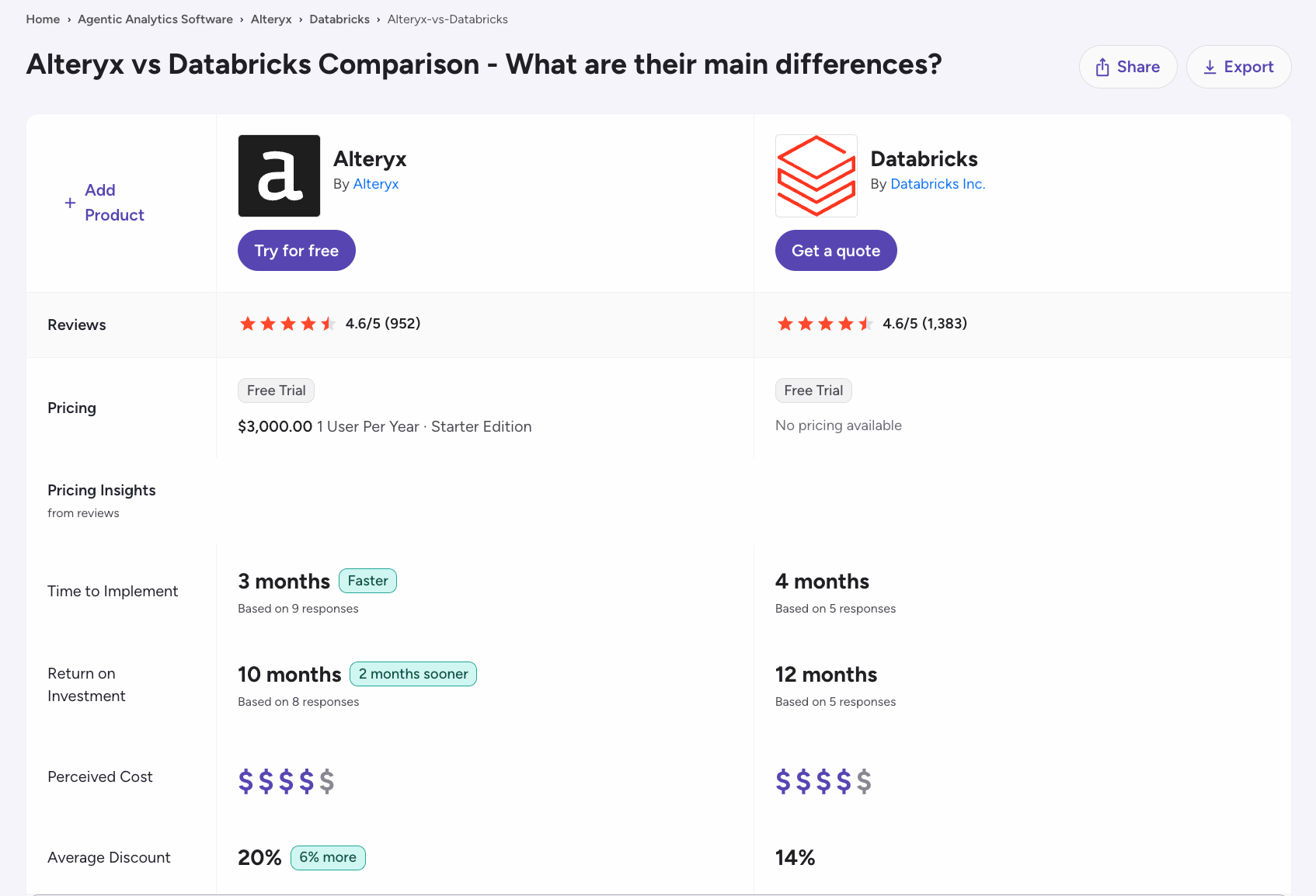
Databricks scores higher on meeting requirements (9.0 versus 8.8), quality of support (8.7 versus 8.5), and product direction (9.6 versus 9.0). Alteryx scores slightly higher on ease of setup (8.5 versus 8.4).
Alteryx
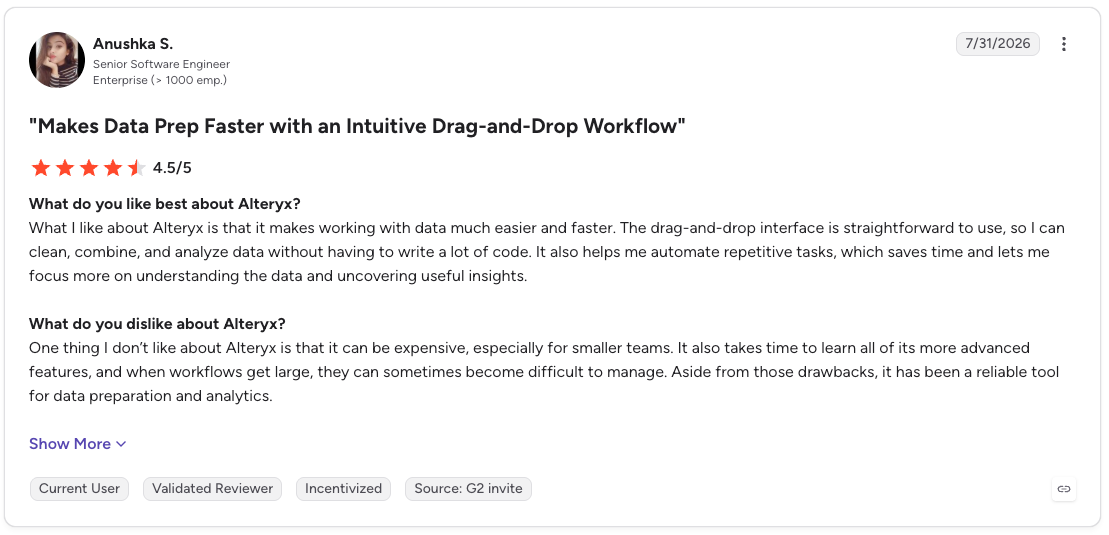
Pro: “What I like about Alteryx is that it makes working with data much easier and faster. The drag-and-drop interface is straightforward to use, so I can clean, combine, and analyze data without having to write a lot of code.” (Anushka S., G2 review, July 31, 2026)
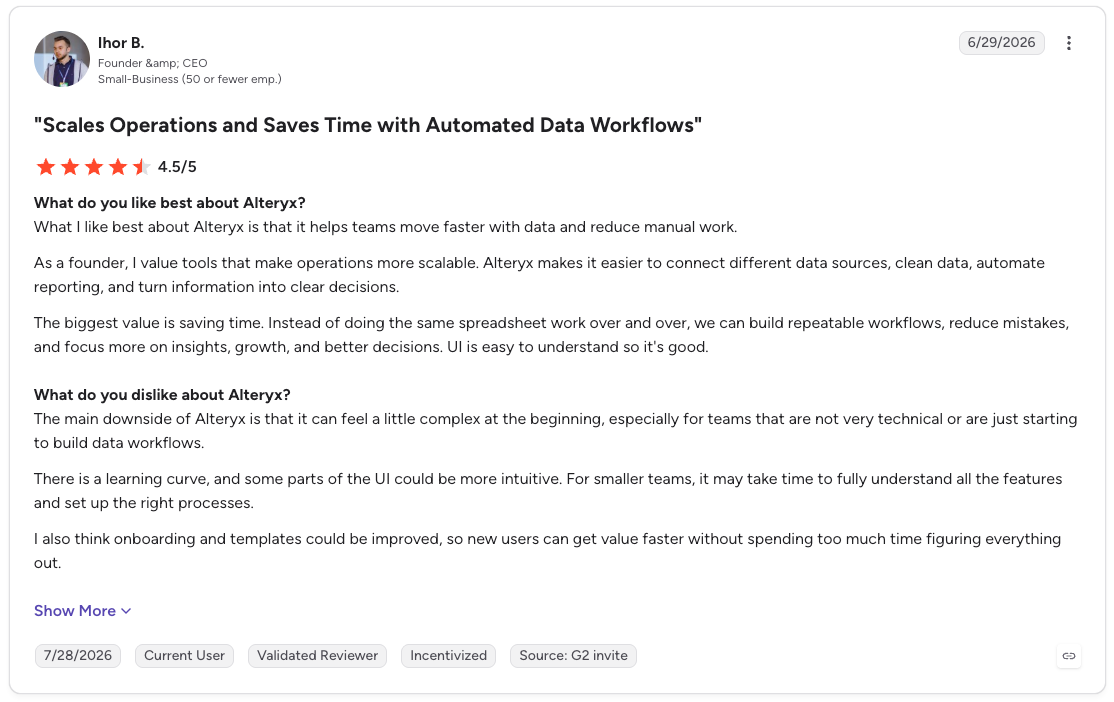
Con: “The main downside of Alteryx is that it can feel a little complex at the beginning, especially for teams that are not very technical or are just starting to build data workflows.” (Ihor B., G2 review, June 29, 2026)
Databricks
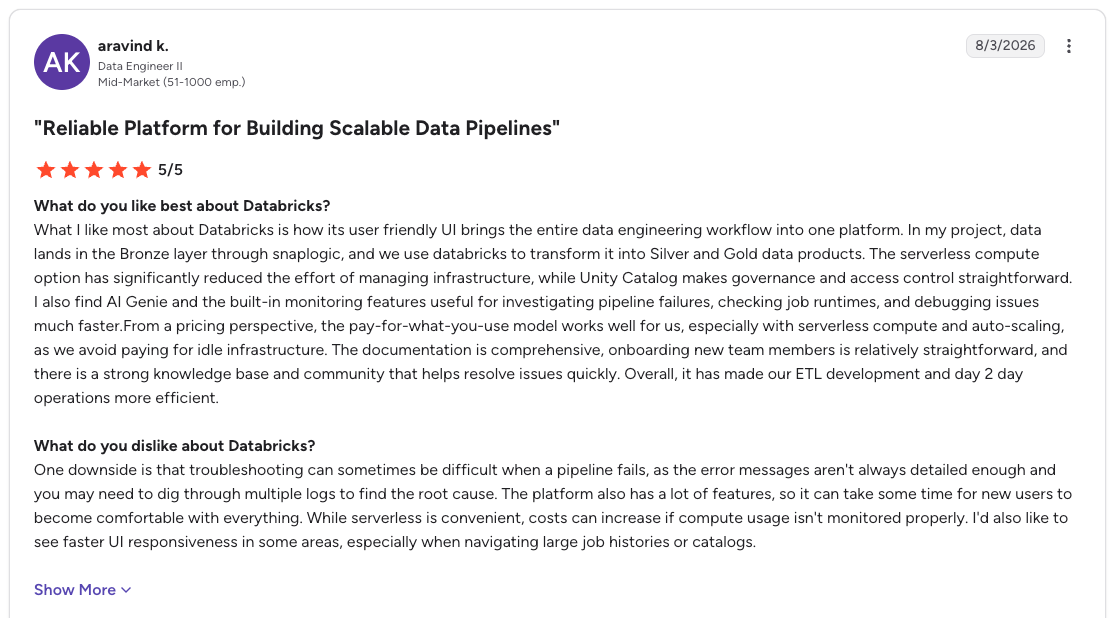
Pro: “What I like most about Databricks is how its user-friendly UI brings the entire data engineering workflow into one platform. In my project, data lands in the Bronze layer through SnapLogic, and we use Databricks to transform it into Silver and Gold data products.” (Aravind K., G2 review, August 3, 2026)
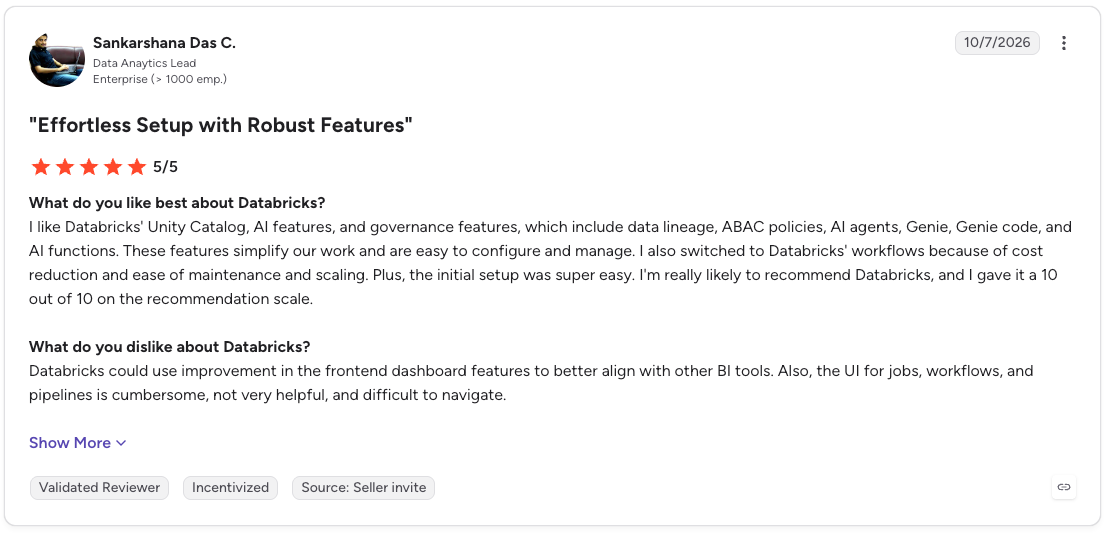
Con: “Databricks could use improvement in the frontend dashboard features to better align with other BI tools. Also, the UI for jobs, workflows, and pipelines is cumbersome, not very helpful, and difficult to navigate.” (Sankarshana Das C., G2 review, October 7, 2026)
Cost and learning curve rank among the top concerns for both platforms, so test each one with the analysts who will use it.
How to make your choice
Choose Alteryx if you …
- Want your analysts to edit a live workflow without filing a ticket
- Depend on files and applications your team would reconnect one by one after a move
- Already get enough value from these workflows to cover the license and automation costs
Choose Databricks if you …
- Keep the source data for these workflows in tables your platform team governs
- Have engineers who own the pipelines, or analysts who can work in SQL or Lakeflow Designer
- See matching results from your test workflows, under a review process the team can repeat
Use both if you …
- Still rely on Alteryx for analyst work, while in-database steps run in Databricks
- Are moving a large Alteryx estate in stages and need time to validate each workflow with its owner
- Use other cloud data platforms, like Snowflake, in addition to Databricks
For any route, name the person who owns the business rules and the team that supports production runs. That decision shapes the ongoing cost as much as the software quote.
Final verdict
Rebuild one weekly report on the other platform, then ask the analyst who owns it to change a business rule. If that change needs an engineering ticket, the platform cannot support the way your team works today.
Run that test before you compare contracts, because the result changes which quote matters.
Give analysts a route into your Databricks platform
When you weigh Alteryx vs. Databricks, the analyst's workspace is part of the decision. Analysts describe what they need in plain language, and Prophecy’s agent generates the visual workflow for the analysts to inspect and refine, while the processing runs on Databricks.
Prophecy’s transpiler converts roughly 90% of an existing Alteryx workflow. Analysts inspect and refine the visual steps, and validate the outputs before deployment. Some imports still need manual review.
Where Alteryx keeps a workflow’s logic inside a .yxmd file, Prophecy keeps the visual workflow and its code together. Prophecy generates a standard dbt project with SQL stored in your Git repository, while production processing uses your data platform. Your team can review the code and apply its existing governance process.
Budget for both Prophecy access and Databricks compute when comparing this route with the current Alteryx contract.
Request a demo with a workflow your analysts use every week. Bring its source data, expected output, and exception rules, then evaluate how much of the conversion your team can approve without a rebuild.
Frequently asked questions
Can Databricks replace Alteryx for data prep?
Yes, Databricks can replace Alteryx for workflows your team can rebuild and maintain with SQL, Python, or Lakeflow Designer. Test macros, specialist connectors, and file outputs before moving a larger group of workflows.
Can Alteryx and Databricks work together?
Yes, Alteryx and Databricks can work together. Analysts can build workflows in Alteryx and run supported in-database transformations on Databricks. Check where the remaining steps run when you assess data movement and cost.
Who are Alteryx's main competitors?
Alteryx's competitors in visual data prep include KNIME, Tableau Prep, Dataiku, and Prophecy. The closest match depends on the workflows and connectors your analysts use. Alteryx vs. Prophecy compares the experience for data analysts.
Who are Databricks' main competitors?
Databricks' main competitors include Snowflake and Google BigQuery. Teams typically compare them on data processing, governance, analytics, and the cost of running their workloads.
Is Alteryx an ETL tool?
Yes, Alteryx is an ETL tool because its workflows can extract, transform, and load data. Analysts also use it for data preparation, reporting, and analytics automation.