

Alteryx vs. Dataiku is a choice between two very different workdays. Alteryx automates analyst-led data preparation and recurring reporting. Dataiku runs an end-to-end AI lifecycle across analysts, data scientists, engineers, and IT.
We reviewed both platforms’ current product and pricing pages for this comparison of features, costs, and team fit.
Alteryx vs. Dataiku: What’s the difference?
Alteryx is a visual analytics and automation platform built for analyst-led data preparation and recurring reporting workflows that run the same way each cycle.
Dataiku is an enterprise AI platform that carries an end-to-end AI lifecycle, from data preparation through machine learning, generative AI, agents, and governance, across analysts, data scientists, engineers, and IT.
Choose Alteryx if your team needs to prepare data and automate recurring reports without standing up a machine learning platform first.
Choose Dataiku if several technical and business teams need to build, deploy, and govern machine learning and AI agents in one shared workspace.
Meet Alteryx: Features and highlights
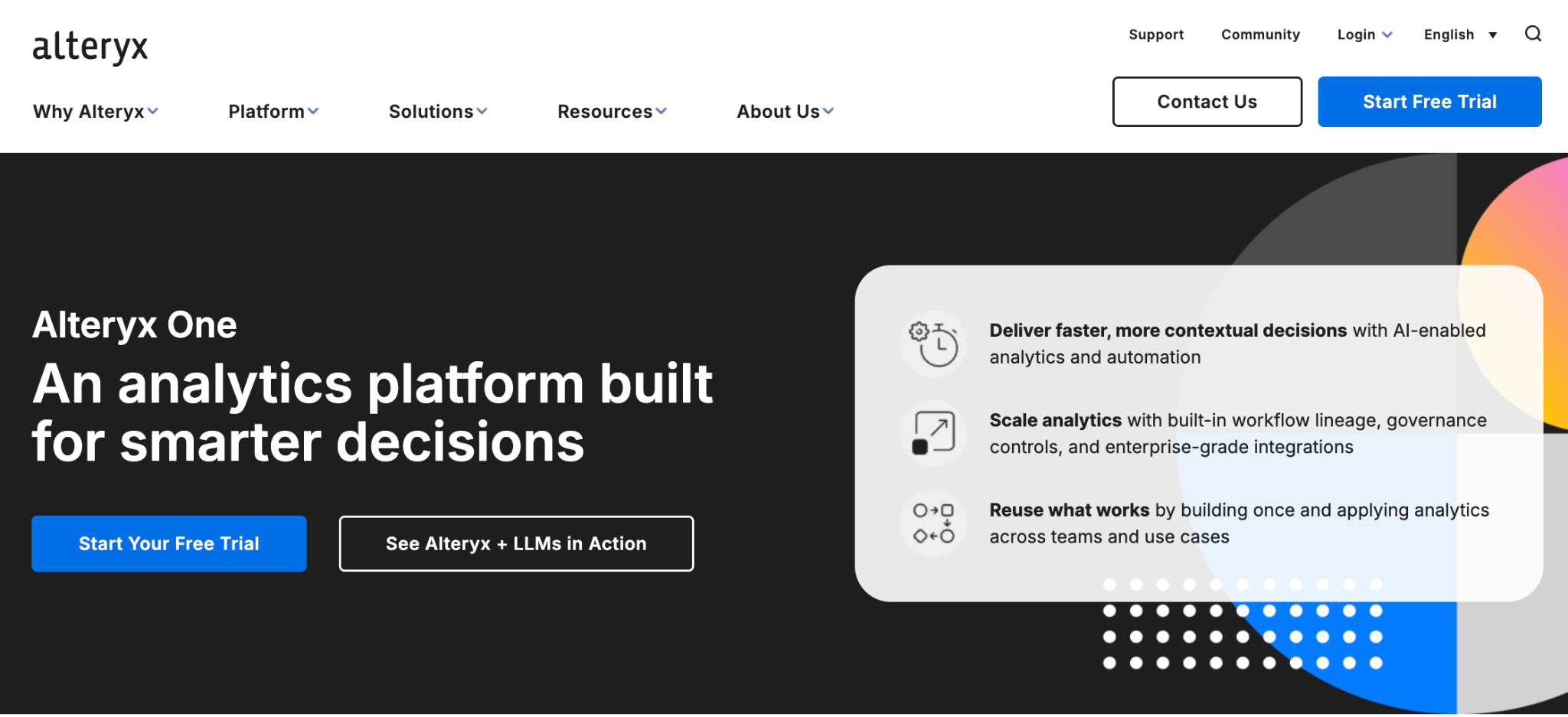
Alteryx One is Alteryx’s current platform for turning data and business logic into visual, repeatable workflows. Teams use it to prepare data, automate reporting, and run operational processes with reusable analytics logic.
Designer is one part of that platform. Alteryx One comes in Starter, Professional, and Enterprise editions, each with different levels of automation, AI features, cloud applications, and governance.
Code has a place in Alteryx too. Full Users on Professional and Enterprise can use Designer’s Python tool to edit scripts inside Designer or in an external IDE. Alteryx says the tool requires existing Python proficiency.
Alteryx fits the analyst who takes a monthly spreadsheet, joins it with CRM or ERP data, applies the same business rules, and needs that workflow ready again next month. Professional adds cloud scheduling, while Enterprise adds advanced monitoring, governance, and analytics apps.
Business analysts weighing broader self-service analytics options can use that recurring-workflow test as a practical first filter.
Meet Dataiku: Features and highlights
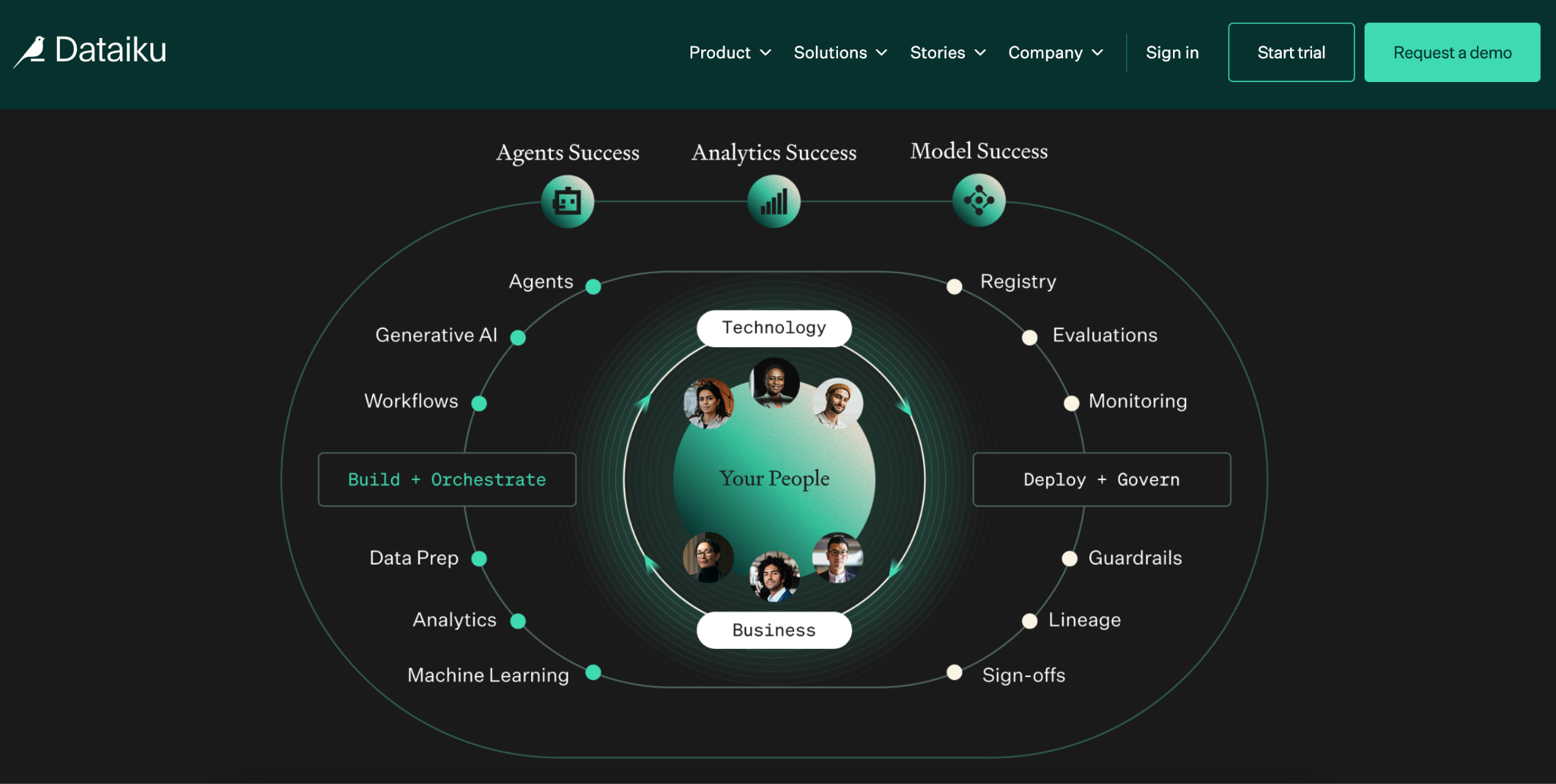
Dataiku is an enterprise AI platform for teams that need analytics, models, AI agents, data, and governance to work under one operating model.
Its scope extends from data preparation into model development, MLOps, generative AI, agent creation, deployment, and governance. That breadth suits organizations running several AI projects across analysts, data scientists, engineers, and IT.
Dataiku Flow keeps transformations, models, and analytics assets visible and versioned. Teams can build with visual recipes or use Python, R, and SQL. Dataiku Govern tracks datasets, models, agents, ownership, approvals, lineage, and risk controls.
Deployment is part of the platform too. Dataiku runs as:
- managed Dataiku Cloud (hosted by Dataiku)
- a fully managed Cloud Stacks setup inside your own AWS, GCP, or Azure tenant
- a self-managed install on your own Linux servers, on-premises or in any cloud
- a free, self-hosted Free Edition
Its Project Deployer moves work through development, test, and production stages with Automation nodes.
Alteryx vs. Dataiku: At a glance
Alteryx vs. Dataiku: Feature-by-feature comparison
Alteryx and Dataiku both support visual data preparation, code, deployment, and governance.
Data preparation and workflow building
Alteryx makes the first workflow feel familiar. Drag tools onto the canvas, blend two files, aggregate a column, and save the logic for the next reporting cycle.
- Alteryx: Professional adds cloud scheduling. Enterprise adds API-triggered scheduling, monitoring, and analytics apps.
- Dataiku: Visual recipes handle cleansing, joins, and transformations inside Dataiku Flow. That Flow can also include AutoML, models, and AI agent work.
Dataiku treats preparation as one stage in a longer AI workflow, while Alteryx keeps recurring analyst workflows closer to the center of the product.
Teams deciding whether to keep those Alteryx workflows or move them can use the Alteryx modernization framework to weigh cost, governance, and migration effort.
Code and machine learning
Both platforms support visual and code-based work.
- Alteryx: Full Users on Professional and Enterprise can use Designer’s Python tool. Users can edit scripts in Designer or an external IDE. Alteryx expects users to bring existing Python skills.
- Dataiku: Teams can use visual recipes, Python, R, or SQL in the same Flow. AutoML helps users build and compare models without writing the full modeling code.
Dataiku gives data scientists more room to build, deploy, and monitor models. Alteryx gives analysts a visual workflow first, with Python available when a task calls for it.
Deployment and collaboration
Alteryx follows a clear edition path for deployment:
- Starter Edition: Cloud only.
- Professional Edition: Cloud and desktop applications, plus cloud and hybrid deployment.
- Enterprise Edition: Broader architecture choices, advanced scheduling, monitoring, governance, and viewer access.
Dataiku offers different deployment paths:
- Dataiku Cloud: A managed cloud workspace for teams that want Dataiku hosted and maintained for them.
- Self-hosted Dataiku: Deploy a fully managed setup inside your own AWS, GCP, or Azure tenant with Cloud Stacks, or install Dataiku on your own Linux servers on-premises or in any cloud.
- Free Edition: A no-cost, self-hosted edition. It runs on Mac or Linux, while Windows support remains experimental.
- Project Deployer: Automation nodes move projects through development, test, and production stages with deployment permissions and controls.
Both platforms support team workflows and production deployment. The older desktop-versus-browser framing no longer helps buyers make this decision.
Governance and production controls
Alteryx focuses governance on the analytics workflow. Enterprise adds workflow monitoring, private data handling, scheduling controls, and governance features for operational analytics.
Dataiku Govern tracks datasets, models, agents, ownership, approvals, lineage, and documentation. It also monitors model drift, bias, LLM use, cost, and performance.
The practical difference: Alteryx governs analyst-built workflows. Dataiku extends governance across the data, models, and agents that sit around those workflows.
AI and agent capabilities
Alteryx lists AI-powered assistance in its Professional edition and offers Ask Alteryx for conversational analytics. Those features support analysts who are already building a workflow.
Dataiku treats agents as a major product area. Teams can combine prompts, tools, APIs, models, and business logic into multi-step visual or code-based agents.
Dataiku’s LLM Mesh adds centralized model routing, quotas, monitoring, and safety controls. That matters most when a company needs to manage AI use across several teams and systems.
What real users say
G2’s comparison draws on user reviews of both platforms. Reviewers rate Dataiku higher for quality of support, while Alteryx receives stronger ratings for initial setup and administration.
The comparison also gives Alteryx higher points for product direction and gives Dataiku a slightly lower score for meeting customers’ requirements. These ratings point to different strengths, so teams should check the categories that matter most for their rollout.
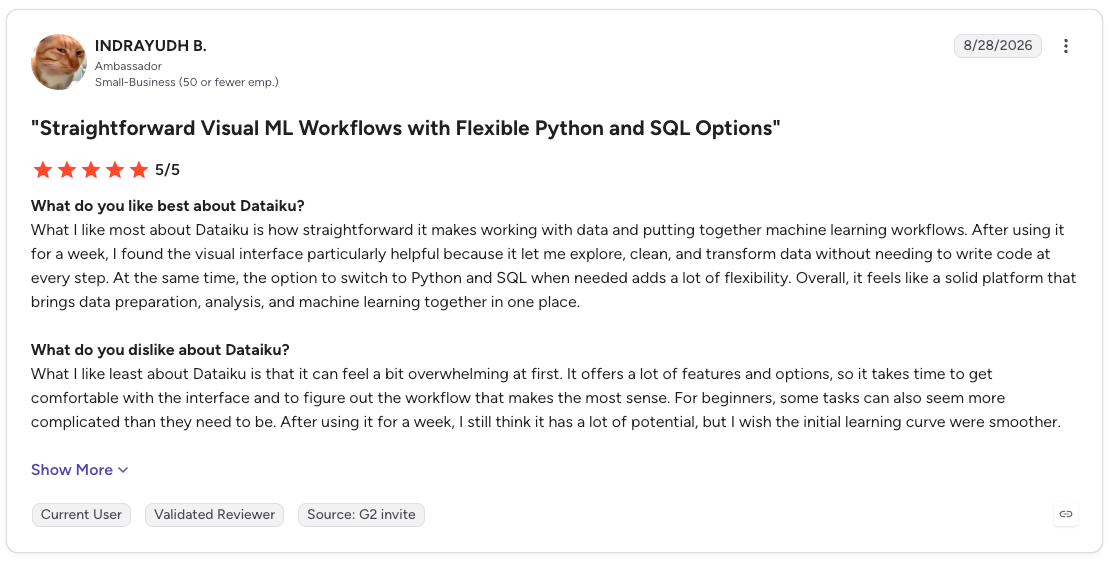
Pro: “What I like most about Dataiku is how straightforward it makes working with data and putting together machine learning workflows. After using it for a week, I found the visual interface particularly helpful because it let me explore, clean, and transform data without needing to write code at every step.”
Con: “What I like least about Dataiku is that it can feel a bit overwhelming at first. It offers a lot of features and options, so it takes time to get comfortable with the interface and to figure out the workflow that makes the most sense.” (Indrayudh B., G2 review, August 28, 2026)
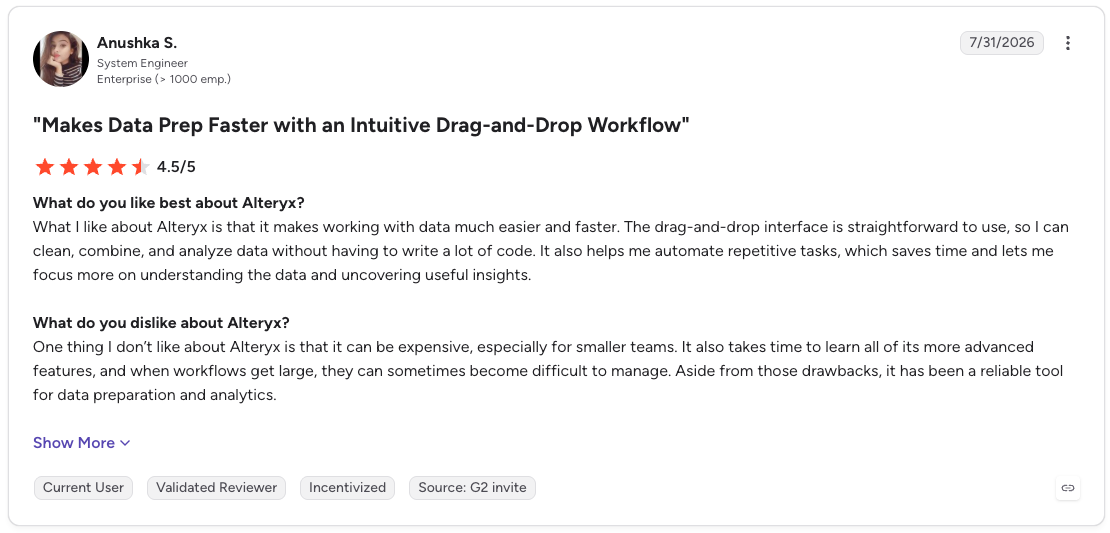
Pro: “What I like about Alteryx is that it makes working with data much easier and faster. The drag-and-drop interface is straightforward to use, so I can clean, combine, and analyze data without having to write a lot of code. It also helps me automate repetitive tasks, which saves time and lets me focus more on understanding the data and uncovering useful insights.”
Con: “One thing I don’t like about Alteryx is that it can be expensive, especially for smaller teams. It also takes time to learn all of its more advanced features, and when workflows get large, they can sometimes become difficult to manage.” (Anushka S., G2 review, July 31, 2026)
Alteryx vs. Dataiku pricing
Alteryx publishes a starting price, while Dataiku handles paid pricing through a sales conversation. Buyers should treat both as a total-cost decision that includes software, automation capacity, deployment, and cloud data-platform costs.
Alteryx Starter costs $250/user/month, billed annually. It covers 1 to 10 users, cloud deployment, flat-file sources, and core visual data preparation.
Professional and Enterprise use custom pricing.
- Professional adds cloud and desktop applications, cloud and hybrid deployment, AI assistance, 100-plus data sources, and 50 included automation runs.
- Enterprise adds governance, advanced scheduling and monitoring, viewer access, analytics apps, and 15,000 included automation runs.
Alteryx prices the platform through a mix of edition, user roles, and automation-run capacity. The Starter rate gives small teams an entry point, though a larger rollout needs a Professional or Enterprise quote.
Dataiku publishes no paid list prices. Buyers need a sales conversation for paid access beyond its evaluation options.
- Free Edition: Self-hosted on Mac or Linux. Windows support remains experimental.
- Managed cloud trial: 14 days with no credit card required. The trial excludes Dataiku Govern and advanced LLM Mesh features.
The price conversation starts in different places. Alteryx gives you a public entry price, while Dataiku requires a quote. A buyer should also calculate the cost of running workflows, supporting the platform, and using the cloud infrastructure behind each deployment.
How to make your choice
Choose Alteryx if …
- Your analysts need to automate prep, reporting, and operational workflows without standing up a full ML platform first
- Your work starts with spreadsheets, business-system exports, and recurring processes like month-end close or reconciliations
- Desktop access or hybrid deployment matters to how your team works day to day
- You don't need a broad ML and AI-agent operating layer yet
Choose Dataiku if …
- You need analysts, data scientists, engineers, and IT working inside one shared platform
- You're putting ML models, AI agents, or generative AI applications into production
- Central approval flows, model governance, lineage, and risk controls matter to your rollout
- Your organization is coordinating several AI projects at once, beyond one team's workflows
Where Prophecy fits
Prophecy fits teams that need governed data preparation before data reaches a dashboard, model, or AI agent.
- Generate: A business analyst describes the dataset they need in plain language. Prophecy’s Transform agent drafts a visual workflow.
- Refine: The analyst can inspect each step, refine the logic, and validate the output.
- Deploy: Prophecy compiles the workflow into a standard dbt project of warehouse-native SQL, then commits it to the company’s Git repository.
- Run on your platform: Compute runs on Databricks, Snowflake, or BigQuery with the access controls already in place.
Alteryx saves workflows in proprietary file formats, and Dataiku produces Python code. Prophecy gives you a visual workflow and code together. Analysts build and check the workflow visually, and engineers open the Code tab to read and edit the full SQL.
That SQL lives in your own Git repository, so the logic stays readable and keeps running if you ever leave Prophecy. Prophecy is also built for business users first, with an agent that drafts the workflow from plain language.
Prophecy's comparison of Alteryx and Prophecy for data analysts covers the differences in detail.
Final verdict
Choose Alteryx for analyst-led data preparation, recurring reports, and workflow automation. It suits business teams that need to turn messy data and business rules into work they can rerun.
Choose Dataiku when the program includes machine learning, AI agents, deployment, and governance across analysts, data scientists, engineers, and IT.
The decision test: How many teams and AI workloads need to work from one shared operating layer?
Test Prophecy against the same use case
Prophecy belongs in the evaluation when data and analytics leaders want business analysts to prepare production datasets under platform-team controls.
Use one recurring dataset request as the test. Compare who owns the workflow, what code reaches production, how changes are reviewed, and where access controls live. Those answers reveal more about team fit than a longer feature list.
Request a demo to evaluate Prophecy alongside Alteryx and Dataiku using the same data, people, and production requirements.
Frequently asked questions
1. Is Alteryx better than Dataiku?
Alteryx is better for business analysts who need repeatable data preparation, reporting, and workflow automation. Dataiku is better for organizations coordinating analytics, machine learning, AI agents, and governance across technical teams.
2. Is Dataiku better than Alteryx for machine learning?
Yes. Dataiku includes visual machine learning, Python, R, SQL, MLOps, model monitoring, and governance in the same platform. Alteryx supports Python through Designer’s Python tool and includes AI assistance for analytics workflows. Dataiku’s platform offers a wider ML and AI program scope.
3. How much do Alteryx and Dataiku cost?
Alteryx Starter starts at $250/user/month, billed annually, for 1 to 10 users. Professional and Enterprise require a quote. Dataiku publishes no paid list price; it offers a self-hosted Free Edition and a 14-day managed cloud trial.
4. Who are Alteryx and Dataiku’s main competitors?
KNIME and Prophecy fit a shortlist focused on data preparation and analyst workflows. Databricks and DataRobot fit a shortlist focused on enterprise machine learning and AI. The Alteryx competitors guide maps the options by use case.
5. Is Dataiku or Databricks better?
Dataiku is better for teams that want a shared workspace for visual analytics, code, AI agents, and governance. Databricks is better for teams building a cloud data and AI platform for data engineering, warehousing, machine learning, and AI applications. Dataiku can connect to Databricks when a team needs both layers.
6. Is Prophecy an alternative to Alteryx and Dataiku?
Yes, Prophecy is an alternative to Alteryx for AI data prep and analysis. Analysts describe the dataset they need in plain language, and Prophecy drafts a visual workflow that compiles to SQL in your Git repository. Prophecy’s workflows run on Databricks, Snowflake, or BigQuery. Teams leaving Alteryx can use Prophecy's Import to recreate existing workflows.



