
Teams comparing Dataiku vs. Databricks may find they need both, since the two overlap on machine learning and AI agents but sit at different layers of the stack.
We checked vendor documentation and G2 reviews to understand the costs and day-to-day tradeoffs. By the end, you’ll know which platform fits your team, when paying for both makes sense, and what to test in a pilot first.
Brief overview of Dataiku vs. Databricks
Dataiku gives analysts, data scientists, and engineers a shared place to build visual workflows, models, and AI agents. Databricks provides the cloud platform where teams store data, run workloads, and build AI applications.
If your main need is a governed workspace for a mixed-skill team, Dataiku is the closer fit. If you’re building the underlying data and AI platform, start with Databricks. Teams can also use Dataiku to build workflows that run on Databricks compute.
Side-by-side comparison: Dataiku vs. Databricks
Dataiku coordinates AI work across a company, Databricks runs the data platform beneath it, and the table below compares them on eight dimensions.
What is Dataiku?
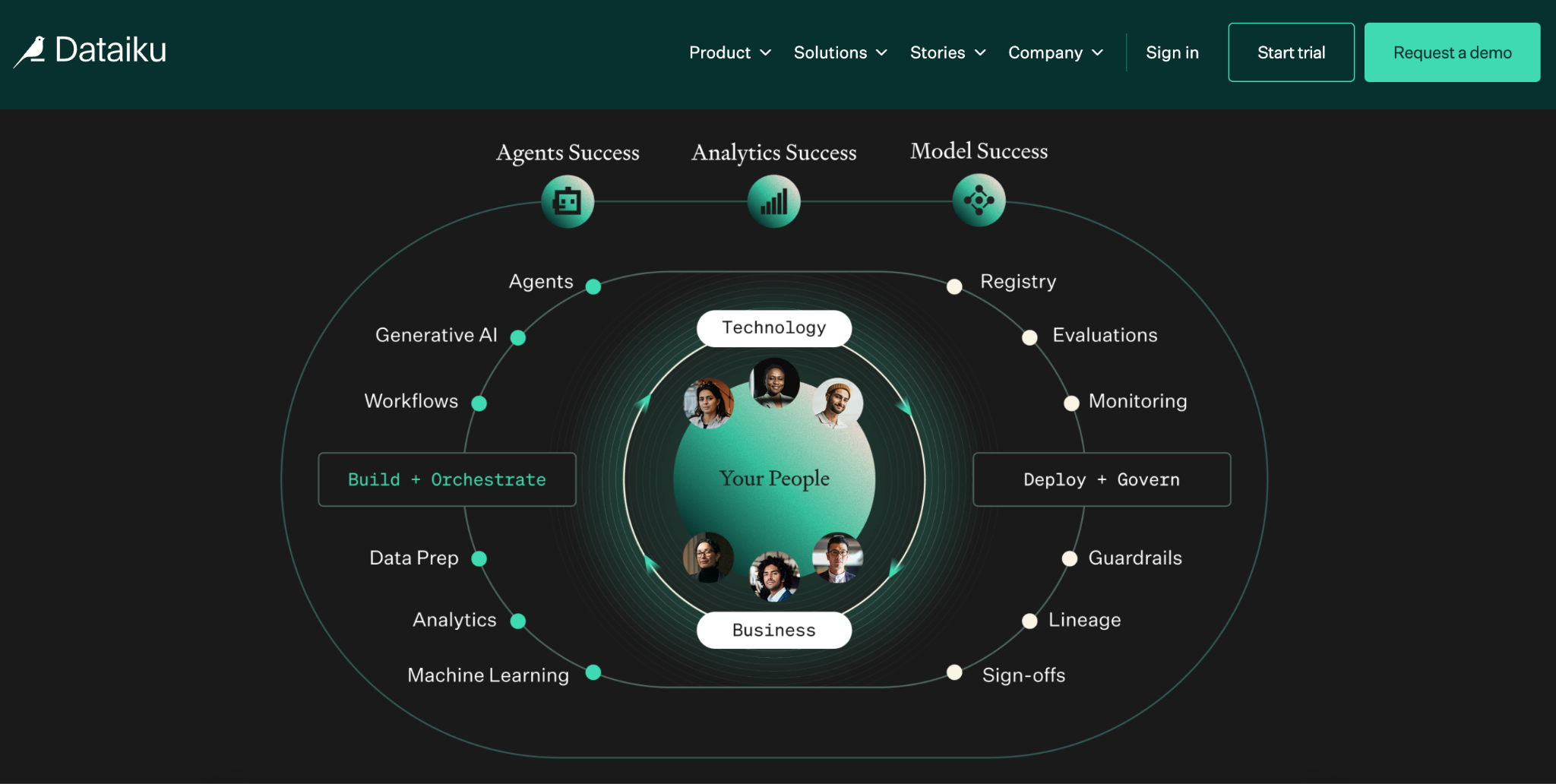
Dataiku is a shared platform for teams that build analytics, machine learning models, and AI agents. An analyst can prepare data with visual recipes, while a data scientist can add Python or R code to the same project.
Teams can then manage the work within a governed environment that connects to their existing cloud data and compute.
That range shows up in Dataiku’s customer stories. Roche uses it for agentic patent research, while Aviva has used it to develop and deploy analytics and machine learning in insurance.
What is Databricks?
Databricks is a cloud data and AI platform built on a lakehouse architecture. A team can ingest and transform data with Lakeflow, query it through Databricks SQL, and manage access through Unity Catalog. Those capabilities run on AWS, Azure, or Google Cloud.
For example, an engineering team might bring batch and streaming data into governed tables, then make it available for reporting and machine learning. Databricks provides the data platform and compute for that work, including workloads built in other tools that connect to it.
Key differences between Dataiku and Databricks
Dataiku and Databricks both support machine learning and AI agents. The purchase decision depends on what your team needs to manage, who will build the work, and where it will run.
What each platform covers
Dataiku brings analytics, models, and agents into a shared workspace where teams can build and manage projects.
Databricks provides the data platform beneath pipelines, warehousing, machine learning, and AI applications.
If you already use Databricks, Dataiku can serve as another place to build work that uses its data and compute.
Who builds the work
Dataiku supports teams with different skills. A business expert might prepare data with visual recipes, while a data scientist adds code or builds a model in the same project.
Databricks also has visual options for analysts, including Lakeflow Designer for data preparation and Genie for asking questions about data.
Compare the specific workflow your team needs to build, along with who will maintain it after launch.
Where work runs
In Dataiku, the engine you pick decides whether a job runs on Databricks compute (more on that below). Work built directly in Databricks stays within its platform and uses Unity Catalog for governance.
How costs grow
Databricks bills for the compute you use. Dataiku doesn’t publish paid plan prices, so a team running both pays a quoted subscription plus Databricks compute. The pricing section below breaks down each model.
Dataiku vs. Databricks: Pros and cons
G2 reviews of both platforms praise a unified environment and flag the same cost and a learning curve. We read the review pages for each and summarize the recurring themes below.
Dataiku pros and cons
Dataiku reviewers often point to the visual workflows as the reason analysts and data scientists can work in the same project. The platform has a 4.4/5 rating across 266 G2 reviews, though some users say it takes time to learn the full workflow and can feel heavy with large datasets.
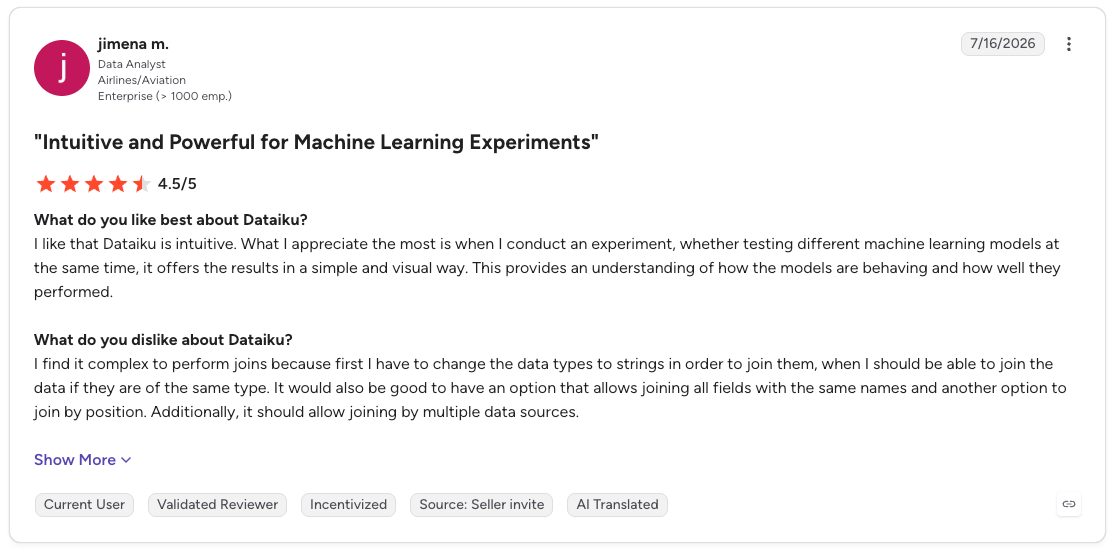
Pro: “I like that Dataiku is intuitive. What I appreciate the most is when I conduct an experiment, whether testing different machine learning models at the same time, it offers the results in a simple and visual way. This provides an understanding of how the models are behaving and how well they performed.” (Jimena M., G2 review, July 16, 2026)
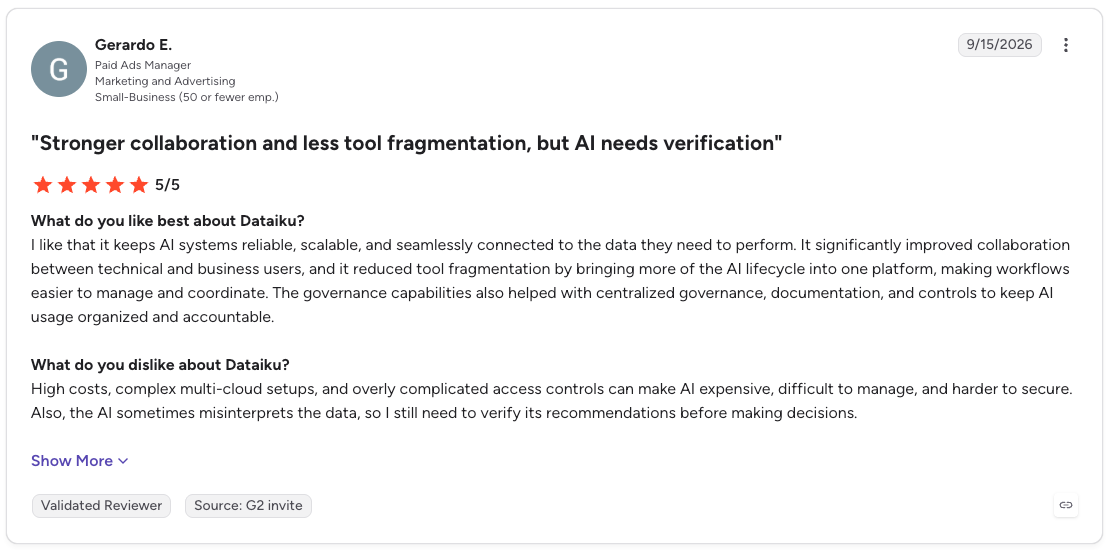
Con: “High costs, complex multi-cloud setups, and overly complicated access controls can make AI expensive, difficult to manage, and harder to secure. Also, the AI sometimes misinterprets the data, so I still need to verify its recommendations before making decisions.” (Gerardo E., G2 review, September 15, 2026)
Databricks pros and cons
For Databricks, the appeal is keeping data engineering, analytics, and machine learning work in one place. Its 4.6/5 rating across 1,388 G2 reviews comes with a practical caveat: teams need the skills to manage the platform and keep an eye on compute spending.
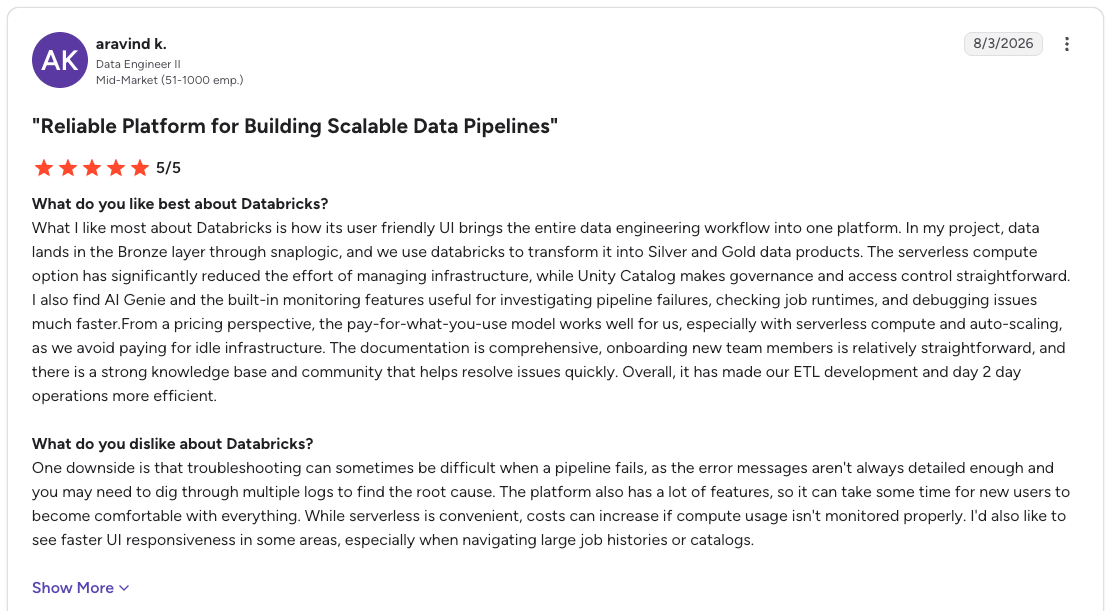
Pro: “What I like most about Databricks is how its user-friendly UI brings the entire data engineering workflow into one platform. In my project, data lands in the Bronze layer through SnapLogic, and we use Databricks to transform it into Silver and Gold data products. The serverless compute option has significantly reduced the effort of managing infrastructure, while Unity Catalog makes governance and access control straightforward.” (Aravind K., G2 review, August 3, 2026)
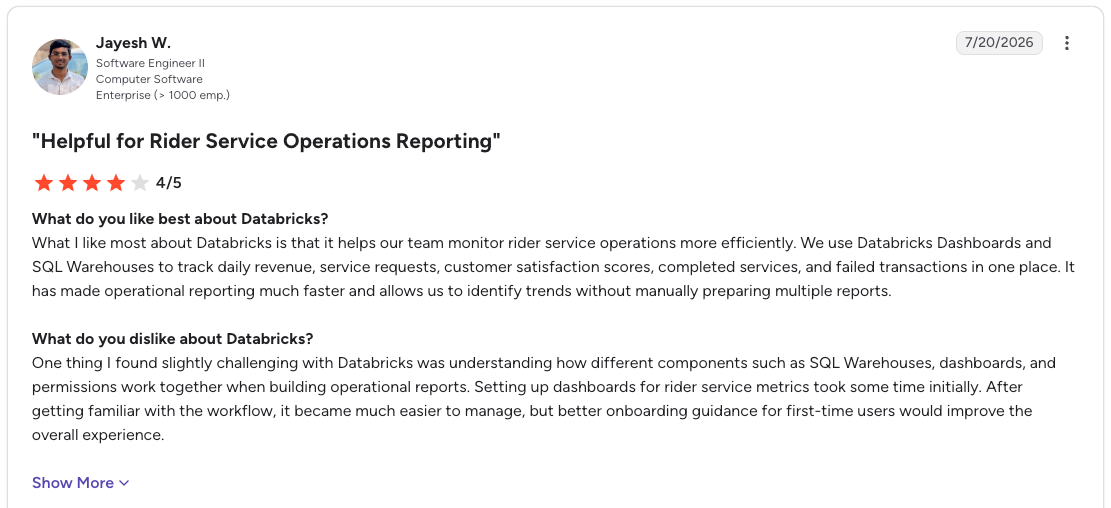
Con: “One thing I found slightly challenging with Databricks was understanding how different components such as SQL Warehouses, dashboards, and permissions work together when building operational reports. Setting up dashboards for rider service metrics took some time initially.” (Jayesh W., G2 review, July 20, 2026)
Dataiku vs. Databricks: Pricing and combined costs
Dataiku vs. Databricks pricing follows two different models. Dataiku offers a Free Edition and a hosted trial, but does not publish commercial prices. Databricks charges for the services a team uses, with rates that vary by product, cloud, and region.
Dataiku lists the Free Edition and hosted trial, while Databricks explains its usage pricing and contract options. Databricks measures processing with Databricks Units, or DBUs. List prices start at $0.15 per DBU for data engineering and $0.22 per DBU for data warehousing. Storage, networking, and related cloud costs depend on the services and provider you choose.
Price a combined setup using one real workflow. Get a Dataiku quote for the people and capabilities you need, then use the Databricks pricing calculator to estimate the compute used by jobs that run there. Include the work required to configure and maintain the connection.
When to use Dataiku or Databricks
The first decision is whether you need a shared place to build AI work or the data platform that runs it. Dataiku addresses the first need. Databricks addresses the second, with growing support for analysts through tools such as Lakeflow Designer and Genie.
Choose Dataiku for mixed-skill AI teams
Dataiku makes sense when analysts, data scientists, and business experts need to work on the same models and agents. One person can prepare data with visual recipes while another adds Python, R, or SQL, with a shared process for review and deployment.
This option is especially relevant if your data already sits across several platforms and you want one workspace for the people building on it.
Choose Databricks for a lakehouse-led program
If your priority is ingesting data, building batch and streaming pipelines, and governing the resulting tables, start with Databricks. The same platform can serve SQL analytics, machine learning, and applications, with Unity Catalog managing access and lineage.
A team already running its data on Databricks should test its built-in tools before adding another workspace. Have an analyst build a real preparation workflow, then ask the platform team to review and maintain it.
Use both when the added workspace earns its cost
Consider both if Databricks already holds your data and compute, but mixed-skill teams need Dataiku to build and govern models or agents. In a fraud project, for example, engineers might prepare transaction tables in Databricks while analysts and data scientists develop the model in Dataiku.
Run that project as a pilot before buying both. Check who owns changes at the handoff, where each job executes, and what the combined licenses and compute cost.
How Dataiku and Databricks work together
Dataiku and Databricks can work together, with teams building workflows in Dataiku and running supported jobs on Databricks compute. Where a job runs depends on the engine you select, which matters for both performance and cost.
What the connection supports
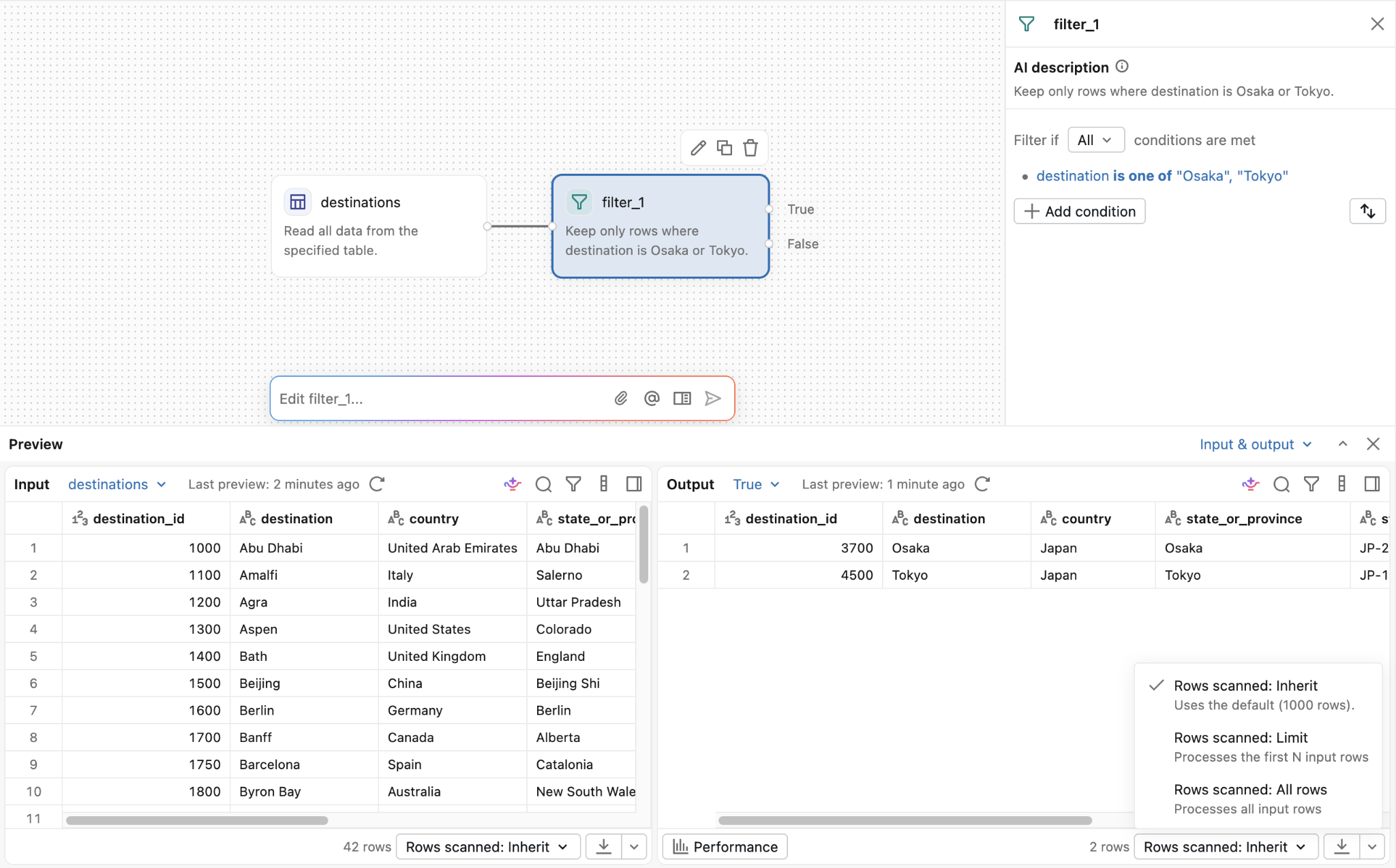
Dataiku’s current Databricks documentation covers reading and writing datasets, executing SQL recipes, running visual recipes in-database, and using the live engine for charts. The JDBC driver (the standard connector Dataiku uses to send queries to Databricks) comes preinstalled.
For Python recipes and notebooks, teams can use Databricks Connect after configuring its cluster and code environment requirements.
Where the job runs
An SQL recipe, or a visual recipe using the SQL engine, sends the workload to Databricks. A SparkSQL recipe, or a visual recipe using the Spark engine (Apache Spark, an open-source engine for processing large datasets), runs wherever Dataiku's Spark configuration points, such as the Dataiku server or a Kubernetes cluster.
That work stays off your Databricks compute. Dataiku calls out this distinction in its execution warning.
What to check before deployment
Run a representative workflow and confirm its execution engine, access permissions, and output location. For large writes into Databricks, check Dataiku’s fast-write setup.
Fast-write bulk-loads through an S3 or Azure Blob connection, or through a Databricks connection set up with a Databricks Volume. It applies to recipes that load data from outside Databricks, not to visual recipes running in-database.
Where Prophecy fits in a Dataiku vs. Databricks decision
If your team already runs on Databricks and analysts need to prepare data for recurring reports or models, Prophecy is another option to evaluate. Analysts can describe the work in plain language, inspect the generated visual workflow, and validate its output.
The approved workflow runs as SQL on Databricks and is version-controlled in Git. The same workflows can also run on Snowflake or BigQuery, so the logic can move with your data.
Prophecy overlaps with Dataiku on data prep, while Dataiku stays the stronger fit for building and deploying models. On Databricks, the closer comparison is Prophecy vs. Lakeflow Designer. Compare the logic each one produces, how your team reviews it, and what it costs before deciding.
Keep analysts moving and platform teams in control
If you are weighing Dataiku vs. Databricks, look closely at the work between access to data and a report your business can use. That is where analysts often know the rules but need engineering to turn them into a repeatable workflow.
Request a demo to test that handoff with one of your own requests. Bring an expected result and an exception rule, then see how each team checks the work before it runs again.
Frequently asked questions
Is Dataiku an ETL tool?
No, Dataiku describes itself as the enterprise orchestration layer for building, deploying, and governing AI. It includes data preparation through visual recipes and can push that work down to platforms such as Databricks.
Who are Dataiku's main competitors?
Dataiku’s main competitors include Databricks, Amazon SageMaker, Azure ML, DataRobot, H2O.ai, SAS Viya, Alteryx, KNIME, and Prophecy. Databricks, DataRobot, SageMaker, Azure ML, and SAS Viya are common comparisons for machine learning and AI, while Alteryx, KNIME, and Prophecy are relevant to data preparation, data analysis, and analyst workflows.
Is Prophecy an alternative to Dataiku?
Yes, for data preparation and analysis. Prophecy is an AI data prep and analysis platform where analysts describe a dataset in plain language and get a visual workflow that runs as SQL on Databricks, Snowflake, or BigQuery. Teams that need machine learning and MLOps look at Dataiku.
Who is Databricks' biggest competitor?
Snowflake is Databricks’ closest competitor for cloud data and analytics workloads. Google BigQuery and Microsoft Fabric are also alternatives, while Dataiku can work alongside Databricks as a workspace for building analytics and AI projects.
Is Dataiku a Japanese company?
No, Dataiku is not a Japanese company. Company profiles place its founding in Paris, France, in 2013 and its headquarters in New York City, and Dataiku's About page lists 13 offices without naming a headquarters.