

Alteryx vs. Tableau is a choice between preparing data and putting it to work. Alteryx helps teams clean messy datasets and automate repetitive tasks, while Tableau turns the results into dashboards that make trends easier to spot.
But which one delivers more value when your team needs accurate numbers, faster reporting, and less manual work?
This comparison breaks down their features, current pricing, and insights from over 4,000 G2 reviews to help you decide whether to choose Alteryx, Tableau, or both.
Alteryx vs. Tableau: What’s the difference?
Alteryx is a data analytics and automation platform that prepares, transforms, and automates data workflows. Tableau is a business intelligence and visualization platform that helps people explore data and share the results through dashboards.
Choose Alteryx if:
- Data preparation takes more effort than analysis
- Workflows need macros, predictive analysis, or geospatial tools
- Recurring preparation tasks must run on a schedule
Choose Tableau if:
- Interactive dashboards are the priority
- Clean datasets already exist in a warehouse, database, or extract
- A large audience needs to explore and share results
Many organizations use both, because preparing data and presenting results are separate parts of the same workflow.
Meet Alteryx: Features and highlights

Alteryx is a data analytics and automation platform that helps teams prepare, combine, transform, and analyze data using visual workflows. Its Designer interface lets analysts connect data sources, apply transformations, and automate recurring processes without writing each step in code.
For example, a finance analyst could combine monthly revenue files, standardize product categories, calculate margins, and produce a clean dataset for reporting.
Alteryx also supports more advanced work, including predictive analytics, spatial analysis, and macros (reusable workflow components that package common steps).
The platform is now packaged as Alteryx One, with three editions:
- Starter: Basic data preparation and analytics using flat files
- Professional: Advanced preparation, cloud data connections, and workflow scheduling
- Enterprise: Additional governance, automation, and deployment capabilities
The main strength is repeatable workflows for data preparation and analysis. Available features depend on the edition, and more advanced workflows can require additional expertise.
Meet Tableau: Features and highlights
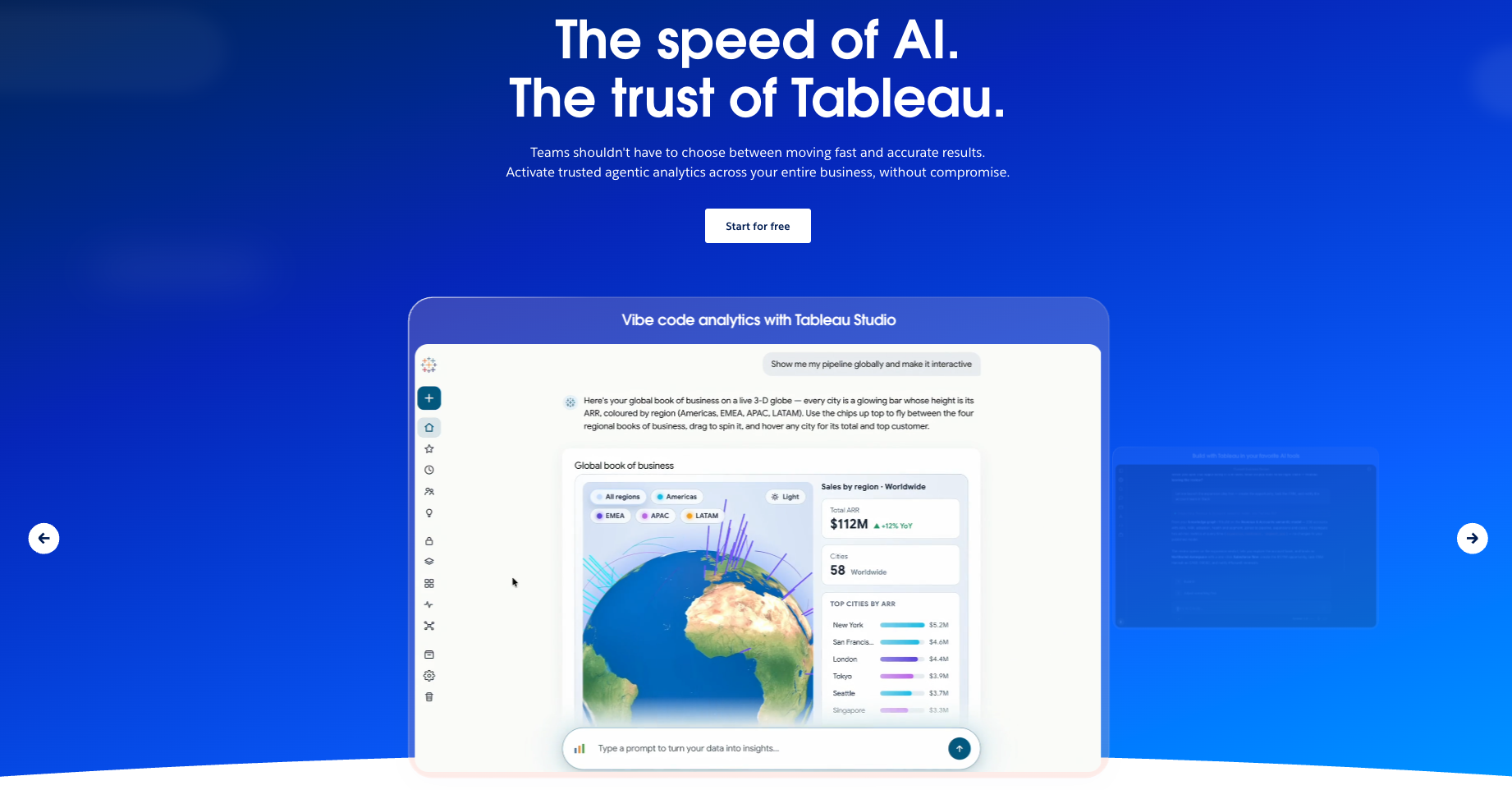
Tableau is a business intelligence and data visualization platform that helps teams explore data, build dashboards, and share findings across an organization.
Users can create charts, maps, and interactive reports without building each visualization from scratch. For example, a sales manager could open a Tableau dashboard, filter revenue by region, compare quarterly performance, and investigate which products are underperforming.
Tableau’s strength is making data easier to explore and communicate. Business users can interact with dashboards, while analysts control the underlying calculations and visualizations.
Tableau also offers:
- Tableau Prep: Clean, combine, and reshape datasets
- Tableau Desktop: Build visualizations and dashboards
- Tableau Cloud and Server: Publish and share analytics
- Tableau Pulse: Deliver personalized metrics and insights
- Tableau Agent: Provide AI-assisted analytics capabilities in eligible editions
Although Tableau offers data preparation tools, its main purpose remains visual analysis and reporting.
Alteryx vs. Tableau: At a glance
| Platform | Alteryx | Tableau |
|---|---|---|
| Best for | Data preparation and analytics automation | Data visualization and BI |
| Main users | Business analysts and data teams | BI analysts and business users |
| Key strengths | Complex, repeatable data preparation | Interactive dashboards and exploration |
| Main weaknesses | Cost grows with edition and user roles | Lighter data preparation tools |
| Data preparation | Advanced visual workflows | Tableau Prep |
| Visualization | Reporting and automated insights | Interactive dashboards |
| Advanced analytics | Predictive and spatial analysis tools | Visual exploration and analytics |
| Automation | Workflow scheduling and orchestration | Flow scheduling and refreshes |
| Main output | Prepared datasets and workflows | Dashboards and reports |
| Artifacts | Workflows save as .yxmd files, native to Alteryx | Workbooks save as .twb or .twbx files, and Prep flows as .tfl or .tflx |
| Deployment | Cloud only on Starter, with cloud, desktop, and hybrid options on Professional and Enterprise | Tableau Desktop, Cloud, and Server |
| Starting price | $250/user/month, billed annually | Standard Viewer at $15/user/month, billed annually |
| Ideal team size | Starter 1–10 seats, Enterprise 10+ | One Creator to organization-wide viewer audiences |
Alteryx vs. Tableau: Feature-by-feature comparison
Alteryx and Tableau overlap in some areas, but they specialize in different parts of the data analytics lifecycle.
1. Data preparation and transformation
Alteryx offers more advanced data preparation capabilities, while Tableau Prep covers common cleaning and shaping tasks for analytics.
Alteryx: Designer lets analysts build workflows for joining datasets, cleaning records, applying business rules, and performing advanced transformations. Professional and Enterprise extend these capabilities with tools such as macros and geospatial analysis.
Tableau: Tableau Prep Builder provides a visual interface for joining, pivoting, aggregating, and cleaning data. Its smaller set of preparation tools can be easier to learn for teams preparing datasets specifically for Tableau dashboards.
Consider a retail company combining sales, inventory, and customer data:
- With Alteryx: Analysts can build a reusable workflow that cleans the sources, applies complex business rules, and prepares the resulting dataset
- With Tableau Prep: Analysts can clean and combine the tables before using them in Tableau reports
Winner: Alteryx
2. Data visualization and reporting
Tableau takes the lead in data visualization, giving teams more ways to explore and share information through interactive dashboards.
Tableau: Say an operations manager wants to understand why deliveries are running late. In Tableau, they can:
- Compare regions: See which locations have the highest number of delayed deliveries
- Filter by carrier: Identify whether specific delivery partners are contributing to delays
- Track performance: Explore how delivery times change across weeks or months
Managers can investigate these questions directly in the dashboard without requesting a separate report.
Alteryx: Reporting and automated insights help communicate results, but the main strength is preparing the data and calculating the metrics that support those visualizations. Alteryx Designer has tools for basic reporting and can send data directly to Power BI or Tableau.
Winner: Tableau
3. Advanced analytics
Alteryx has the advantage in advanced analytics, particularly for predictive modeling, statistical analysis, and geospatial workflows.
Alteryx: Its visual tools help analysts build forecasting models, perform spatial calculations, and apply complex transformations. The available capabilities depend on the Alteryx edition and installed components.
Tableau: Analysts can explore trends, compare performance, and use calculations within interactive visualizations, but the primary focus remains visual analytics.
Consider a retail company planning new store locations. Alteryx can help analyze customer locations, sales patterns, and geographic data to evaluate potential sites. Tableau can then present the findings on an interactive map for decision-makers.
Winner: Alteryx
4. Automation and scheduling
Alteryx is better suited for complex data workflow automation, while Tableau focuses on keeping reports, dashboards, and prepared datasets up to date.
- Alteryx: Schedule data preparation workflows, automate recurring calculations, and manage pipeline execution through supported Alteryx One editions
- Tableau: Schedule preparation flows through Tableau Prep Conductor and refresh dashboard data through Tableau Cloud or Server
Consider a finance team preparing monthly reports. Alteryx can automate the process of combining transactions, reconciling accounts, and calculating financial metrics. Once the prepared data is available, Tableau can refresh the dashboards used by finance managers. To plan a rollout, see where to start with data analytics automation.
Winner: Alteryx
5. Connectors and integrations
Alteryx and Tableau both connect to databases, cloud platforms, and business applications, but their integrations serve different purposes.
Alteryx: Starter works with flat files, while Professional connects to more than 100 sources, including Snowflake and Databricks. These connections help teams bring data together for cleaning, transformation, and analysis. If your data already sits in Databricks, compare Alteryx and Databricks as well.
Tableau: It connects to cloud warehouses, databases, spreadsheets, and published data sources, making information available for dashboards and visual exploration.
Before choosing either platform, check three things:
- Source compatibility: Does it connect to your databases, SaaS applications, and cloud platforms?
- Connection requirements: Does it support the authentication methods and access controls your organization uses?
- Data volume: Can it handle the amount of data your team needs to process or analyze?
Prioritize connector compatibility over connector count. A platform with hundreds of integrations offers little value if your most important data source requires a complicated workaround.
Winner: Tie
6. Ease of use and learning curve
Tableau is generally easier to get started with for visualization, while Alteryx takes more time to master because it covers a broader range of data preparation and analytics tasks.
Tableau: A business analyst can start building charts using prepared datasets. Creating polished dashboards with advanced calculations and data models requires more practice, but basic visual exploration is relatively approachable.
Alteryx: A visual workflow builder reduces the need to write SQL or Python for common transformations. As analysts move into macros, predictive analytics, and complex workflows, the learning curve becomes steeper.
The difference matters most when onboarding new employees or enabling business teams to self-serve. Tableau suits teams learning to explore and present data, while Alteryx requires more training for those responsible for building and running sophisticated data workflows.
Winner: Tableau
Tableau Prep vs. Alteryx Designer
Tableau Prep and Alteryx Designer are the closest competitors within these platforms because both let users prepare data through visual workflows. The difference becomes clearer when you compare their capabilities:
| Capability | Tableau Prep | Alteryx Designer |
|---|---|---|
| Cleaning and filtering | Yes | Yes |
| Joins and unions | Yes | Yes |
| Pivoting and aggregation | Yes | Yes |
| Advanced reusable logic | Visual flow steps | Macros and advanced tools |
| Predictive and spatial tools | Limited preparation focus | Available in higher editions |
| Workflow scheduling | Prep Conductor | Alteryx automation |
| Best fit | Preparing data for BI | Complex preparation and analytics; automation |
Tableau Prep is a practical choice when your preparation work mainly supports dashboards, because teams can clean and reshape data while staying within the Tableau environment.
Alteryx Designer becomes more useful when transformations involve complex business rules, reusable macros, or analytics beyond dashboard preparation.
For complex Alteryx workflows, like ones that include iterative macros, custom tools, or apps, Tableau Prep may not provide enough functionality. Before purchasing another tool, check whether Tableau Prep already handles your existing data preparation requirements.
How Alteryx and Tableau work together
Many teams get more value from combining Alteryx and Tableau than from choosing one. A common workflow looks like this:
- Connect the sources: Alteryx collects sales, finance, and customer data from files or supported systems.
- Prepare the data: Analysts clean records, join tables, and apply business calculations through Alteryx workflows.
- Publish the results: Alteryx produces prepared datasets or Tableau-compatible extracts.
- Build dashboards: Tableau uses the prepared data to create interactive reports.
- Keep results current: Scheduled workflows and data refreshes update the reports as new information arrives.
For example, a retail company’s analysts could use Alteryx to combine daily transactions across stores, calculate revenue by product category, and standardize customer records.
Tableau would then display sales performance, regional differences, and product trends through dashboards that managers can explore. Alteryx’s official Tableau integration documentation describes how prepared datasets can be converted into Tableau extracts.
The advantage is a clearer division of work. Analysts focus on preparing reliable datasets, while dashboard creators focus on helping stakeholders understand the results.
Alteryx vs. Tableau pricing
Alteryx starts at $250 per user per month, while Tableau offers several license types with different prices. Comparing the two requires looking at who creates workflows, who builds dashboards, and how many people need access.
Alteryx pricing
According to Alteryx’s official pricing page, its three editions are:
| Edition | Starting price | Best for |
|---|---|---|
| Starter | $250/user/month, billed annually | Basic flat-file preparation |
| Professional | Custom quote | Advanced data prep and automation |
| Enterprise | Custom quote | Governance and organization-wide automation |
For a full breakdown of editions, seats, and add-ons, review Alteryx’s pricing in detail.
The final Alteryx cost also depends on user roles, workflow execution requirements, and any additional capacity or services.
Tableau pricing
Tableau Cloud pricing is based on edition and user role:
| License | Standard | Enterprise |
|---|---|---|
| Creator | $75/user/month | $115/user/month |
| Explorer | $42/user/month | $70/user/month |
| Viewer | $15/user/month | $35/user/month |
Prices are in USD per user per month, billed annually. Tableau Cloud+ and the Tableau+ Bundle require custom quotes.
Creators build dashboards and data preparation flows. Explorers work with existing analytics content, while Viewers consume and interact with published dashboards.
A Tableau Cloud deployment requires at least one Creator license. Tableau also offers capacity-based pricing for organizations that need broader Viewer access.
What would a team pay?
Consider a team with five people creating analytics content and 50 employees viewing the results.
| Scenario | Monthly equivalent | Annual cost |
|---|---|---|
| Tableau Standard, 5 Creators + 50 Viewers | $1,125 | $13,500 |
| Tableau Enterprise, 5 Creators + 50 Viewers | $2,325 | $27,900 |
| Alteryx Starter, 5 users | $1,250 | $15,000 |
These examples cover different workloads and license needs, so treat them as budget illustrations.
Tableau pricing depends heavily on the mix of dashboard creators and viewers. Alteryx pricing depends on the edition, user roles, and automation requirements. Teams running both tools should also budget for automation capacity, infrastructure, and implementation.
Winner: Tableau on per-seat price, with the caveat that the two tools do different jobs.
What do real users say about Alteryx and Tableau?
G2 reviewers rate Alteryx about 4.6 out of 5 across more than 960 reviews and Tableau about 4.4 out of 5 across more than 4,200 reviews. The reviews below cover the main pros and cons users mention.
Alteryx

Pro: “I appreciate Alteryx’s intuitive drag-and-drop interface, powerful data blending, and automation capabilities. It simplifies complex workflows, reduces manual effort, and enables faster data processing and analysis.” (Prajwal S., G2 review, October 23, 2026)

Con: “While dragging and dropping is intuitive, there are dozens of tools that look similar to a beginner, and getting into regex, multi-row formulas, or complex string parsing can be pretty intimidating if you don't have a technical background. It takes some real dedication before a non-technical person feels truly self-sufficient.” (George K., G2 review, October 22, 2026)
Tableau

Pro: “What I like most about Tableau is how easy it makes my day-to-day data analysis. I can quickly create dashboards and charts without spending too much time on coding. The drag-and-drop feature is very helpful, especially when I need to explore data or prepare reports quickly.” (Vikas K., G2 review, October 1, 2026)

Con: “The biggest pain point is how unforgiving its CSV data ingestion can be. I often receive exported spreadsheets that include free-form notes, line breaks, and mixed formatting in the same cells we use for contract terms or stakeholder contact details. If there’s any stray punctuation, blank rows, or inconsistent date formatting, Tableau will throw a vague loading error.” (Verified User in Executive Office, G2 review, November 1, 2026)
How to make your choice
Neither tool wins in all categories: Alteryx wins on data preparation, advanced analytics, and automation, while Tableau wins on visualization, getting started, and per-seat price. Teams with both needs get the most value from running them in sequence.
Alteryx is better for
- Data preparation bottlenecks: Analysts spend hours cleaning, joining, and transforming information before it reaches reports
- Advanced workflows: Your team uses macros, predictive analysis, or geospatial transformations
- Repeatable data processes: Recurring preparation tasks need to run consistently without rebuilding the logic each month
Tableau is better for
- Dashboard-first teams: Business users need interactive reports that they can filter, explore, and share
- Prepared data: Clean datasets are available in a warehouse, database, or published extract
- Large audiences: Many users need access to results, while a smaller group creates the dashboards
When to use both
Use both when your team needs complex data preparation and interactive reporting. For example, finance analysts can use Alteryx to prepare monthly results while business leaders explore those figures through Tableau dashboards.
Final verdict: Alteryx vs. Tableau
Alteryx is a strong choice for teams spending more time preparing data than analyzing it. Its visual workflows, advanced preparation tools, and automation capabilities are particularly useful for complex, recurring tasks.
If your priority is interactive dashboards and business reporting, Tableau is the better fit. It makes exploring data and sharing insights easier, especially when multiple stakeholders need access to the same information.
There’s also a good case for using both. Alteryx can handle the preparation work while Tableau turns the results into dashboards your team can explore.
Get more from your existing data platform
Your team may already have Databricks, Snowflake, or BigQuery handling the data behind its dashboards. The next question is how easily analysts can prepare and transform that data themselves.
Prophecy is an AI data prep and analysis platform that lets analysts build visual workflows using plain English, inspect each step, and maintain the resulting SQL in Git.
{{cta}}
Frequently asked questions
What is the main difference between Alteryx and Tableau?
The main difference between Alteryx and Tableau is data preparation versus visualization. Alteryx cleans, combines, and automates data workflows, while Tableau builds interactive dashboards. Both offer preparation tools, but Alteryx goes deeper.
Can Alteryx and Tableau work together?
Yes, Alteryx and Tableau work well together, with Alteryx preparing the data and Tableau turning the results into dashboards. The pairing pays off most when teams need advanced preparation and interactive reporting, and it adds little when Tableau Prep already covers the preparation work.
Is Tableau Prep better than Alteryx?
No, Tableau Prep isn’t better than Alteryx for complex preparation. Alteryx offers macros, predictive tools, and geospatial analysis in eligible editions, while Tableau Prep handles straightforward cleaning, joining, and reshaping for Tableau dashboards. For simple dashboard preparation, Tableau Prep is the easier choice.
Is Alteryx more expensive than Tableau?
Yes, Alteryx is more expensive than Tableau per seat. Alteryx Starter costs $250 per user per month, while Tableau Standard Creator costs $75, both billed annually. Total cost still depends on user roles, editions, and automation needs, and Tableau’s bill grows as viewer licenses add up.
Do I need Alteryx if I already use Tableau?
No, you don’t need Alteryx if Tableau Prep covers your data preparation requirements. Alteryx earns its place when your team needs advanced transformations, complex workflow automation, or predictive analytics beyond your current Tableau setup.
Is Alteryx hard to learn?
Alteryx has a learning curve for new teams, and advanced features take longer to master. Analysts build workflows by dragging tools onto a canvas, with little code. G2 reviewers say it can feel complex at first and that large workflows become hard to manage. Alteryx offers community resources and the SparkED program to help new users.
Who are Alteryx's main competitors?
Alteryx's main competitors in visual data prep are KNIME, Tableau Prep, Dataiku, and Prophecy. The closest match depends on the workflows and connectors an analyst team uses. Dataiku covers machine learning and governance. Prophecy drafts visual workflows from plain-language requests and compiles them to SQL in the team's Git repository.