

The Alteryx vs. Excel question comes down to how much data preparation your team needs to automate. Excel handles everyday analysis with formulas and Power Query, while Alteryx builds reusable workflows for more demanding tasks.
But when is Excel no longer enough? This comparison covers features, pricing, and insights from G2 reviews to help you decide.
Alteryx vs. Excel: What’s the difference?
Alteryx is a low-code data analytics and automation platform that connects preparation steps in visual workflows teams can run repeatedly. Excel is a spreadsheet application that organizes data in worksheets, formulas, and queries.
Choose Alteryx if:
- Preparation involves complex transformations on large datasets
- Reports combine files and databases with cloud data warehouses
- Workflows need scheduling, reusable logic, or advanced analytics
Choose Excel if:
- Spreadsheet analysis and reporting can handle your data volume
- Power Query already covers your data preparation
- Existing Microsoft 365 subscriptions meet your needs
Before paying for Alteryx, check what Excel’s built-in Power Query can already do.
Meet Alteryx: Features and highlights

Alteryx is a low-code data analytics and automation platform that helps analysts prepare, transform, and analyze data without writing each step in SQL or Python. Its main offering, Alteryx One, includes Designer, a visual canvas where analysts connect tools to build workflows.
Common capabilities include:
- Data preparation: Clean messy records, remove duplicates, and standardize inconsistent values
- Data blending: Combine spreadsheets, databases, and other sources using joins and unions
- Advanced analytics: Apply predictive models, statistical calculations, and spatial analysis in Professional and Enterprise
- Workflow automation: Save and rerun preparation processes, with scheduling available in supported editions
- Reporting: Generate prepared datasets and outputs for downstream analysis
Alteryx One offers three editions:
- Starter: Basic file-based preparation
- Professional: Advanced workflows and broader connectivity
- Enterprise: Additional automation and governance
Alteryx becomes useful for recurring, complex preparation work. Analysts can trace how data changes at each step, update the logic, and run the same workflow when new records arrive.
Meet Excel: Features and highlights
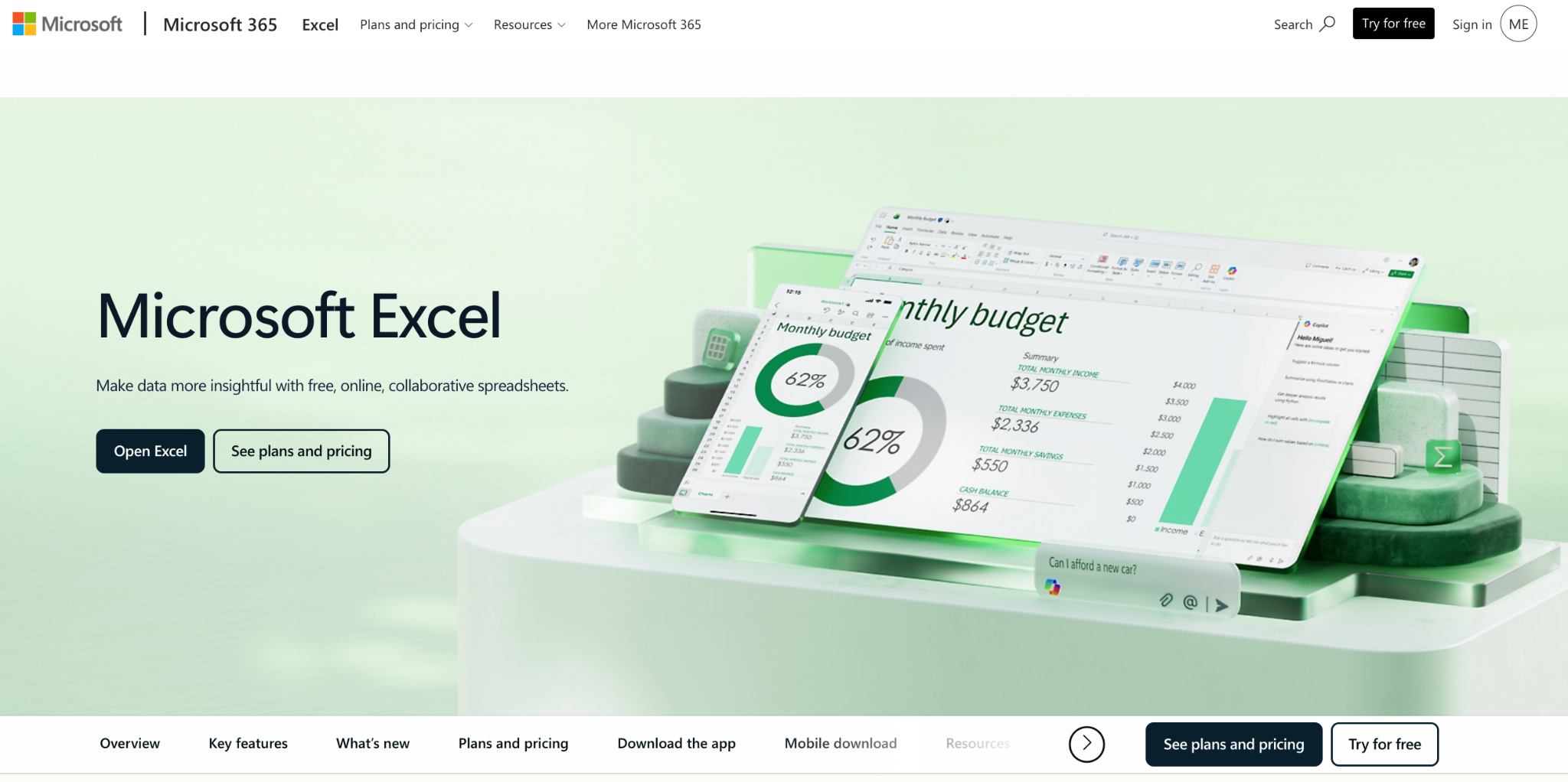
Microsoft Excel is a spreadsheet application that helps users organize, calculate, analyze, and visualize data. It’s widely used for financial reporting, budgeting, forecasting, and everyday business analysis.
Excel offers several ways to work with data:
- Formulas and functions: Calculate values, apply business rules, and look up information using functions such as IF, XLOOKUP, and SUMIFS
- PivotTables: Summarize large tables, compare categories, and explore trends without writing formulas for each calculation
- Charts and dashboards: Turn spreadsheet data into visual reports that stakeholders can explore
- Power Query: Import, clean, combine, and transform data from multiple sources using refreshable steps
- Collaboration: Share workbooks, co-edit files, and track changes through supported Microsoft 365 features
Power Query is especially relevant when comparing Excel with Alteryx. It can automate recurring preparation tasks, including combining CSV files from a folder, without requiring a separate data preparation platform.
Excel is a practical choice when teams need flexible analysis, familiar reporting tools, and repeatable data cleanup within their existing Microsoft environment.
Alteryx vs. Excel: At a glance
| Platform | Alteryx | Excel |
|---|---|---|
| Best for | Recurring, complex data preparation and analytics automation | Spreadsheet analysis and reporting |
| Main users | Business analysts and data teams | Business users and analysts |
| Key strengths | Repeatable, reusable preparation workflows | Flexible analysis and familiar reporting tools |
| Main weaknesses | Cost grows with edition, user roles, and automation | 1,048,576-row worksheet limit and logic spread across formulas |
| Data preparation | Visual workflows and transformation tools | Formulas and Power Query |
| Data size | No worksheet grid, with capacity set by workflow and resources | 1,048,576 rows per worksheet |
| Combining files | Workflow inputs and file-pattern options | Power Query folder connector |
| Automation | Workflow automation and scheduling by edition | Refreshable queries and macros |
| Advanced analytics | Predictive, spatial, and advanced workflow tools in eligible editions | Formulas and add-ins |
| Collaboration | Shared workflows and platform controls | Co-authoring and version history in Microsoft 365 |
| Artifacts | Workflows save as .yxmd files, native to Alteryx | Workbooks save as .xlsx files (.xlsm with macros), with Power Query steps stored in the workbook |
| Starting price | Alteryx Starter at $250/user/month, billed annually | Microsoft 365 Apps for business at $10/user/month, billed annually |
| Ideal team size | Starter 1–10 seats, Enterprise 10+ | One analyst to enterprise-wide teams |
Alteryx vs. Excel: Feature-by-feature comparison
Both tools can prepare and analyze data. Their differences become clearer when you compare data volume, file consolidation, transformation complexity, repeatability, collaboration, and analysis.
1. Data size and processing limits
Alteryx is better suited for data preparation that exceeds Excel’s worksheet limits, although both tools have processing constraints.
Excel: According to Microsoft’s Excel specifications, a worksheet supports 1,048,576 rows and 16,384 columns. A transaction dataset growing by 100,000 records per month would exceed the row limit during its eleventh month.
Excel can still handle larger datasets through Power Query and the Data Model, subject to memory and processing limits.
Alteryx: Its workflows have no worksheet row limit, which makes it useful for large transformations that involve multiple sources.
The row limit alone shouldn’t decide the purchase, so test how quickly each tool processes your own data, especially when using Power Query or the Excel Data Model.
Winner: Alteryx
2. Combining files and data sources
Excel’s Power Query handles file consolidation well and can also pull data from databases such as SQL Server. Alteryx pulls ahead when reports draw on cloud warehouses such as Snowflake or Databricks.
Say your team receives 12 regional sales files every month. Each has the same columns, and you need one dataset for reporting.
Excel: Power Query can combine those files directly from a folder, apply cleaning steps, and refresh the results when new files arrive.
Alteryx: A visual workflow can do the same. It becomes more useful when the report grows to include cloud warehouses and additional transformation rules. Alteryx Starter focuses on supported files, while Professional offers broader connectivity, including Snowflake and Databricks.
Winner: Alteryx
3. Data cleaning and transformation
Both Excel and Alteryx can clean, join, filter, and summarize data. The difference is how analysts build and update those transformations.
Excel combines formulas, PivotTables, and Power Query, whereas Alteryx uses dedicated tools connected on a visual canvas.
Here’s how common Excel tasks translate into Alteryx:
| Task | Excel | Alteryx |
|---|---|---|
| Remove duplicates | Remove Duplicates or Power Query | Unique tool |
| Join tables | XLOOKUP or Power Query Merge | Join tool |
| Append datasets | Power Query Append | Union tool |
| Filter records | Filters or Power Query | Filter tool |
| Apply conditions | IF formulas or Power Query | Formula tool |
| Summarize data | PivotTables or Power Query Group By | Summarize tool |
| Reshape tables | Power Query Pivot and Unpivot | Cross Tab and Transpose |
| Reuse logic | Power Query functions or macros | Workflows and macros |
Updating a revenue calculation across several monthly reports can mean tracking down formulas in different Excel worksheets or adjusting transformation steps in Power Query. With Alteryx, analysts can follow the visual workflow, find the relevant calculation, and update it without rebuilding the entire process.
Winner: Alteryx
4. Automation and repeatability
Power Query can save analysts from repeating cleanup steps, while Alteryx adds more advanced workflow automation in supported editions.
- Excel: Refresh Power Query to apply saved transformations to updated data, with macros and other Microsoft tools for additional tasks
- Alteryx: Rerun saved workflows with new inputs, with scheduling and managed automation available through Professional and Enterprise
Take a monthly finance reconciliation. Excel can refresh imported transactions and apply the same preparation rules. Alteryx can automate a more involved process that combines sources, applies calculations, and produces prepared outputs on a schedule.
Winner: Alteryx
5. Collaboration and upkeep
Excel is stronger for co-editing, while Alteryx makes transformation logic easier to follow. Consider what happens when the person who built the process is unavailable: Can another analyst understand the calculations, update a broken connection, and verify the results?
Excel: It supports real-time co-authoring and version history through Microsoft 365 for workbooks stored in OneDrive or SharePoint. Teams can also document formulas and Power Query steps, although complex workbooks may take time to understand.
Alteryx: It makes transformation logic visible through connected workflow steps. Analysts can follow the process, inspect individual operations, and update the relevant tools. For a finance team handing over a recurring report, that visibility can make ongoing upkeep easier, particularly when the workflow contains many transformations.
Lineage, which shows how data fields are defined and where data is used throughout your ecosystem, matters the moment a number in a report gets questioned. Without it, tracing a bad number back to its source can turn into a multi-day investigation.
In Alteryx, an analyst can follow the workflow back to the step that produced the number. In Excel, the same trace can mean checking formulas across worksheets and Power Query steps.
Both tools still need clear documentation, validation checks, and assigned owners, because a visual workflow can be as hard to untangle as a spreadsheet when nobody understands its business rules.
Winner: Tie
6. Analysis and reporting
Excel: Analysts can model scenarios with formulas, slice the same data several ways in PivotTables, and build the charts stakeholders review in the same workbook.
Alteryx: Its reporting tools turn workflow results into tables, charts, and formatted reports in supported editions. Teams that use both tools can send the prepared data to Excel, where analysts explore and present it.
Winner: Excel is the stronger tool once the data is ready to analyze and present.
5 signs your team may be outgrowing Excel
Moving beyond Excel is worth considering when preparation work becomes difficult to repeat, review, or update. Here are five warning signs:
- Your datasets exceed worksheet limits: Transaction records can no longer fit comfortably in a standard worksheet, even though Power Query or the Data Model may still help
- Reports require several sources: Analysts spend significant time combining exports, databases, and other inputs before analysis begins
- The same cleanup repeats each week: Recurring transformations consume hours because the process hasn’t been captured in a reusable workflow
- Several people edit the logic: Changes to formulas, queries, or file structures make reports harder to verify
- Troubleshooting takes too long: Complex calculations and preparation steps become difficult to understand when results look wrong
Try addressing the work through Power Query first, especially when the main challenges involve combining files or repeating straightforward transformations.
For a practical starting point, explore how to clean data faster, from Excel to AI-powered preparation.
Alteryx vs. Excel pricing
Excel has a much lower entry price than Alteryx, but subscription costs tell only part of the story. Excel is available through Microsoft 365 plans, while Alteryx uses edition-based pricing with additional considerations for user roles and automation.
Excel pricing
Microsoft offers Excel through several subscription plans, including:
| Microsoft 365 plan | Price | Includes |
|---|---|---|
| Apps for business | $10/user/month | Desktop Excel and other Office applications |
| Business Standard | $14/user/month | Desktop apps, business email, meetings, and additional services |
Note: Prices are billed annually. Availability and taxes depend on region.
For teams already using a Microsoft 365 plan that includes desktop Excel, Power Query comes at no extra cost, although Excel for Mac supports fewer Power Query sources than Excel for Windows and can’t import a folder of files.
Alteryx pricing
According to Alteryx’s official pricing page, Alteryx One has three editions.
| Edition | Starting price | Best for |
|---|---|---|
| Starter | $250/user/month, billed annually | Basic cloud data preparation using files |
| Professional | Custom quote | Advanced preparation, connectivity, and scheduling |
| Enterprise | Custom quote | Enterprise governance and broader automation |
Starter supports 1–10 users and provides basic cloud-based preparation capabilities.
Professional adds advanced workflow tools, broader data connections, and an included automation-run allowance. Enterprise extends the platform with additional governance and automation capabilities. A 30-day free trial is also available.
What would a 5-person team pay?
Consider five analysts who need access to desktop Excel or Alteryx Starter.
| Option | Monthly equivalent | Annual cost |
|---|---|---|
| Microsoft 365 Apps for business | $50 | $600 |
| Microsoft 365 Business Standard | $70 | $840 |
| Alteryx Starter | $1,250 | $15,000 |
These are subscription examples for different feature packages. Alteryx Professional and Enterprise require custom quotes.
Time spent on recurring preparation belongs in the calculation too. Say an analyst spends six hours each week preparing the same report.
At $50 per hour, that’s $15,600 a year spent on one recurring task. If automation cuts that work in half, the team could free up $7,800 worth of time annually, although building and updating the workflow also takes effort. Run the same estimate for Power Query, which may recover part of those hours within your existing Microsoft 365 plan.
Winner: Excel on subscription price, while time saved on recurring preparation can offset part of Alteryx’s cost.
What do real users say about Alteryx and Excel?
G2 reviewers rate Alteryx about 4.6 out of 5 across more than 950 reviews and Excel about 4.7 out of 5 across more than 3,000 reviews. The reviews below cover the main pros and cons users mention.
Alteryx
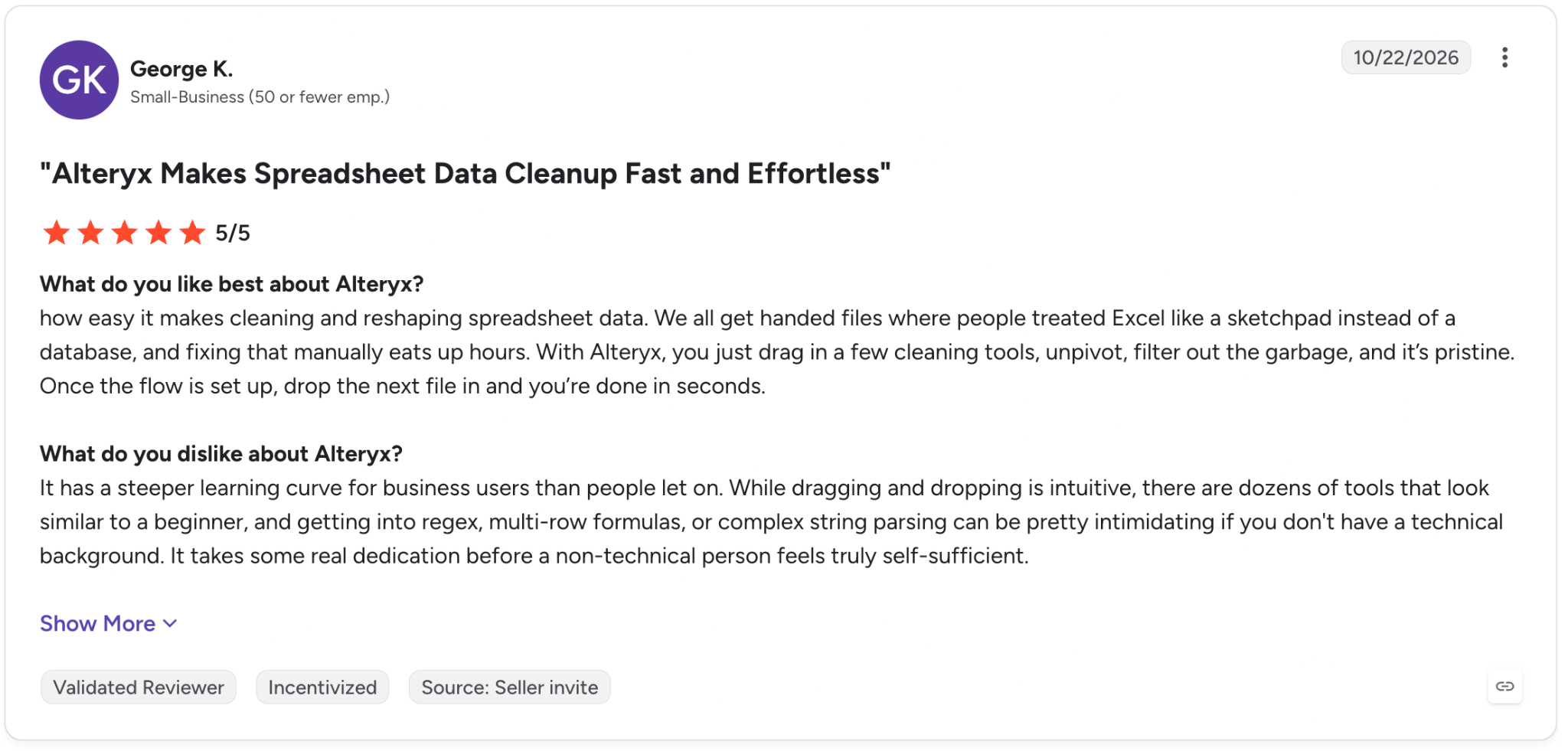
Pro: “How easy it makes cleaning and reshaping spreadsheet data. We all get handed files where people treated Excel like a sketchpad instead of a database, and fixing that manually eats up hours.” (George K., G2 review, October 22, 2026)

Con: “Some advanced workflows can become complex to manage as projects scale, and there can be a learning curve when working with more sophisticated use cases. I would like to see continued improvements in flexibility, performance, and integration with modern cloud data platforms and AI ecosystems.” (Tejaswi D., G2 review, October 15, 2026)
Excel
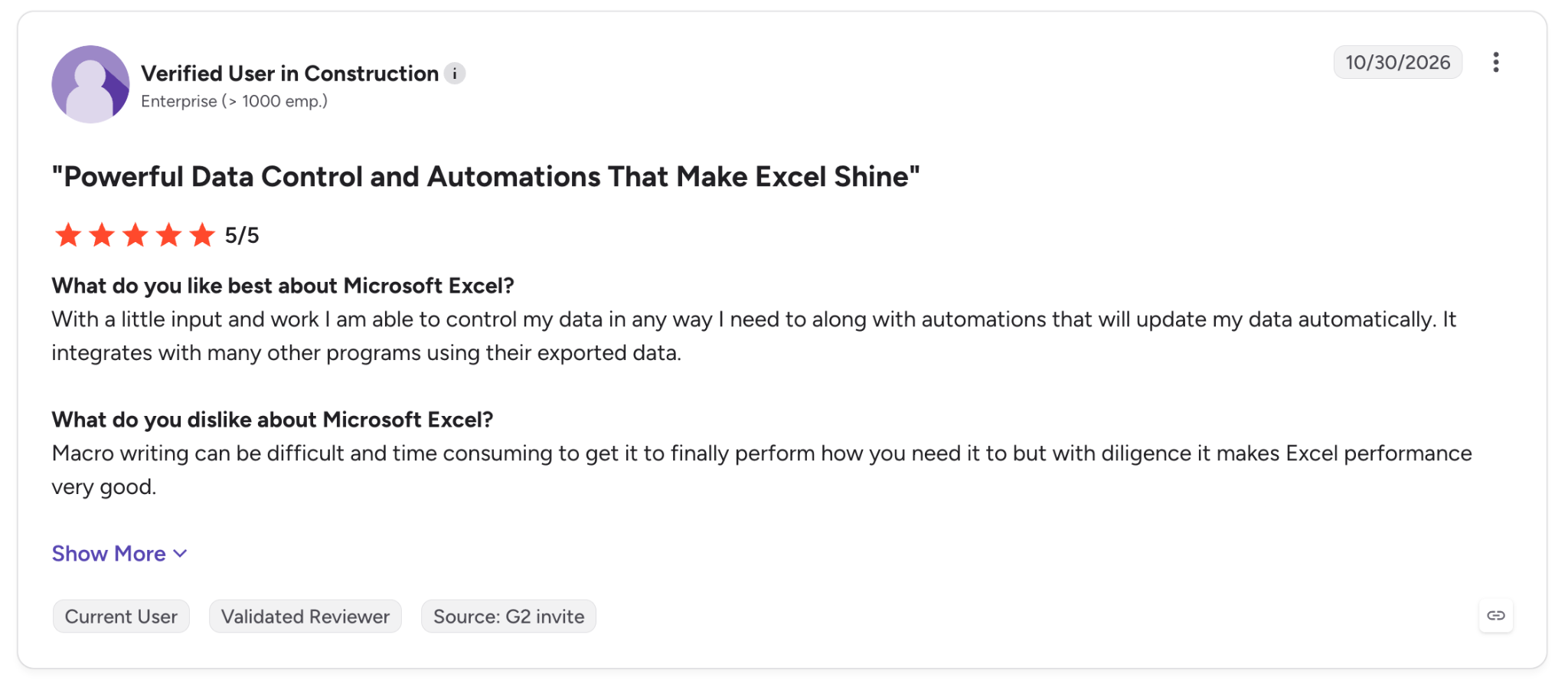
Pro: “With a little input and work I am able to control my data in any way I need to along with automations that will update my data automatically. It integrates with many other programs using their exported data.” (Verified User in Construction, G2 review, October 30, 2026)

Con: “Some functions and formulas can be difficult to troubleshoot when errors occur, especially when working with large spreadsheets. It can also be time-consuming to maintain data accuracy when working with multiple sheets or large amounts of information.” (Verified User in Consumer Electronics, G2 review, October 27, 2026)
How to make your choice
Alteryx wins on large data, transformation logic, and automation, while Excel wins on subscription cost and remains the stronger tool for ad-hoc analysis and formatted reports.
Teams with both needs can prepare data in Alteryx and keep reporting in Excel.
Alteryx is better for
- Long preparation cycles: Recurring reports involve complex joins, calculations, or transformations
- Several sources: Teams work across files, databases, and cloud data platforms
- Advanced capabilities: Predictive, spatial, or reusable transformation tools are important
- Scheduled work: Reports depend on preparation processes that need to run automatically
Excel is better for
- Spreadsheet analysis: Your team needs formulas, PivotTables, charts, and familiar reporting tools
- Light preparation: Cleaning, combining, and refreshing data works well within your current Microsoft tools
- Manual review: Analysts need to inspect values and make adjustments directly in a workbook
- Tight budgets: Existing Microsoft 365 subscriptions already support your requirements
Use both when
Excel remains the reporting environment that employees know, while Alteryx handles preparation work upstream. For example, Alteryx can prepare monthly finance data and produce an Excel-compatible output that managers continue using for their reports.
Final verdict: Alteryx vs. Excel
Spending most of your time on analyzing results, building financial models, or presenting numbers? Stay with Excel, whose formulas, PivotTables, and charts are well suited to those tasks.
Spending more time cleaning, joining, and validating data than working with the results? Look at Alteryx, especially when the same complex preparation work repeats across reports.
With Starter at $250 per user per month, identify which preparation tasks Excel and Power Query can already automate before you invest further.
Let your analysts prepare and analyze data easily
If your data already lives in Databricks, Snowflake, or BigQuery but your analysts don’t feel comfortable working there, each reporting cycle still means downloading files, fixing columns, and rebuilding preparation steps in Excel.
Prophecy is an AI data prep and analysis platform. Business analysts turn plain-English requests into visual data workflows and inspect the transformations, with each step backed by open code your data team can review. That makes the work more flexible than a proprietary format like Alteryx’s .yxmd files.
{{cta}}
Frequently asked questions
What is the main difference between Alteryx and Excel?
The main difference between Alteryx and Excel is repeatable data preparation versus spreadsheet analysis. Alteryx connects preparation steps in visual workflows that teams can rerun, while Excel organizes work in worksheets, formulas, and Power Query.
Does Alteryx work with Excel?
Yes, Alteryx works with Excel and can read and write Excel files through supported tools and editions. Teams can clean and transform spreadsheet data in Alteryx, then produce Excel-compatible outputs for reporting. Alteryx Starter supports Excel file connections.
Is Alteryx hard to learn?
No, Alteryx is relatively approachable for Excel users because its visual tools handle familiar tasks such as filtering, joining, and summarizing data. Advanced features such as macros, predictive analytics, and workflow automation take more practice.
Can I learn Excel before Alteryx?
Yes, Excel is a useful foundation for learning Alteryx. Skills such as joining tables, filtering records, and summarizing data transfer to Alteryx workflows, and Power Query experience helps with repeatable preparation.
Is Power Query a good alternative to Alteryx?
Yes, Power Query is a good alternative to Alteryx for routine preparation, such as combining files and repeating straightforward cleanup. Alteryx still goes further on predictive analytics, scheduling, and macros in supported editions. Its batch and iterative macros can rerun a workflow for each group of records or loop it until a condition is met.
What is the row limit in Excel?
The row limit in Excel is 1,048,576 rows per worksheet, with 16,384 columns. Power Query and the Excel Data Model can process data beyond a single worksheet’s row limit, although memory and processing limits still apply.