
The hard part of a monthly report often happens before anyone opens the dashboard. Someone has to combine sources, apply business rules, check exceptions, and make the result available again next month.
Data transformation tools handle that work in different places and ask different things of the people maintaining them. Our comparison of 11 tools covers their strengths, limits, and pricing models, then shows you how to choose based on your team’s skills and architecture.
The 11 best data transformation tools for 2026
- Prophecy: Best for governed AI data prep that analysts can inspect
- dbt: Best for SQL-first transformation inside the warehouse
- Matillion: Best for low-code ELT on a cloud data platform
- Fivetran: Best for managed data movement and transformation
- Alteryx: Best for analyst-built visual workflows
- Talend: Best for integration, data quality, and governance
- Airbyte: Best for open source data movement before transformation
- Informatica: Best for enterprise data management and AI-assisted pipelines
- AWS Glue: Best for serverless Spark transformation in AWS
- SQLMesh: Best for open source SQL transformation with virtual environments
- Coalesce: Best for visual, metadata-driven pipelines on a cloud data platform
How we researched these tools
We reviewed each vendor’s product pages, documentation, and pricing. When a vendor does not publish a price, we mark it as custom and leave out third-party estimates.
We compared:
- Builder skills: Who can create and maintain transformations, from SQL developers to analysts using visual workflows
- Processing location: Whether work runs in the warehouse, lakehouse, or a separate engine
- Operational controls: How teams test changes, trace data, and schedule runs
- Total cost: What the license covers and how usage or compute affects the bill
Use these criteria to narrow your shortlist, then rebuild one recurring workflow in each tool. Check whether the output matches, who can update its business rules, and what it costs to run on your usual schedule.
What is a data transformation tool?
A data transformation tool turns raw data into analytics-ready tables by cleaning, joining, aggregating, and reshaping it, then tests and schedules the result. Our guide to the types of data transformation covers those operations in depth.
How does data transformation differ from an ETL or ELT tool?
Data transformation cleans, joins, and reshapes data. ETL and ELT describe the wider process of extracting data from a source, loading it into a destination, and transforming it. In ETL, transformation happens before loading. In ELT, it happens after loading.
For example, Airbyte can move data into a warehouse, then dbt can transform it there. Some platforms handle both stages, so check whether a tool covers the work your team needs. Our guide to AI and data transformation looks at the stages in more detail.
Key criteria for comparing data transformation tools
The most useful comparison is whether your team can build, check, and maintain the same business rules as data and requirements change. Look beyond how quickly a tool produces its first pipeline.
- Modularity: Reusable models and templates keep business logic from being copied across pipelines
- Data lineage: Lineage tracking shows how fields are defined and where data is used, helping teams trace a disputed report number
- Orchestration: Scheduling and dependency handling keep pipelines running in the right order
- Data quality testing: Automated checks catch unexpected values before they reach a report
- Visual workflow building or code: The interface affects whether analysts, engineers, or both can maintain the logic
- Architecture: Running transformations in your warehouse or lakehouse has different cost and governance implications from using a separate engine
For a useful test, give each tool a workflow with one known exception. After it runs, ask someone other than the original builder to trace the output and change a rule. The time and effort involved show how practical the tool will be for the wider team.
11 Data transformation tools compared
1. Prophecy
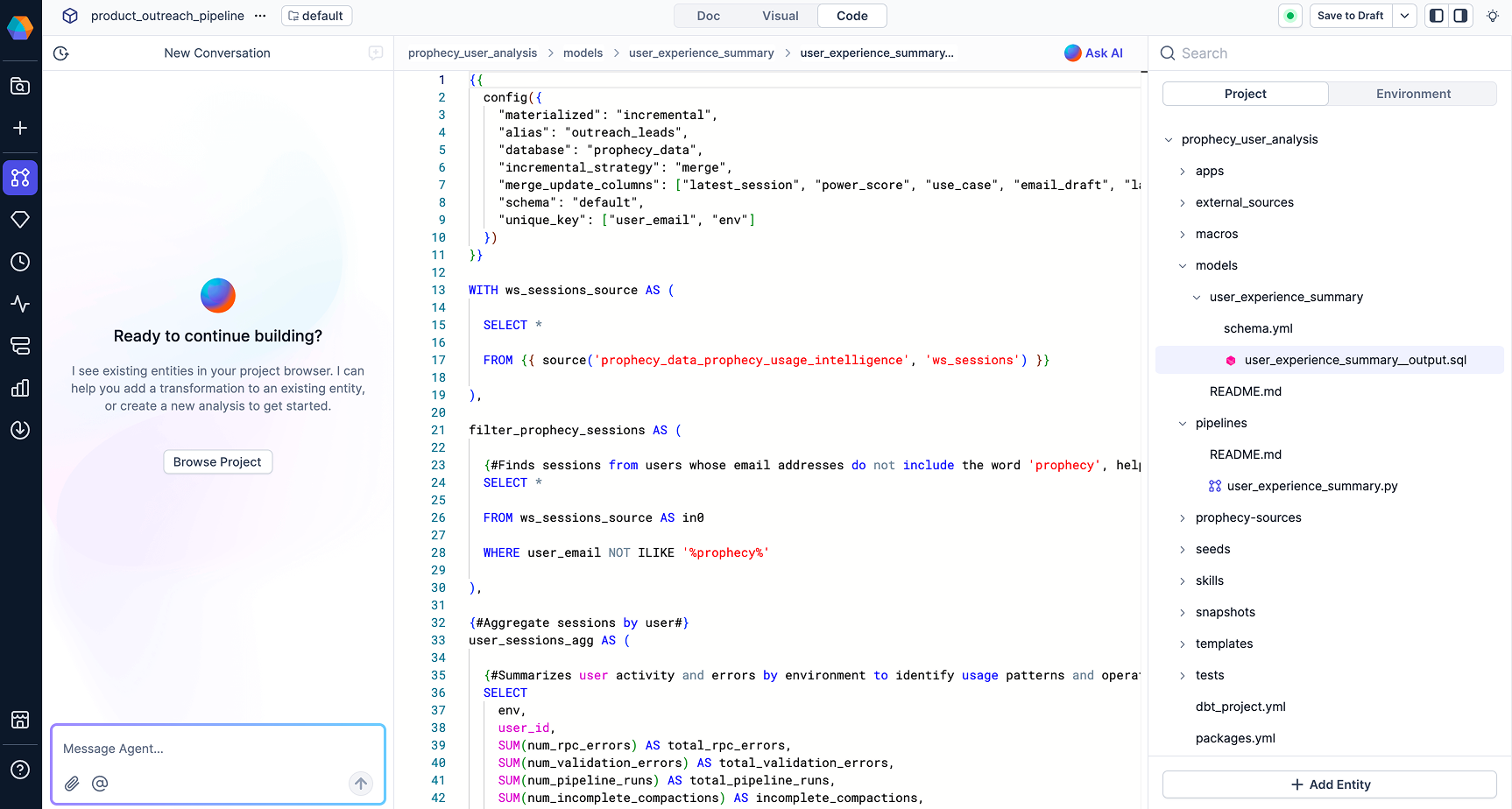
What it does: Prophecy turns a plain-language request into a visual data transformation workflow and compiles it to warehouse-native SQL that runs on Databricks, Snowflake, or BigQuery, using its Transform agent.
Best for: Data and analytics teams on Databricks, Snowflake, or BigQuery that want analysts to build governed transformations without waiting on engineering.
Pricing: Starter is free with 20 credits per month. Professional costs $150 per user per month, billed monthly, with 50 credits per user per month. Enterprise Express costs $4,000 per month for up to 20 users, billed annually, and Enterprise is custom.
Key features
- The Transform agent drafts a visual workflow from a plain-language request
- Each step is a gem you can open, run, and profile
- Agent-driven, visual, and code build modes work on the same workflow
- Workflows compile to warehouse-native SQL in a standard dbt project in Git
- Scheduling, orchestration, and monitoring come built into the platform
Where it works well: Analysts can check how a number was produced by opening a step and profiling its output, while engineers receive open SQL in their own Git repository. The logic keeps running if you leave Prophecy.
Where it falls short: Prophecy covers data prep and analysis and is not a machine learning platform. Connector coverage is broad but not exhaustive, so teams with unusual sources should check the list and plan on Python extensibility.
2. dbt
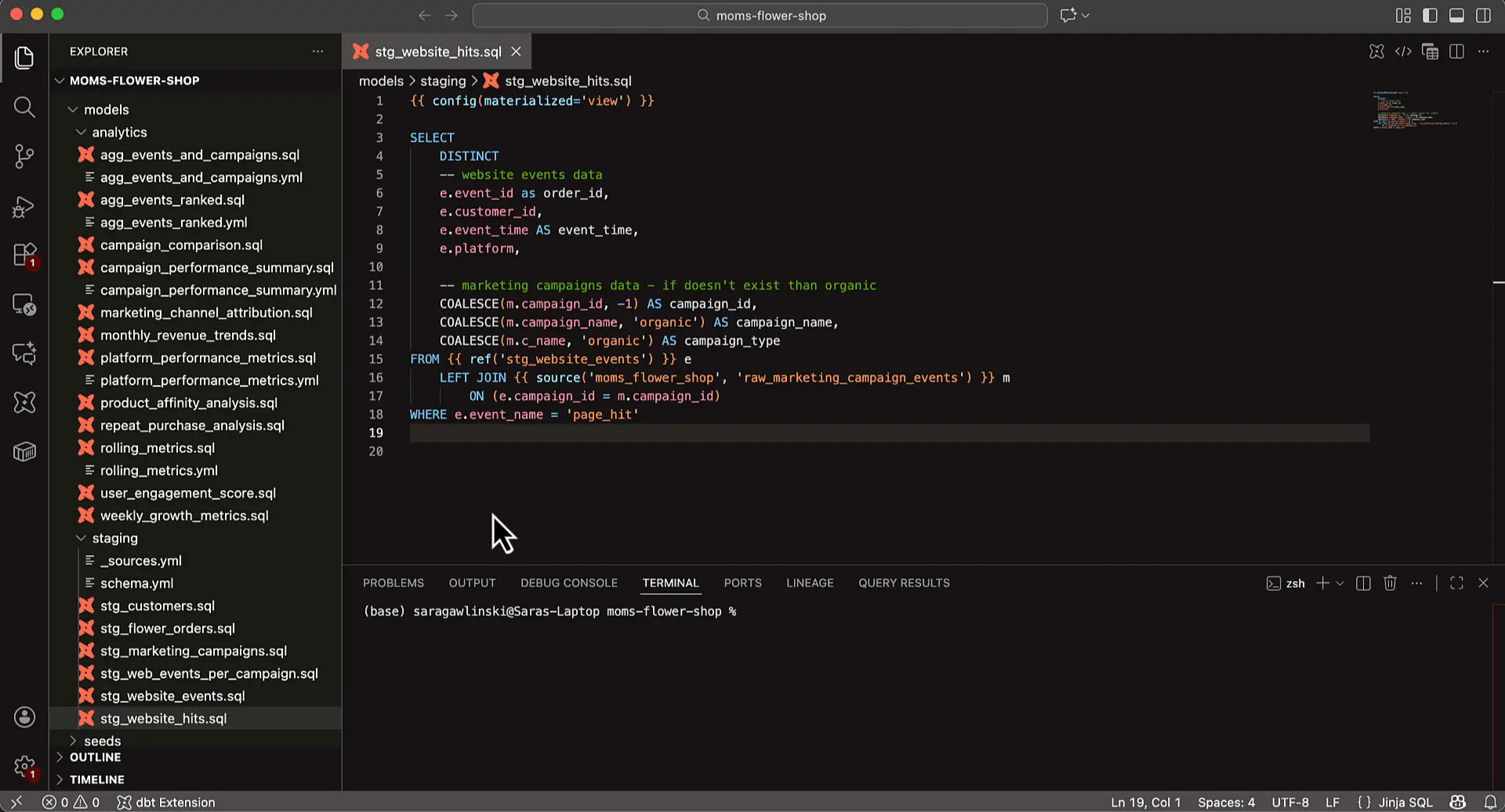
What it does: dbt compiles SQL SELECT statements into models and runs them inside your warehouse, turning data that is already loaded into transformed tables.
Best for: Analytics engineers and data engineers who write SQL and want tested, version-controlled models.
Pricing: dbt Core is open source under the Apache 2.0 license. On the dbt platform, Developer is free for one seat, Starter costs $100 per user per month with five seats, and Enterprise is custom.
Key features
- Each model is a single SQL SELECT statement that dbt compiles and runs
- Jinja templating lets teams reuse logic across models
- A built-in package manager shares transformation code between projects
- The dbt platform adds a browser-based IDE and a VS Code extension
- Usage meters successful models built, so cost follows transformation volume
Where it works well: dbt keeps transformation logic as SQL that engineers can review and version, and dbt Core is free under the Apache 2.0 license. Paid plans meter successful models built, so cost follows how much you transform.
Where it falls short: dbt covers transformation only, so you still choose ingestion and orchestration around it, and builders write SQL. Analysts without SQL depend on engineers, which is where a visual layer helps. Our comparison of Prophecy and dbt covers the trade-offs.
3. Matillion
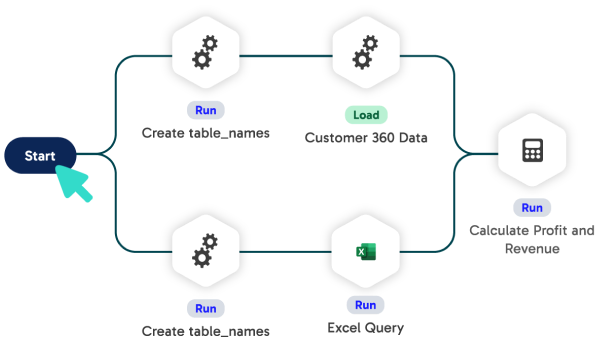
What it does: Matillion builds data transformation pipelines on a low-code canvas or in Python, SQL, or dbt, and pushes the processing down into your cloud data warehouse.
Best for: Data engineering teams standardized on one cloud data platform that want visual pipelines with code available.
Pricing: Matillion charges consumption-based credits across Developer, Teams, and Scale editions. Developer includes one developer user, Teams and Scale include five, and we found no published price per credit.
Key features
- A low-code canvas builds transformation pipelines by dragging and dropping components
- Python, SQL, and dbt pipelines run beside the visual components
- Pushdown architecture runs transformations inside Snowflake, Databricks, or Amazon Redshift
- Maia, a team of virtual data engineers, designs and refines pipelines
- Matillion Hub manages pipelines from one central place
Where it works well: Pipelines run where the data lives, so transformations use your warehouse's own processing and add little data movement. Teams can mix low-code components with Python, SQL, or dbt, which lets analysts and engineers share one pipeline.
Where it falls short: Credits are consumed by task hours and by developer users beyond those included, so cost rises with execution time and team size, and the pricing page lists no credit rate. Matillion's own AI notes say that outcomes depend on data maturity and adoption readiness.
4. Fivetran
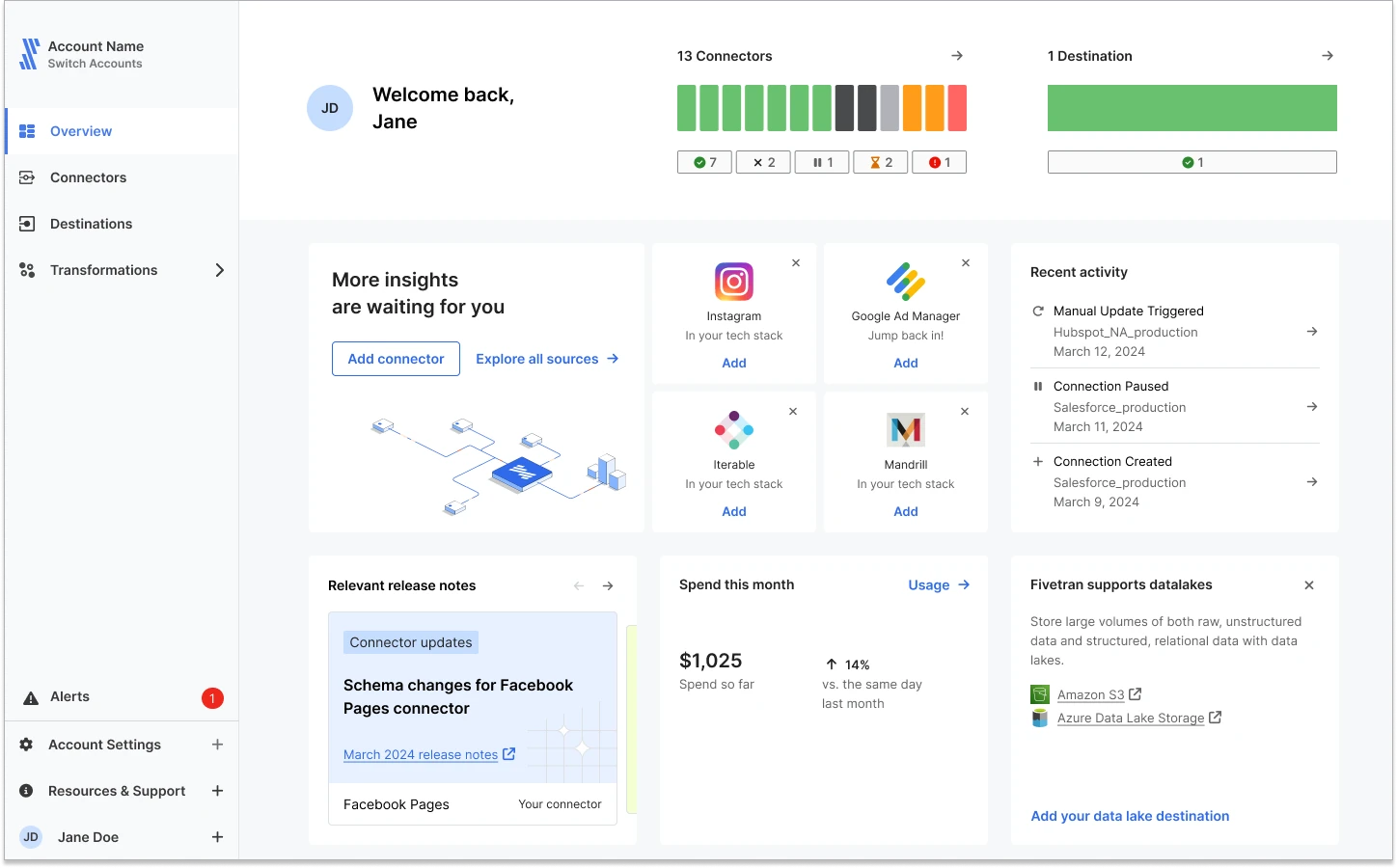
What it does: Fivetran loads data into your warehouse through managed pipelines, then transforms it there with Quickstart models and dbt Core.
Best for: Teams that want managed pipelines into a warehouse and prefer dbt-style transformation on the same bill.
Pricing: The Free plan covers up to 500,000 monthly active rows (MAR) and 5,000 monthly model runs. Standard and Enterprise plans bill MAR per connection, and Enterprise License Agreements offer a fixed annual price.
Key features
- Quickstart models and dbt Core run transformations after data loads
- Monthly model runs meter transformation usage, and failed runs do not count
- Each plan includes up to 5,000 free model runs per month
- Standard Plan features are free up to 500,000 monthly active rows
- Enterprise License Agreements can fix the annual price with no consumption limits
Where it works well: Loading and transforming sit on one bill from one vendor, so a small dbt Core project runs end to end without wiring up a separate transformation tool.
Where it falls short: Monthly active rows follow how much data changes, which makes forecasting hard before production. Transformations carry their own meter, so two usage measures run side by side, and complex modeling still means writing dbt SQL.
5. Alteryx
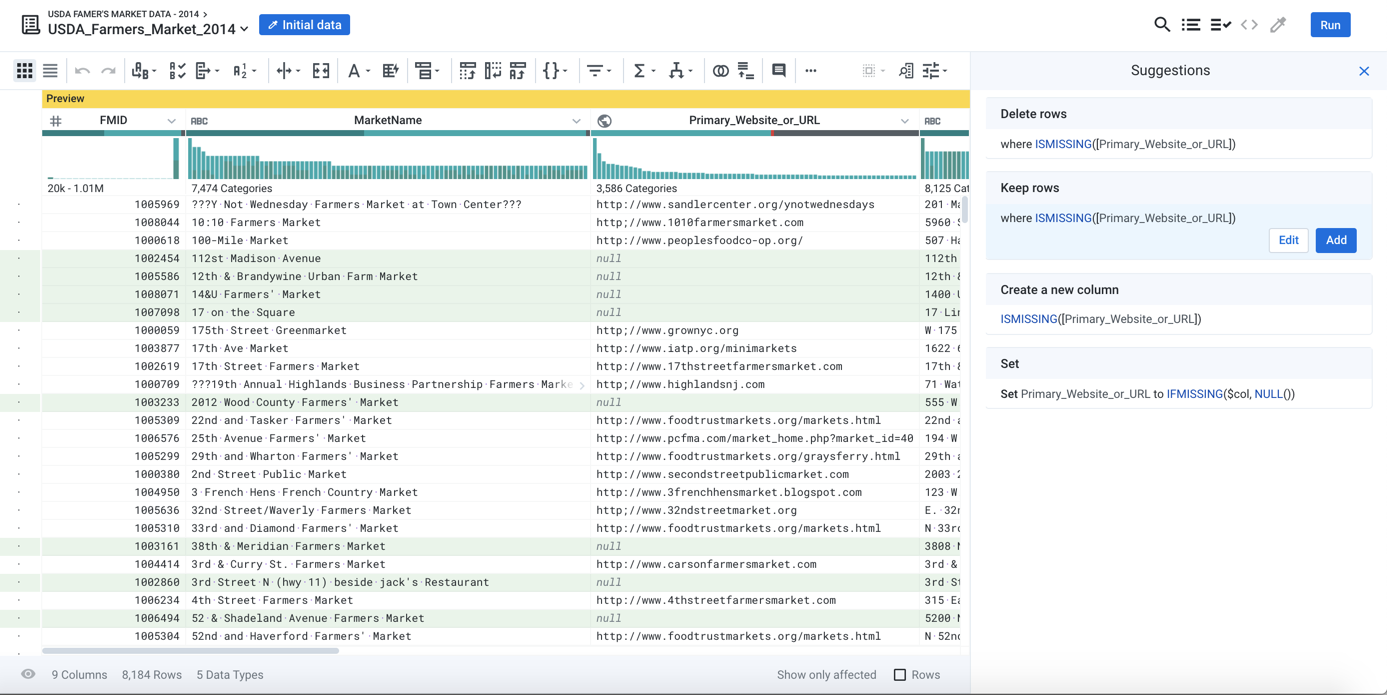
What it does: Alteryx lets analysts blend, transform, join, and aggregate data in drag-and-drop workflows, with profiling, validation, and lineage tracking built into the preparation.
Best for: Analyst-led teams that prepare, blend, and report on data without writing code.
Pricing: Starter costs $250 per user per month, billed annually, for one to 10 seats in a cloud-only deployment. Professional and Enterprise editions require a quote.
Key features
- Drag-and-drop tools blend, transform, join, and aggregate data in one workflow
- Profiling and validation check data quality inside the preparation workflow
- Lineage tracking records where data comes from and where it is used
- Ask Alteryx builds preparation workflows from natural-language requests
- Scheduled and API-triggered automation runs execute workflows on a cadence
Where it works well: Analysts build and run repeatable preparation workflows without code, and profiling and lineage sit inside the same workflow. The Enterprise edition adds API-triggered scheduling and governance for production use.
Where it falls short: Starter connects to file sources only, and automation runs from schedules and APIs count against edition capacity. Workflow logic lives in Alteryx-native .yxmd files, so moving off Alteryx means converting workflows.
6. Talend
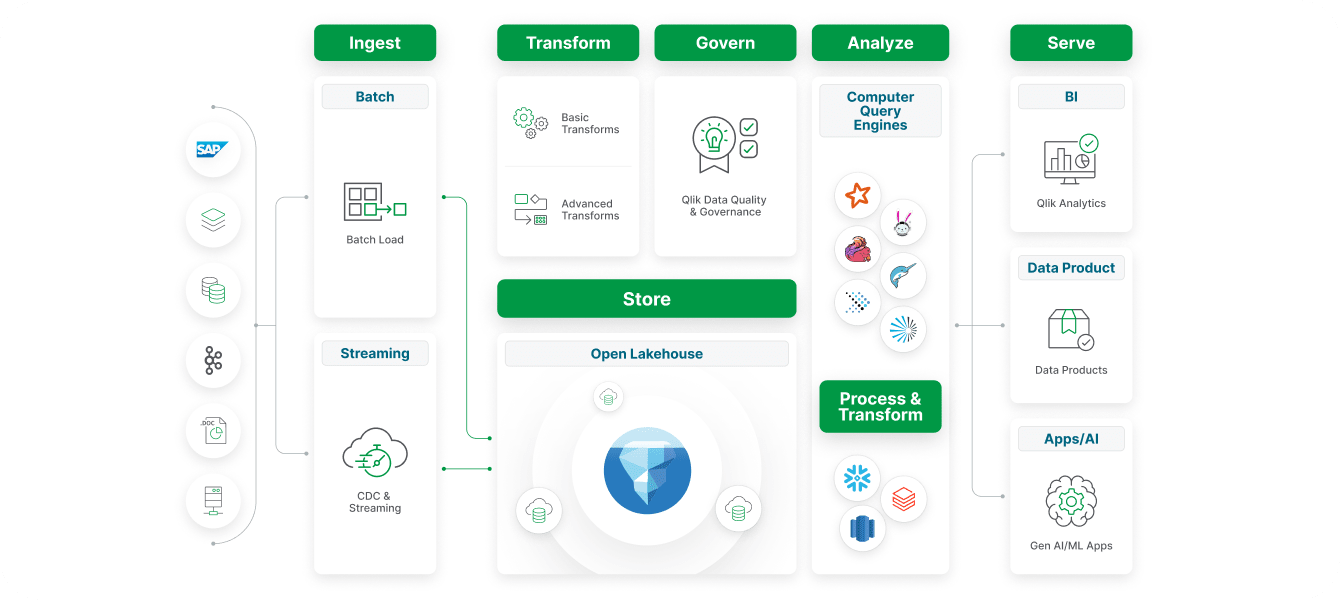
What it does: Qlik Talend Cloud builds integration tasks that move and prepare data from relational, SaaS, SAP, mainframe, and legacy sources, with data quality capabilities in higher editions.
Best for: Enterprises that need integration, data quality, and governance in one Qlik-managed platform.
Pricing: Qlik Talend Cloud comes in Starter, Standard, Premium, and Enterprise editions with capacity options, and we found no published price for the integration editions.
Key features
- Studio Data Integration creates and manages integration tasks in each edition
- Starter handles relational and SaaS sources, and Standard adds real-time change data capture, database sources, and hundreds of pre-built connectors
- SAP and mainframe connectivity are Enterprise-only
- Higher editions add data quality capabilities for cleansing and validating data
- Qlik Cloud Data Integration runs as a hosted, managed iPaaS
Where it works well: Talend suits enterprises with SAP, mainframe, and legacy sources, because the higher editions add the connectors and data quality features those estates need. Integration and analytics sit under one vendor's capacity model.
Where it falls short: Capacity bands on the lower editions measure data movement, and the integration editions require a quote, so budgeting is hard until you talk to sales. Teams that want analyst-built visual transformations should confirm the depth of each edition's transformation features.
7. Airbyte
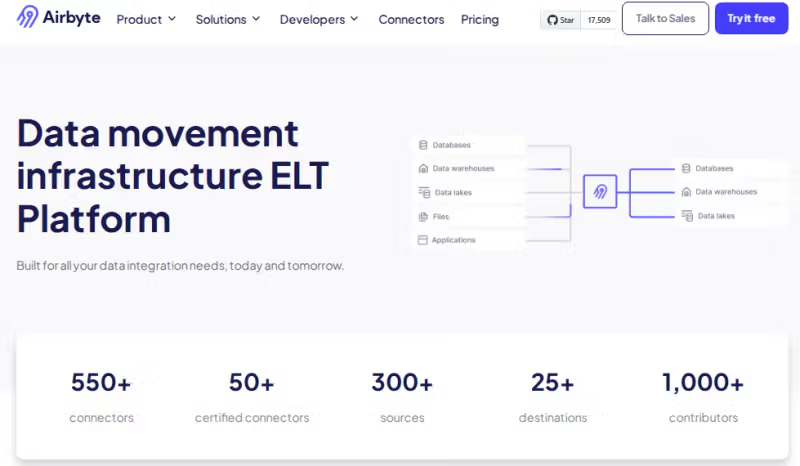
What it does: Airbyte moves data from APIs, databases, and files into your warehouse, so a transformation tool such as dbt can shape it once it lands.
Best for: Data engineering teams that want open source control over ingestion before a transformation layer such as dbt.
Pricing: Airbyte Standard starts at $20/month with five credits included, while Plus starts at $189/month with 40 credits. Extra credits cost $5 each on both plans. Pro and Enterprise Flex have custom pricing, and Airbyte offers a 30-day trial with 400 credits.
Key features
- Core is a self-managed open source option for ingestion
- Standard and Plus run managed syncs billed in credits
- Credits meter APIs by rows and databases and files by gigabytes
- Plus adds field renaming and 15-minute syncs for faster, cleaner loads
- Pro adds capacity-based pricing, RBAC, row filtering, and hashing and encryption
Where it works well: Airbyte prepares data for transformation by loading it into your warehouse, and light changes such as field renaming, row filtering, and hashing happen during the sync on the plans that include them. Core gives engineers open source control.
Where it falls short: Airbyte moves data and leaves modeling to a downstream tool such as dbt, so you need a separate transformation layer. Syncs continue past your credits and bill in arrears, which can surprise a fixed budget.
8. Informatica
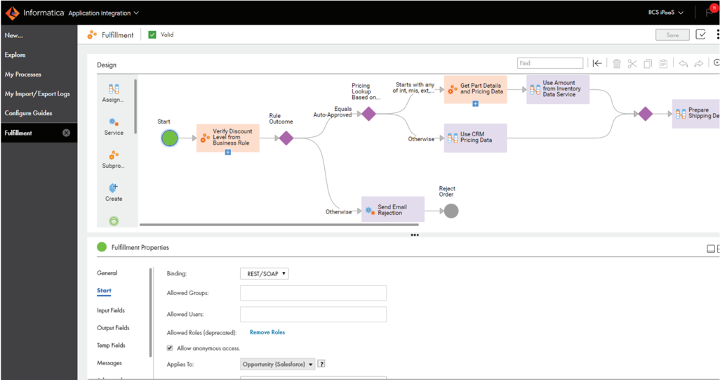
What it does: Informatica Cloud Data Integration builds, validates, and deploys pipelines that ingest and transform data with ELT, ETL, replication, and change data capture, assisted by the CLAIRE AI engine.
Best for: Large enterprises that run data integration, quality, and governance together on one cloud platform.
Pricing: Informatica does not publish a dollar price per IPU. Request a quote based on the services and usage you expect.
Key features
- ELT, ETL, replication, and change data capture load cloud warehouses and lakes
- Headless pipelines let pro-code and low-code developers work in their preferred tools
- CLAIRE AI helps automate pipeline work
- Support for open table formats fits modern lakehouse architectures
- IPU pricing spans integration, ingestion, API, quality, governance, and masking services
Where it works well: One IPU pool spans data integration, ingestion, quality, governance, and masking, so enterprises can add modules without a new contract. Support for open table formats and MCP-enabled environments such as Claude fits lakehouse and AI workflows.
Where it falls short: Informatica publishes no list rates, so budgeting starts with a sales conversation, and consumption varies by service. Teams that need only transformation pay for a platform built for broader data management.
9. AWS Glue
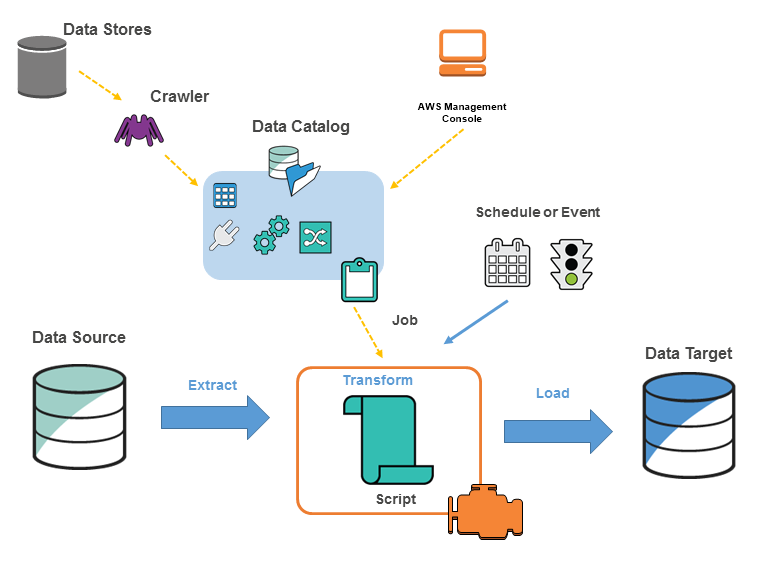
What it does: AWS Glue runs ETL jobs on Spark and Python that transform data inside AWS, with crawlers that discover data and DataBrew for visual cleaning.
Best for: AWS teams with in-house Spark or Python skills that want jobs without managing clusters.
Pricing: AWS Glue charges for ETL jobs by Data Processing Unit (DPU) and runtime. In US East (Ohio), Spark jobs cost $0.308 per DPU-hour on Glue 6.0 and later, or $0.44 per DPU-hour on versions 2.0–5.1, billed by the second with a 1-minute minimum.
Crawlers, Data Catalog usage beyond its free allowance, and related AWS services can add to the bill. Rates vary by region.
Key features
- ETL jobs and interactive sessions bill by the second for the time they run
- Crawlers discover your data so jobs can process and load it
- Glue Studio notebooks let engineers develop ETL code interactively
- DataBrew cleans and normalizes data through visual sessions and jobs
- Data Quality rules evaluate data and bill by the DPU-hour
Where it works well: Glue charges only for the time a job runs, which suits scheduled batch transformations. DataBrew gives analysts a visual option beside Spark code, and the Data Catalog offers managed compaction for Apache Iceberg tables in Amazon S3.
Where it falls short: Glue bills ETL, crawlers, DataBrew, and Data Quality as separate components, so a pipeline's cost is the sum of several meters. Most jobs are Spark or Python code, which suits engineers more than analysts.
10. SQLMesh
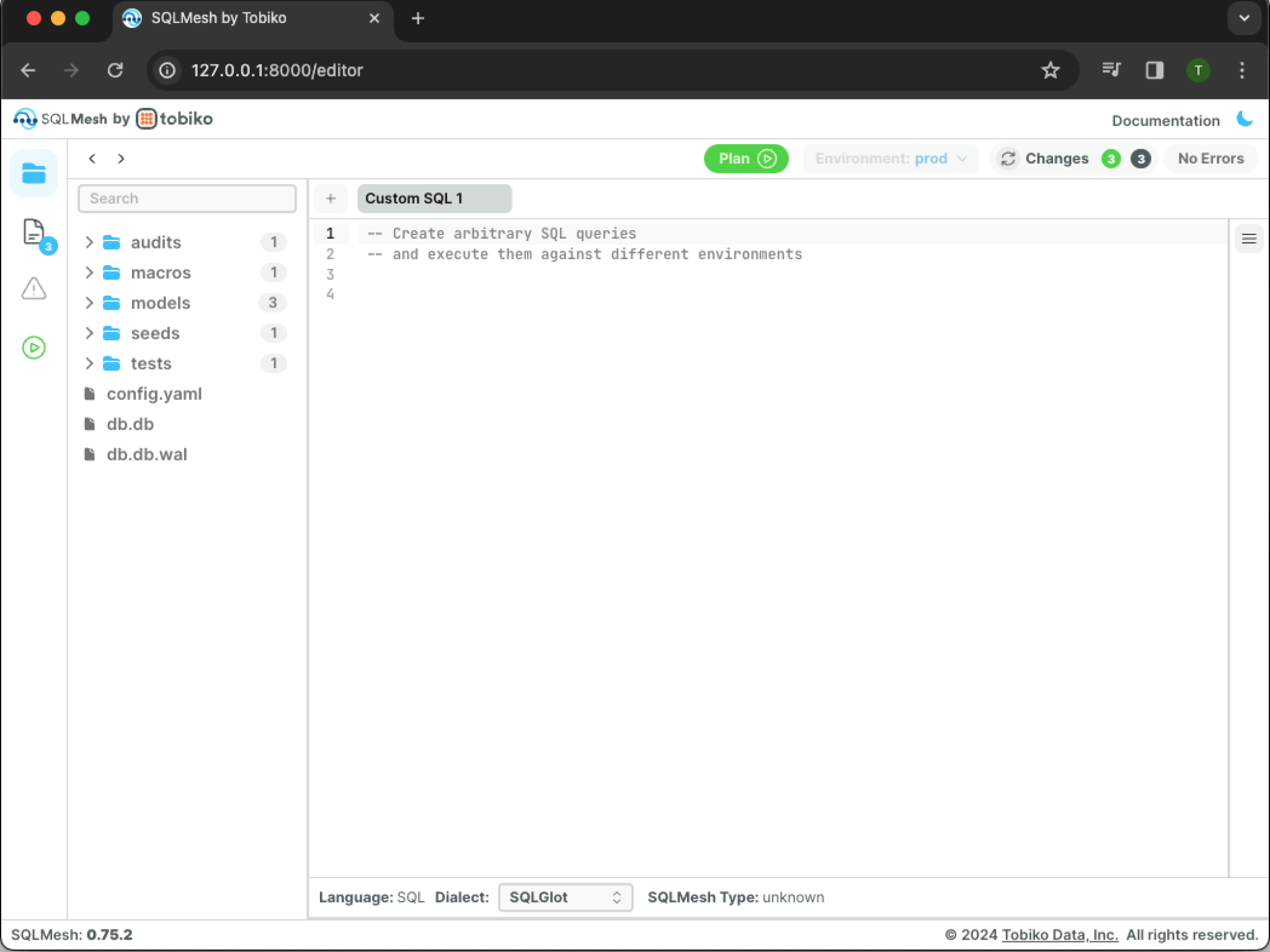
What it does: SQLMesh lets engineers write SQL and Python transformation models, previews changes in virtual environments, and applies them to production after review.
Best for: Data engineering teams that want open source modeling with safe previews of changes before production.
Pricing: SQLMesh is open source, and you can run models with the built-in scheduler or with Tobiko Cloud, for which we found no published price.
Key features
- Virtual data environments avoid recomputing models when you preview changes
- Column-level lineage traces which columns feed a column in another table
- State tracking supports incremental loads that resume where the last run ended
- SQLGlot parses your SQL to build a semantic understanding of each model
- A browser UI shows lineage, including for dbt projects
Where it works well: Virtual environments let teams test changes without rebuilding every table, which lowers warehouse cost during development. SQLMesh also reads dbt projects, so teams can adopt its lineage without rewriting models.
Where it falls short: SQLMesh asks builders to write SQL or Python, and collaboration, observability, and cost tracking sit in Tobiko Cloud. Its stewardship moved from Tobiko to Fivetran, and Fivetran announced a Linux Foundation donation in March 2026, so check the governance model you adopt.
11. Coalesce
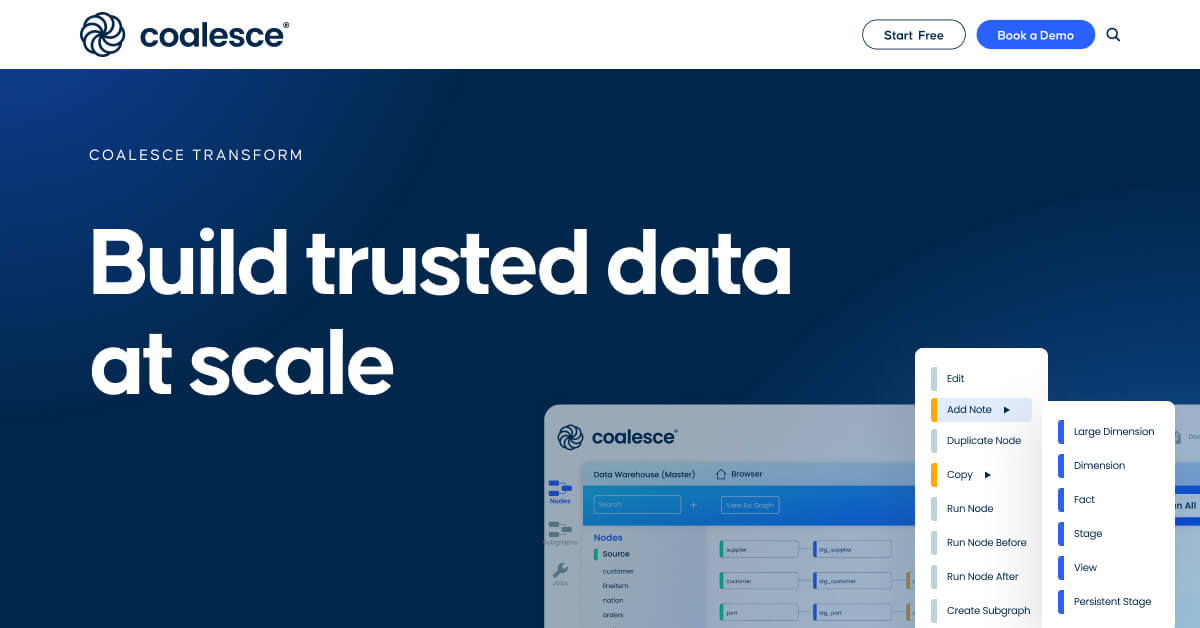
What it does: Coalesce Transform is a metadata-driven workspace where teams design transformations on a visual DAG, generate standardized SQL from templates, and run them in-database.
Best for: Data teams on Snowflake or Databricks that want a visual workspace with code and reusable templates.
Pricing: Coalesce offers a free Developer plan for one user, capped at 2,000 actions per month. Starter costs $150 per user per month, billed annually, and includes up to four Transform users and 15,000 monthly actions. Enterprise and Business Critical have custom pricing.
Key features
- A visual DAG shows each transformation step beside the code
- Reusable templates generate standardized, best-practice SQL
- Tests and data contracts run inside the transformation flow
- Column-level lineage shows how fields move through each pipeline
- Instant change propagation updates downstream objects when you edit a node
Where it works well: Templates codify repeated transformations, so teams standardize patterns and avoid hand-copying SQL. Column-level lineage and built-in testing sit in the same workspace as the build.
Where it falls short: Smaller teams on the free Developer plan hit the 2,000-action cap quickly, so production work moves to the $150 Starter sooner than the free tier suggests. Transformations run in-database, so you need Snowflake, Databricks SQL, BigQuery, or Microsoft Fabric.
Choosing a data transformation tool
Choose a data transformation tool based on where processing should run, who will maintain the rules, and how the results reach production. A tool that fits the architecture can still create a bottleneck if only one person can update its workflows.
Decide where transformations run
Start with your current data platform and the size of a typical job.
dbt and SQLMesh run transformations on a supported data platform, while AWS Glue provides a separate processing service for Spark jobs. Check where data moves, which permissions apply, and what compute a scheduled run will consume.
Identify the workflow owner
If engineers own transformation logic, assess the SQL development and review process. If analysts own business rules, have them build and change a workflow in a visual tool such as Prophecy, Alteryx, Matillion, or Coalesce.
The self-service data transformation guide helps distinguish workflows analysts can explore from those they can maintain in production.
Check the work around transformation
A transformation workflow depends on what happens before and after it runs. Who loads the source tables? What happens when a source column changes or a scheduled run fails? Check which tool handles each step and who receives the alert.
If your shortlist spans desktop workflows and warehouse-based pipelines, the data preparation tools comparison can help you sort them by where the work runs and how teams maintain it.
Price and test a recurring job
Run the same workflow in two shortlisted tools, including a known exception and a routine rule change.
Compare the output, the time another team member needs to understand the logic, and the cost of running it on its normal schedule. Account for licenses, usage charges, and the compute behind each run.
Final verdict
For teams that maintain transformations in SQL, dbt and SQLMesh deserve a close look. AWS Glue fits AWS teams that run Spark jobs.
If the immediate challenge is getting source data into your platform, compare Fivetran and Airbyte. Informatica and Talend suit evaluations that also cover integration, data quality, and governance.
Visual tools serve different owners. Alteryx suits analysts who build across a broad range of data tasks. Prophecy focuses on analyst-led data prep on cloud data platforms, while Matillion and Coalesce offer visual ways to build transformation pipelines.
For data leaders with a growing transformation queue
A new source table, a changed revenue rule, a month-end exception. When every analyst request becomes an engineering ticket, even small changes delay the report. The right data transformation tools should let analysts make those changes while giving your platform team a clear way to review the logic.
Request a demo with one request from your backlog. Bring its source tables and rules to see how an analyst builds the workflow and how your team reviews the SQL before deployment.
Frequently asked questions
What are the four types of data transformation?
Four common types are cleansing, standardization, enrichment, and aggregation. They fix errors, align formats, add context, and summarize records, respectively. Teams may also use normalization to make values comparable and generalization to group detailed values into broader categories.
Is dbt an ETL tool?
No, dbt handles transformation after data has been loaded into a warehouse or other supported data platform. Teams commonly pair it with an ingestion tool such as Fivetran or Airbyte to bring source data in, then use dbt models to turn that data into tables for analysis.
What is the best tool for data transformation?
dbt is a strong choice for teams that maintain warehouse transformations in SQL. For analysts who need to build and inspect data prep workflows visually, compare Prophecy, Alteryx, Matillion, and Coalesce against a real workflow. The best fit is the one your team can update, validate, and run within its existing data platform.
Is Prophecy a data transformation tool?
Yes, Prophecy is an AI data prep and analysis platform for transformation work. Analysts describe a dataset in plain language, the Transform agent drafts a visual workflow, and the workflow compiles to warehouse-native SQL on Databricks, Snowflake, or BigQuery.
How is Prophecy different from dbt?
The main difference between Prophecy and dbt is the interface. dbt is code-first SQL, and Prophecy generates a visual workflow that compiles to a standard dbt project. Our Prophecy and dbt comparison covers the details.