


Check out the latest and greatest in Prophecy 4.2.4! This release focuses on reducing friction in real-world data workflows, making pipelines easier to deploy across environments and streamlining how teams get the job done.
Run One Pipeline Many Ways with Parameter Sets
Now you can build a pipeline and run it in different scenarios with Parameter Sets.
For example, consider an HR Analyst who runs a pipeline to populate a US hiring report. As her business grows, there is a need for new tables and reports for regions outside the US. With Prophecy 4.2.4, she need not duplicate her pipeline with slightly different logic. Instead, she creates Pipeline Parameter Sets for each region and activates the desired one when she runs her reports.
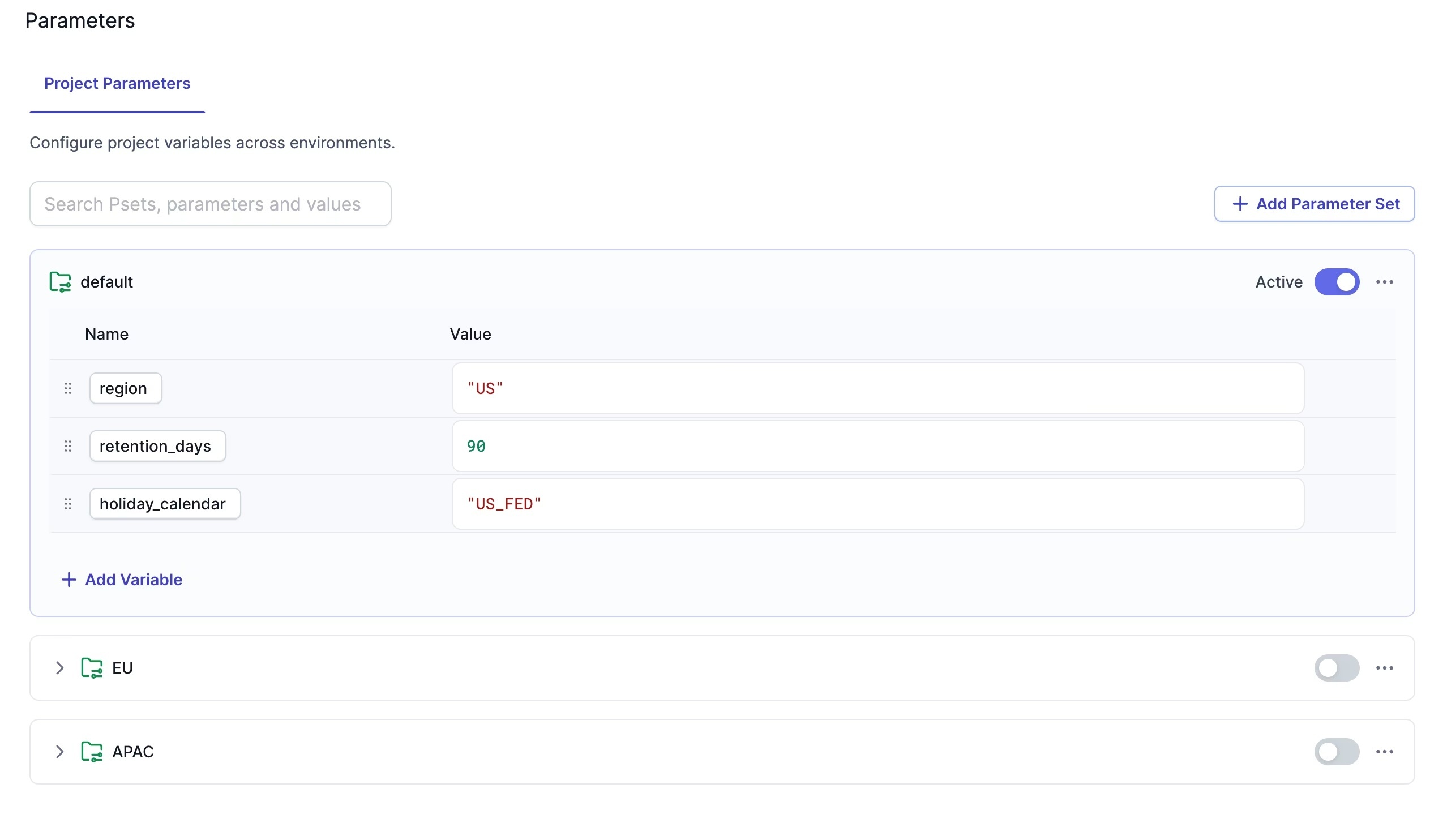
Her Data Platform Manager also benefits from Parameter Sets. He can set up different parameter sets for dev, test, and production scenarios to effectively manage differences across environments.
Smarter File Handling with Examine + Compression Support
We’ve added the ability to infer file formats and compression codecs in Prophecy, saving time and eliminating manual, error-prone processes when working with files.
With its new Examine button, Prophecy samples your file to automatically determine its format (CSV vs. JSON vs. XML vs. XLSX vs. Parquet), compression codec, if any, and schema with no need to manually inspect it.
Additionally, target gems can now write encrypted files, allowing increased protection of sensitive data.
For more specifics, see the help docs.
Ready to see Prophecy in action?
Request a demo and we’ll walk you through how Prophecy’s AI-powered visual data pipelines and high-quality open source code empowers everyone to speed data transformation



